How to Migrate from AutoGen to LangGraph
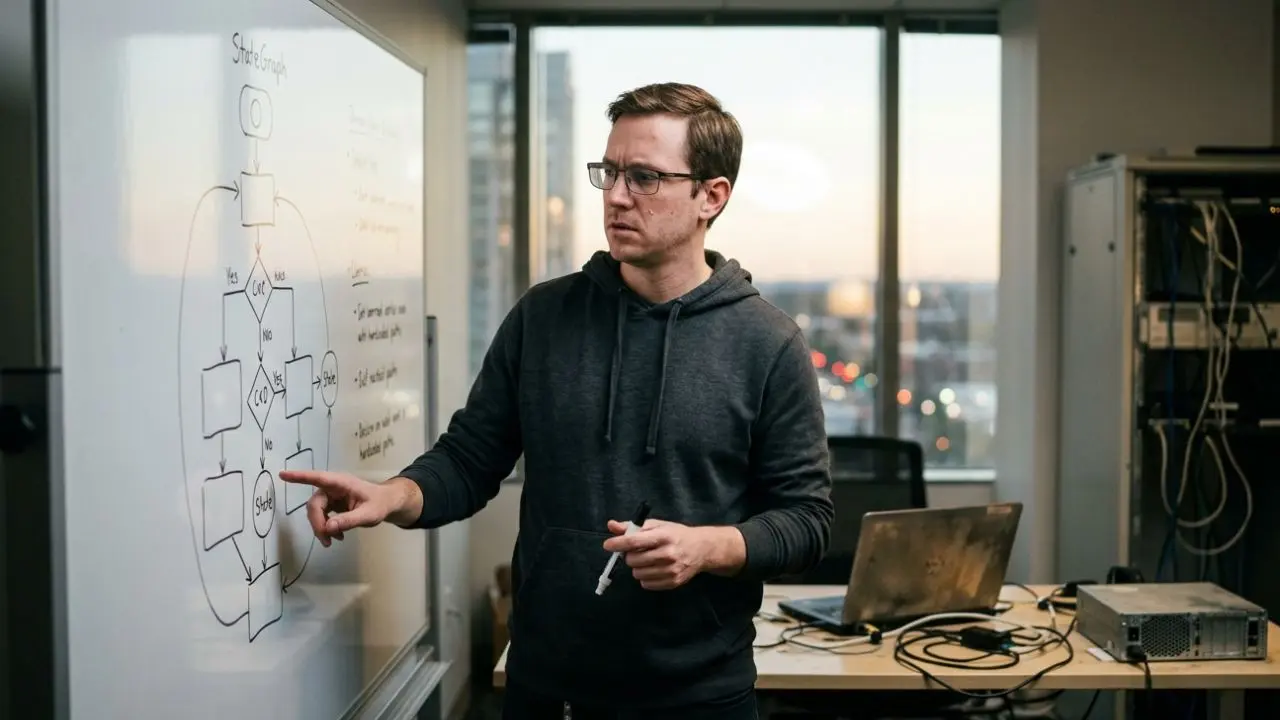
- Understanding how to migrate from autogen to langgraph requires shifting from a conversational model to a strict state-machine architecture.
- Converting AutoGen's GroupChat to LangGraph conditional edges eliminates costly LLM-based task routing.
- LangGraph’s localized state management provides superior checkpointing for recovering from mid-flow API failures.
- This architectural shift is necessary for enterprises scaling beyond rapid prototyping into highly regulated production environments.
Learning how to migrate from autogen to langgraph is becoming a mandatory right of passage for AI engineering teams in 2026.
As outlined in our comprehensive ai agent framework decision matrix, starting with conversational agents is great for prototyping.
However, when those prototypes hit production scale, the "orchestration tax" of agents talking to each other burns through token budgets rapidly.
Migrating to a state graph architecture enforces deterministic control over your workflows.
It stops AI agents from hallucinating task sequences and provides strict security boundaries for enterprise data.
This guide breaks down the exact technical mapping required to transition your codebase from Microsoft AutoGen to LangChain's LangGraph framework.
Phase 1: Shifting the Architectural Paradigm
Before writing code, you must realign how you think about agent interaction.
In AutoGen, you create `ConversableAgents` and throw them into a shared space. The LLM acts as the central router, deciding who speaks next based on the prompt history.
In LangGraph, you are building a directed acyclic graph (or cyclic if looping). The LLM does not decide the fundamental execution flow.
Instead, Python code defines strict edges. The LLM only executes localized tasks within specific nodes, yielding predictable and highly debuggable outcomes.
Phase 2: Defining the Global State Object
AutoGen handles memory implicitly by appending messages to a massive chat history array.
LangGraph requires you to explicitly define a State object, usually using Python's `TypedDict`.
This state acts as the central nervous system of your workflow. Instead of passing massive chat histories around, you only pass necessary variables.
For example, your state might explicitly hold a `research_summary`, a list of `current_errors`, and a `final_draft` string.
Each node in LangGraph receives this state, mutates it, and returns the updated values.
Phase 3: Converting Agents to Nodes
The core step in knowing how to migrate from autogen to langgraph is dismantling your AutoGen personas.
An AutoGen "Coder Agent" and "Reviewer Agent" become distinct functional Python functions (Nodes) in LangGraph.
A Node function takes the current State, invokes an LLM call or a specific tool with strict parameters, and outputs a state update.
This isolates the LLM's reasoning to a single, easily observable boundary.
If the Coder Node fails, you can inspect the exact State payload it received via LangSmith tracing, something far more difficult in a tangled AutoGen chat log.
Phase 4: Replacing GroupChat with Conditional Edges
AutoGen’s `GroupChatManager` is notoriously token-heavy because it reads the entire conversation to pick the next speaker.
To replicate this dynamically but efficiently in LangGraph, you build a "Router Node" connected to conditional edges.
The Router Node evaluates the State (e.g., checking if the `code_status` variable says "failed").
Based on that evaluation, a programmatic `if/else` statement directs the workflow to the appropriate next Node.
This deterministic routing eliminates the LLM orchestration tax entirely, driving down operational costs by up to 40%.
Phase 5: Upgrading Human-in-the-Loop (HITL)
AutoGen relies on user proxy agents to pause execution and request human chat inputs.
LangGraph handles HITL natively at the infrastructure level via Checkpoints.
When migrating, you can explicitly set an `interrupt_before` flag on critical nodes—such as a deployment node.
The execution graph pauses completely, serializes the State to a database, and waits indefinitely for a human manager to review or mutate the payload via an API endpoint.
Once approved, the workflow resumes flawlessly from the checkpoint.

Frequently Asked Questions (FAQ)
Enterprise teams are migrating to cut down the 'orchestration tax' caused by AutoGen's conversational routing. LangGraph utilizes deterministic edges, which drastically reduces API token consumption and makes debugging cyclic workflows much more predictable.
In LangGraph, an AutoGen agent translates into a specific 'Node'. Instead of an autonomous agent deciding when to speak in a group chat, the LangGraph Node executes its logic and returns a state update, which deterministic edges then route to the next Node.
The closest equivalent is a centralized state machine with conditional routing. Instead of agents reading a shared chat history to decide their turn, a router node or predefined conditional edges explicitly dictate the execution sequence based on the current state.
AutoGen relies heavily on passing conversation history arrays. LangGraph manages memory through a localized State object (often a TypedDict) that is updated by each node and saved via native checkpointing, allowing workflows to pause, resume, or replay from specific states.
Yes. While AutoGen handles HITL via console inputs or proxy agents, LangGraph allows you to set explicit breakpoints on nodes. The graph execution suspends entirely, saving the state, and waits for a human to approve or mutate the data before resuming execution.