MacBook Pro M4 Max vs Windows for Local LLMs: The 2026 Developer’s Showdown
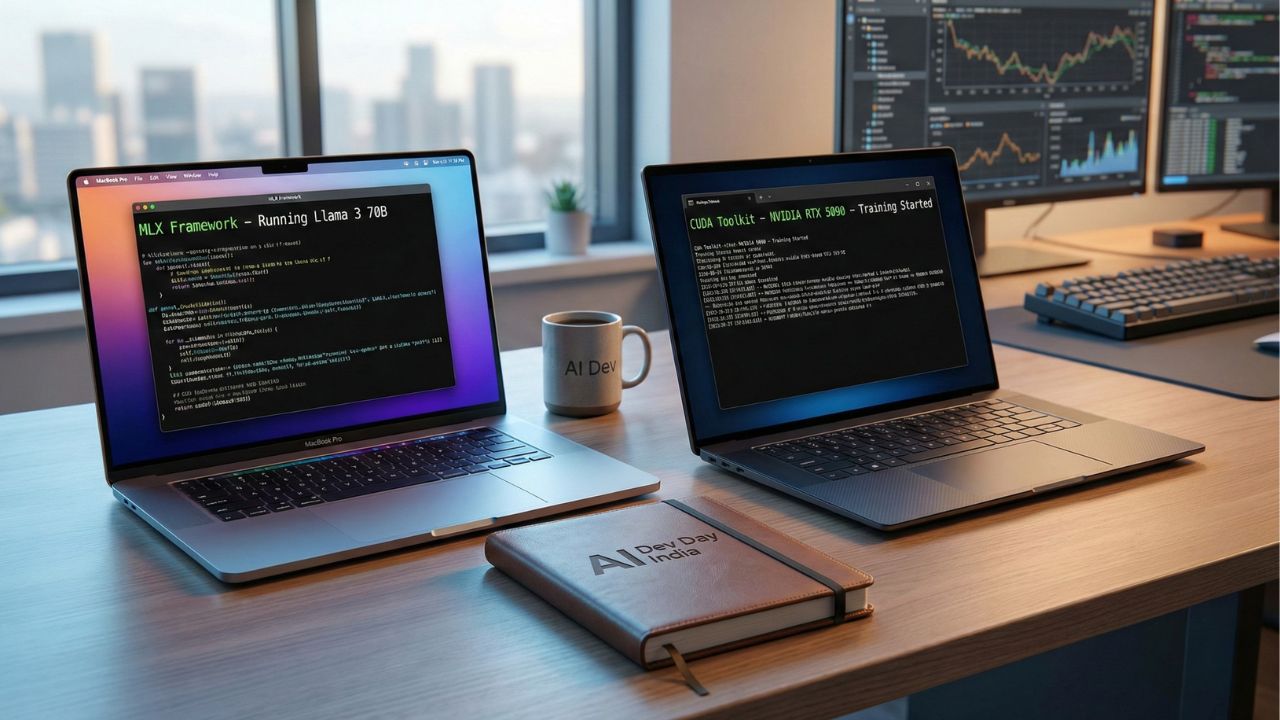
Quick Takeaways: Mac vs. PC for AI
- The Memory King: The MacBook Pro M4 Max wins on model size. Its 128GB of Unified Memory allows you to run massive 70B+ parameter models that simply crash on Windows laptops.
- The Speed King: Windows (NVIDIA RTX 50-series) wins on raw training speed. If you are fine-tuning or training from scratch, CUDA cores remain undefeated.
- Battery Life: The M4 Max can run heavy inference unplugged for hours. High-end Windows laptops will throttle performance instantly if you unplug them.
- The Trade-Off: Choose Mac for Inference (running agents/chatbots). Choose Windows for Training (creating models).
Choosing between a MacBook Pro M4 Max vs Windows for Local LLMs is the most expensive decision a developer will make in 2026.
You aren't just buying a laptop; you are choosing an architecture.
Do you want the raw, brute-force compatibility of NVIDIA’s CUDA, or do you want the massive memory capacity of Apple Silicon?
This deep dive is part of our extensive guide on Best AI Laptop 2026.
If you make the wrong choice, you might end up with a machine that can't load the model you need—or one that dies after 45 minutes of work.
This guide breaks down exactly which architecture fits your workflow.
The Apple Advantage: Unified Memory Architecture (UMA)
The biggest bottleneck in local AI isn't speed; it's VRAM capacity.
On a Windows laptop, your CPU RAM and GPU VRAM are separate.
An RTX 5090 Laptop GPU might max out at 16GB or 24GB of VRAM.
Apple changes the rules. The M4 Max chip uses Unified Memory, meaning the GPU has access to the entire system RAM.
The Real-World Impact: If you buy a MacBook Pro with 128GB of RAM, your GPU effectively has ~100GB of VRAM available for AI.
What You Can Run: This allows you to load unquantized Llama 3 (70B) or even Grok locally.
The Windows Reality: To run those same models on Windows, you would need a desktop with dual RTX 4090s, costing significantly more in power and space.
If your goal is simply to run the smartest possible models locally, the Mac wins.
For more details on memory limits, read our guide on Minimum RAM and VRAM Requirements for Running Llama 4.
The Windows Advantage: The CUDA Moat
While Apple is catching up with frameworks like MLX, NVIDIA still owns the ecosystem.
CUDA (Compute Unified Device Architecture) is the industry standard.
Compatibility: Every major AI repository on GitHub is written for CUDA first.
If you are on Windows, things just work. On Mac, you often have to wait for a "Metal" port or deal with slower CPU offloading.
Training Speed: The RTX 5090 is a number-crunching beast.
For tasks like LoRA fine-tuning or training a small model from scratch, an NVIDIA laptop will often be 2x-3x faster than the M4 Max.
If you are a researcher building new architectures rather than just running existing ones, Windows is still the safer bet.
Mobility and Efficiency: The "Lap" Test
This is where the comparison becomes unfair.
The MacBook Pro M4 Max delivers nearly identical inference speeds whether it is plugged into a wall or running on battery.
You can code agents on a flight from New York to London without dying.
A high-end Windows AI Workstation is essentially a portable desktop. The moment you unplug it:
- Performance throttles by 50% or more to save power.
- The battery drains in under 90 minutes if the GPU is active.
For digital nomads or students, the Mac is the only true "laptop" in this race.
If you are on a tighter budget and don't need mobile workstation power, check out our picks for Best Budget AI Laptops Under 1000 Dollars.
Software Ecosystem: MLX vs. WSL2
Mac (MLX): Apple's open-source framework (MLX) is incredible. It allows native execution of models with surprising speed.
Tools like Ollama and LM Studio also run beautifully on Mac.
Windows (WSL2): Windows Subsystem for Linux (WSL2) effectively gives you a native Linux kernel.
This is the gold standard for backend development. It mimics the production environments of AWS and Azure perfectly.
Conclusion
In the MacBook Pro M4 Max vs Windows for Local LLMs debate, the winner depends on your role.
If you are an App Developer or Prompt Engineer who wants to run massive local agents and work from coffee shops, buy the MacBook Pro M4 Max (64GB+ RAM).
The memory capacity is untouchable.
If you are an AI Researcher or Machine Learning Engineer who needs to fine-tune models and requires maximum library compatibility, stick to Windows with NVIDIA RTX.
Scale Securely with Proven Tools. Try Blackbox AI

We may earn a commission if you buy through this link. (This does not increase the price for you)
Frequently Asked Questions (FAQ)
No. CUDA is proprietary technology exclusive to NVIDIA GPUs. Apple uses "Metal" and its new "MLX" framework. While most popular tools (like PyTorch and TensorFlow) now support Mac, they use Apple's Neural Engine, not CUDA.
The Mac M4 Max is significantly better for inference (running the model). An average Windows laptop with 16GB VRAM literally cannot load a 70B model without heavy quantization (compressing it until it becomes "dumb"). The Mac loads it effortlessly.
It is capable, but not optimal. For heavy training runs (backpropagation), NVIDIA GPUs are still faster and more supported. However, for fine-tuning small adapters (LoRAs), the M4 Max is surprisingly competent.
Ignore the 16GB base models. For serious local LLM work, 36GB is the minimum, and 64GB is the sweet spot. If you want to run the largest open-source models available, you need the 128GB configuration.
High-end NVIDIA GPUs (like the RTX 4090/5090) require huge amounts of power (150W+) to reach peak speeds. Laptop batteries physically cannot output that much wattage safely, so the system drastically lowers performance to prevent shutting down.
Sources & References
- Best AI Laptop 2026: The Ultimate Guide
- Best Budget AI Laptop Under 1000 Dollars
- Apple Machine Learning Research (MLX Framework)
- NVIDIA CUDA Ecosystem
Internal Sources:
External Sources: