CrewAI vs. LangGraph: A CTO's Guide to Choosing the Right Framework
Author: AgileWoW Team
Category: Agentic AI Architecture
Read Time: 12 Minutes
Parent Guide: The Agentic AI Engineering Handbook
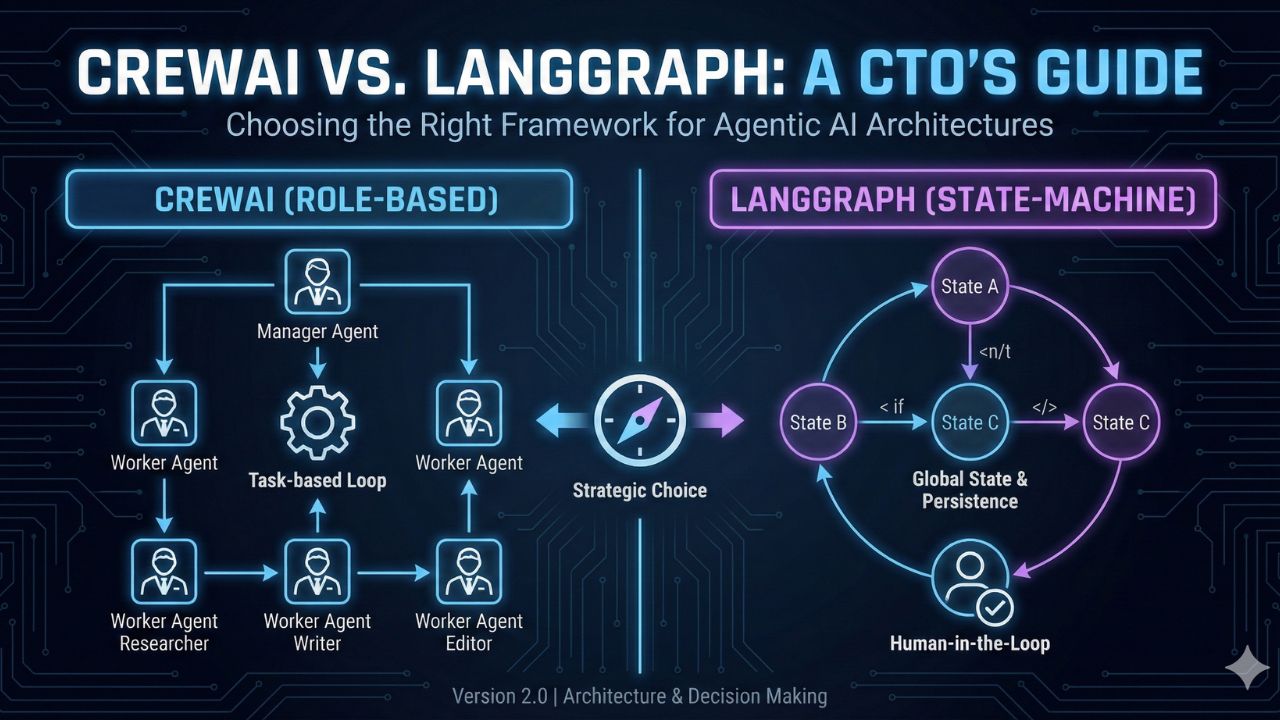
The "Agent Framework Wars" have narrowed down to two primary contenders for enterprise production: CrewAI and LangGraph.
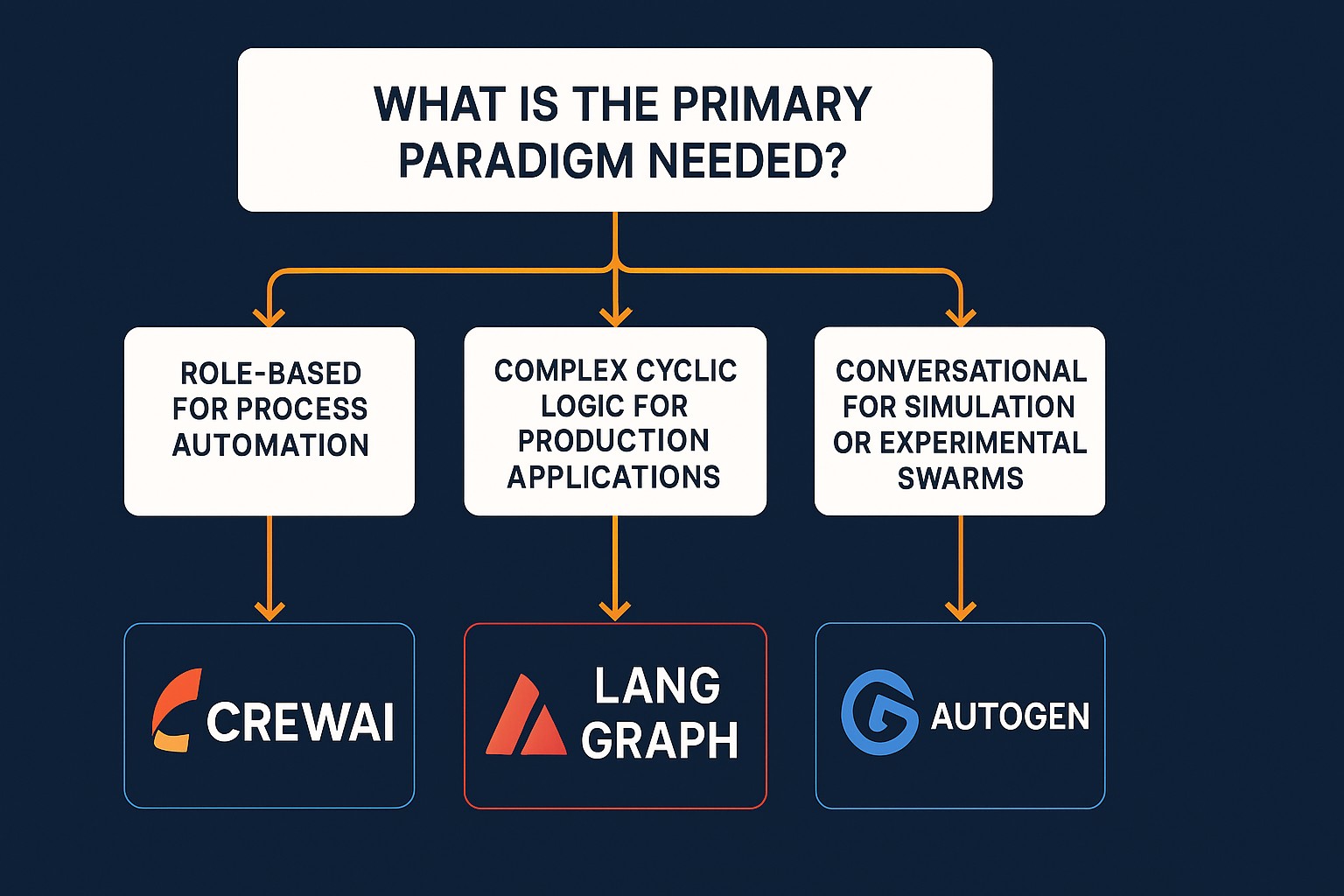
- Choose CrewAI if you need speed-to-market for linear, role-based workflows (e.g., Content Generation, Market Research). It is high-level, opinionated, and "batteries-included."
- Choose LangGraph if you need granular control for complex, cyclic, state-heavy applications (e.g., Coding Agents, Customer Support Bots with Human-in-the-loop). It is low-level, unopinionated, and acts as a state machine.
- The Enterprise Move: Many mature architectures use a Hybrid Approach—wrapping a specific CrewAI team as a single "Node" within a larger LangGraph orchestration.
1. The Architecture Gap: Why the Choice Matters
In 2024, "building an agent" was easy. In 2025, orchestrating a swarm is the challenge.
For a CTO or Lead Architect, choosing the wrong framework is expensive technical debt. If you choose a high-level framework (like CrewAI) for a highly complex application, you will hit a "ceiling of complexity" where you cannot customize the loop. If you choose a low-level framework (like LangGraph) for a simple task, you will burn weeks writing boilerplate code for features that come free elsewhere.
This guide moves beyond the "Hello World" tutorials to compare these frameworks on Observability, State Management, and Scalability.
2. CrewAI: The "Role-Based" Orchestrator
The Philosophy
CrewAI is built on the mental model of a Human Organization. You define "Agents" (employees), assign them "Roles" and "Goals," and give them "Tools." You then group them into a "Crew" (Team) and a "Process" (Workflow).
The Architecture
- High-Level Abstraction: It handles the prompt engineering, memory, and delegation logic for you.
- Opinionated Loop: It uses a "Task-based" execution model. Agent A does Task 1 -> passes output to Agent B -> Agent B does Task 2.
When to Use CrewAI
- The "Factory" Pattern: You have a clearly defined pipeline (Input -> Research -> Draft -> Edit -> Output).
- Rapid Prototyping: You need to show a working demo to stakeholders in 24 hours.
- Role Specialization: You need agents to act with specific personas (e.g., "You are a Senior QA Engineer").
The CTO's Risk Assessment
- Pro: Extremely fast developer velocity. Excellent integration with tools (Serper, FileRead, etc.).
- Con: Hard to inject "interrupts." If an agent gets stuck in a loop, it can be difficult to surgically intervene without breaking the high-level abstraction.
3. LangGraph: The "State-Machine" Engine
The Philosophy
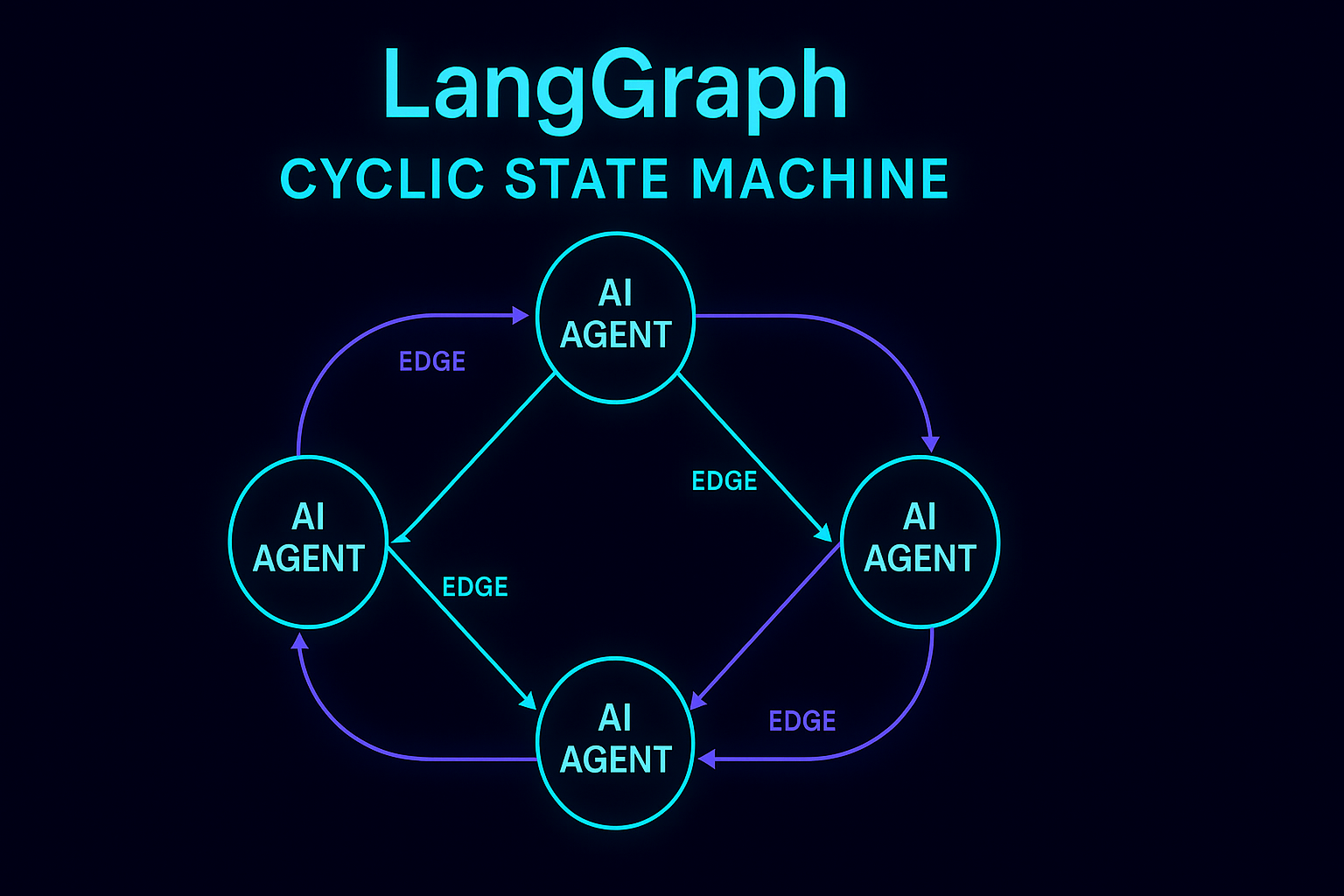
LangGraph (built by LangChain) is built on the mental model of Graph Theory and State Machines. It treats agents as "Nodes" and the logic between them as "Edges."
The Architecture
- Cyclic Graphs: Unlike standard chains (DAGs), LangGraph supports Cycles (Loops). This is critical for agents that need to "try, fail, debug, and retry."
- Centralized State: There is a "Global State" object that is passed around. Every node reads the state, modifies it, and passes it on.
- Persistence: It has a built-in "Checkpointer" (using SQLite or Postgres). This allows you to "pause" an agent, wait for a human to approve an action (e.g., "Send Email?"), and then resume the graph from that exact state.
When to Use LangGraph
- The "Cyclic" Pattern: Coding agents that need to write code -> run test -> fail -> rewrite code -> run test -> pass.
- Human-in-the-Loop (HITL): Applications where legal or safety compliance requires a human approval step before execution.
- Complex Branching: "If customer is angry -> route to Manager Node; If customer is happy -> route to Sales Node."
The CTO's Risk Assessment
- Pro: Total control. You can inspect and modify the state at every single step. Production-grade observability via LangSmith.
- Con: High learning curve. Your team needs to understand State Schemas, Reducers, and Graph logic. It feels more like backend engineering than "AI scripting."
4. Head-to-Head Comparison Matrix
| Feature | CrewAI | LangGraph |
|---|---|---|
| Primary Metaphor | Manager & Employees | Nodes & Edges (Graph) |
| Ease of Use | ⭐⭐⭐⭐⭐ (Very High) | ⭐⭐ (Moderate/Low) |
| Control Level | Low (Opinionated) | High (Granular) |
| Looping/Cycles | Limited (Iterative) | Native (First-class citizen) |
| State Management | Implicit (Handled internally) | Explicit (You define the Schema) |
| Human-in-the-Loop | Basic | Advanced (Time travel/Edit state) |
| Production Ready? | Yes (For linear flows) | Yes (For complex apps) |
5. The Hybrid Architecture: Best of Both Worlds
For many enterprise clients, the answer is "Yes."
A powerful architectural pattern is to use LangGraph as the Supervisor and CrewAI as the Workers.
The Blueprint
- The Brain (LangGraph): You build a top-level graph that handles the state, the user interface, and the "Human-in-the-Loop" checkpoints.
- The Muscle (CrewAI): When the graph reaches a node called "Market Research," it calls a CrewAI process.
The Flow
- LangGraph Node A: User asks for a report.
- LangGraph Node B (Supervisor): Routes request to the "Research Crew."
- CrewAI Execution: Researcher Agent + Writer Agent generate the text.
- LangGraph Node C: Receives text. Pauses for Human Approval.
- LangGraph Node D: Publishes to CMS.
This allows you to leverage CrewAI's ease of creating specific personas while maintaining LangGraph's robust control over the end-to-end application state.
6. Conclusion: Making the Decision
- Fire CrewAI if you are building a deeply nested, conditional application where the agent needs to "change its mind" frequently based on granular data updates.
- Hire LangGraph if you are building a product that requires reliability, detailed debugging, and safety rails (e.g., Fintech, Healthcare).
Start with CrewAI, graduate to LangGraph.
For most teams, we recommend starting your MVP with CrewAI to validate the use case. Once you hit the "complexity wall"—where you need more control than the framework offers—refactor the orchestration layer into LangGraph.
Next Steps for Architects
- Review the Blueprints: Check our System Blueprints to see architecture diagrams for both frameworks.
- Skill Up: Ensure your team understands Python
TypedDictandPydantic(essential for LangGraph state schemas).
7. Frequently Asked Questions (FAQ)
A: Originally, yes, but it has evolved into its own framework. While CrewAI uses LangChain tools under the hood, it provides a much higher-level abstraction for orchestration. You don't need to know LangChain primitives to use CrewAI, whereas LangGraph requires a deep understanding of LangChain’s core concepts (chains, runnables, state).
A: LangGraph is generally more token-efficient. Because CrewAI relies on "Manager Agents" and high-level role-playing prompts, it often uses more tokens for system instructions and delegation logic. LangGraph executes only the precise logic you define in the edges, giving you tighter control over token spend.
A: Currently, CrewAI is Python-centric. If your team is a Node.js shop, LangGraph.js is the better choice as it has native support for JavaScript/TypeScript, allowing you to build stateful agents in a stack your web developers are comfortable with.
A: Yes, but you have to build it yourself. In CrewAI, a "Manager Agent" is a built-in feature you just toggle on. In LangGraph, you must architect a "Supervisor Node" that uses an LLM to decide which worker node to call next. LangGraph gives you the building blocks, CrewAI gives you the pre-built house.
A: Yes, and it is a common path. Since the core logic of an agent (the prompt and tools) is similar, you can extract your Agent definitions from CrewAI and wrap them into LangGraph nodes. The main effort will be rewriting the orchestration logic (how they talk to each other) from a role-based list to a state-based graph.
A: CrewAI has excellent built-in short-term and long-term memory systems (using vector stores) that work out of the box. LangGraph has a more robust state memory (checkpointer), which is better for remembering exactly where a process stopped (e.g., waiting for a user reply for 3 days), but you often need to implement the "semantic memory" (retrieving past facts) manually.

8. Sources & References
To dig deeper into the code implementation of these architectures, we recommend consulting the official API references and migration guides below.
Open Source Resources:
Official Framework Documentation
- CrewAI Docs: Official Documentation & Architecture – Reference for Role-based agent definitions and Task delegation.
- LangGraph Docs: LangChain AI Documentation – Reference for StateGraph, Nodes, Edges, and Persistence (Checkpointers).
- Microsoft AutoGen: Microsoft Research GitHub – For comparison on conversational patterns.
Tools & Observability
- LangSmith: Observability Platform – Essential for debugging complex LangGraph state machines.
- LangChain Blog: LangGraph: Building Language Agents as Graphs – The original architectural thesis for shifting from Chains to Graphs.
Community Case Studies
- "CrewAI vs. AutoGen": A detailed breakdown of the task-based vs. conversational paradigms often discussed in the [CrewAI Community Forum].
- "Migrating from Chains to Graphs": Implementation patterns for refactoring legacy LangChain code into LangGraph state machines.