The "DevOps Squad" (Sandboxed AI Environments)
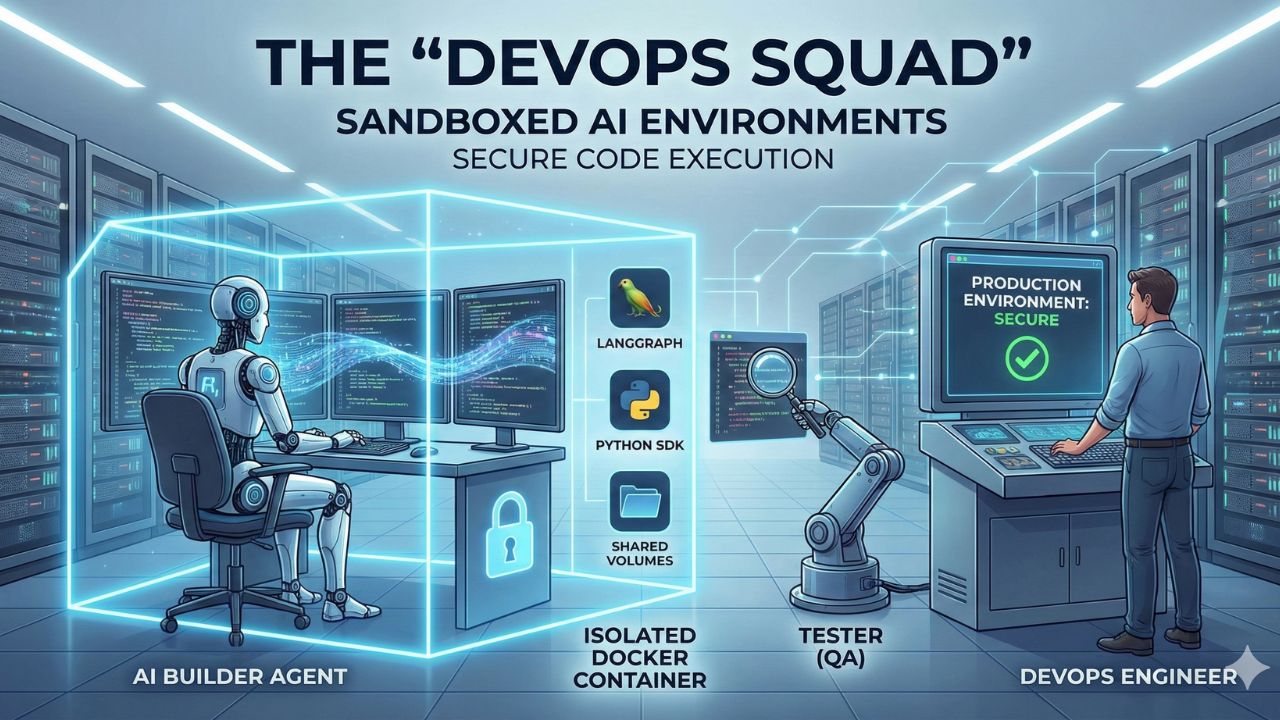
The Design Challenge: Safety. How to architect a system where AI writes and executes code without destroying your production environment or leaking credentials.
Recommended Stack: Docker Containers for ephemeral Sandboxed AI Environments.
Global Use Case: Designing an open-source alternative to "Devin" for automated bug patching.
Author: AgileWoW Team
Category: AI DevOps / Security
Read Time: 12 Minutes
Parent Guide: The Agentic AI Engineering Handbook
Giving an AI agent "terminal access" is the holy grail of automation—and a security nightmare. If an agent hallucinates rm -rf / or installs a malicious package, the cost is catastrophic.
The "DevOps Squad" is a blueprint for building a secure, ephemeral playground where AI agents can be "sysadmins" without the risk. We use Docker Containers not just for deployment, but as disposable "workbenches" where agents can break things safely.
1. The Design Challenge: The "Rogue Agent" Risk
Most AI demos run code directly on the user's laptop (exec()). In a production DevOps pipeline, this is unacceptable.
The Risk Vector:
- Dependency Pollution: Agent installs a conflicting version of numpy, breaking other apps.
- Credential Leakage: Agent accidentally prints ENV variables to the logs.
- Destructive Commands: Agent tries to delete a "temporary" directory that turns out to be
/etc.
The Solution: Ephemeral Sandboxing. Every task gets a fresh, isolated container that is destroyed immediately after execution.
2. The Tech Stack Selection
We need a way to spin up isolated environments in milliseconds, not minutes.
| Component | Choice | Why? |
|---|---|---|
| Isolation | Docker (via Python SDK) | Industry standard. Allows us to limit CPU, RAM, and Network access for the agent. |
| Orchestration | LangGraph | Manages the "Plan -> Code -> Test -> Fix" loop. |
| File System | Shared Volumes | Allows the agent to read the repo code without giving it write access to the host machine. |
| Observation | Pexpect / Subprocess | We need to capture streaming output (stdout/stderr) so the AI can "see" the progress bar or error message. |
3. Architecture Deep Dive: The "Coding Agent" Loop
3.1 The Agent Roster
We separate the "Planner" from the "Executor" to ensure safety.
- The Architect (Planner):
- Role: Reads the GitHub Issue. Plans the fix.
- Tools:
read_file,search_code. - Constraint: Cannot execute code. Only proposes changes.
- The Builder (Executor):
- Role: Writes the code and runs the tests.
- Environment: Lives inside the Docker container.
- Constraint: No internet access (except strictly whitelisted PyPI mirrors).
- The Tester (QA):
- Role: Runs the reproduction script.
- Verdict: If test fails -> Send stderr back to Builder. If pass -> Create Pull Request.
3.2 The Sandbox Protocol
How do we safely execute code?
- Spin Up: The system starts a
python:3.9-slimcontainer with the repo mounted as Read-Only (initially). - Copy: We copy the specific file to be modified into a writable
/tmp/workspace. - Execute: The Agent runs
python /tmp/workspace/fix.py. - Tear Down: Once the result is returned, the container is killed. No state persists.
4. Implementation Guide (Docker SDK)
Phase 1: The Docker Controller
We create a Python wrapper to manage the lifecycle of these ephemeral containers.
import docker
import tarfile
import io

client = docker.from_env()

def run_in_sandbox(code: str, image="python:3.9-slim"):
    # 1. Start the container (detached)
    container = client.containers.run(
        image,
        command="tail -f /dev/null", # Keep it alive
        detach=True,
        network_mode="none" # CRITICAL: No Internet
    )

    try:
        # 2. Inject the code
        exec_result = container.exec_run(f"python -c '{code}'")
        return exec_result.output.decode("utf-8")
    finally:
        # 3. Kill it with fire
        container.remove(force=True)
Phase 2: The Feedback Loop
The most important part of a "Devin" alternative is the ability to read errors.
# Agent Prompt
"""
You tried to run the code, but it failed with:
{stderr}

Analyze the error. Rewrite the code to fix the 'IndexError'.
"""
5. Global Use Case: The "Auto-Patcher"
Imagine a "GitHub Bot" that doesn't just label issues, but fixes them.
- Trigger: A user opens an issue: "Bug: Division by zero in calc.py when input is empty."
- Action:
- The Architect reads
calc.py. - The Builder writes a test case that reproduces the crash (DivisionByZeroError).
- The Builder modifies
calc.pyto addif input: .... - The Tester runs the test case. It passes.
- The System opens a PR: "Fix: Handle empty input in calculator."
- The Architect reads
6. Frequently Asked Questions (FAQ)
A: Speed. A Docker container starts in <500ms. A VM takes 30+ seconds. For an agent that might run 50 command executions to fix a single bug, latency kills the experience.
A: If you disable the network (for security), pip install will fail. You should pre-build a "Dev Image" that contains all your project's dependencies (e.g., FROM python:3.9 COPY requirements.txt . RUN pip install ...) and let the agent use that image.
A: Only if you mount your local directory as Read-Write (rw). Best practice is to mount your code as Read-Only (ro) and only give the agent write access to a temporary directory, creating a "Patch" file at the end.

7. Sources & References
Open Source Resources:
Infrastructure
- Docker SDK for Python: Official Documentation – How to manage containers programmatically.
- E2B: Sandboxed Cloud Environments – A managed service alternative if you don't want to run local Docker.
Concepts
- The "Devin" Architecture: Cognition Labs Blog – Analysis of how autonomous software engineers function.
- Ephemeral Environments: Martin Fowler – The importance of disposable test infrastructure.