The Best AI Coding CLI Agent in 2026, Ranked
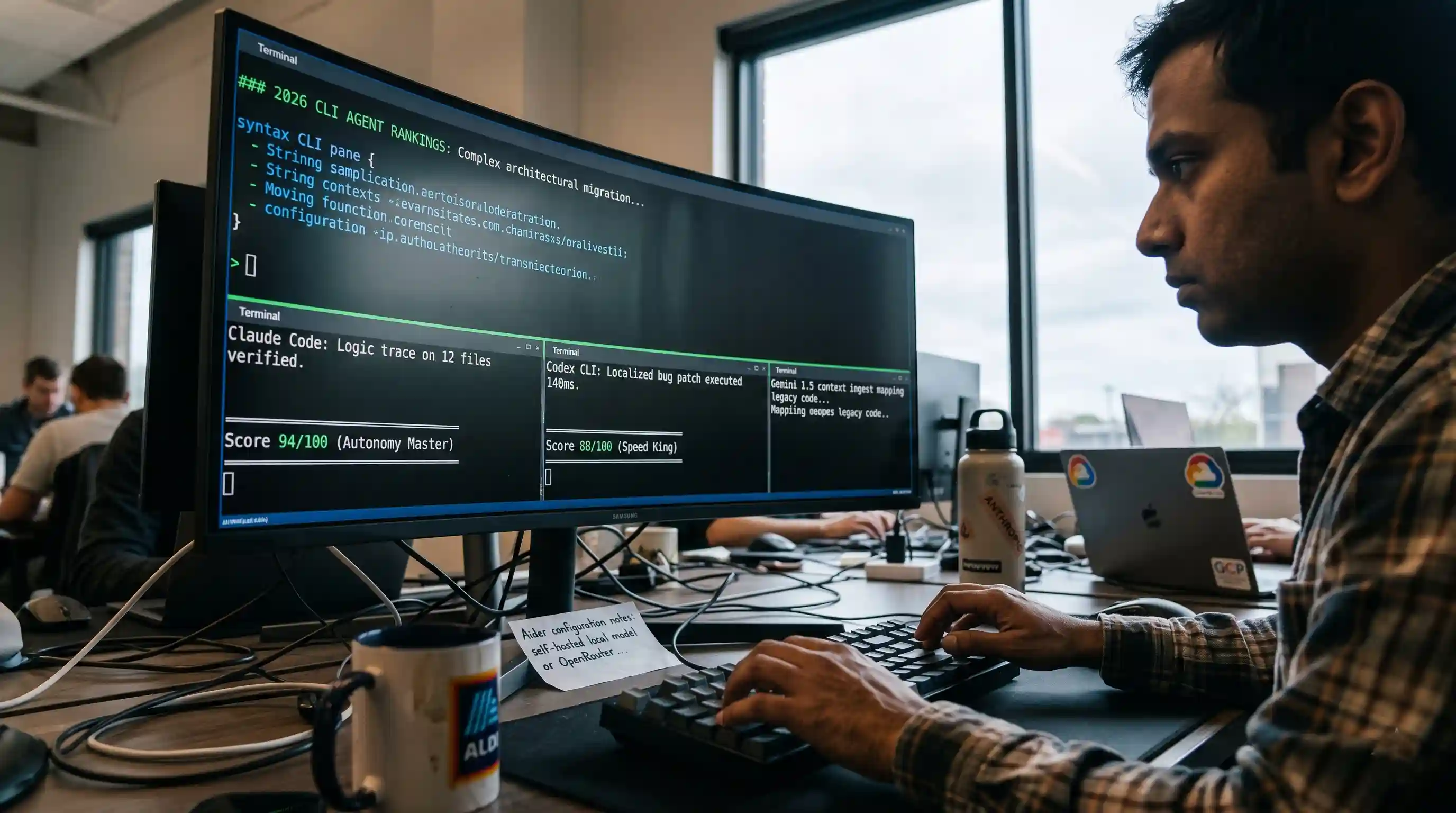
Key Takeaways
- The Undisputed Leader: Claude Code captures the top spot for complex, multi-file refactoring and deep reasoning across legacy codebases.
- Speed & Execution: Codex CLI ranks highest for raw terminal throughput and parallelized execution, making it perfect for rapid scripting.
- Open-Source Sovereignty: Aider remains the premier open-source choice, allowing complete data privacy through local, bring-your-own-LLM architectures.
- FinOps Awareness: CLI agents can easily consume 10x more API tokens than standard IDE extensions; strict execution guardrails are mandatory.
We ran every major terminal agent through the exact same multi-file task set and scored them on autonomy, cost, and setup time. The results were polarizing. While some agents completely automated complex architectural changes without a single human intervention, others burned through hundreds of dollars in API credits only to get trapped in infinite syntax-error loops.
Navigating this rapidly evolving landscape requires looking past the marketing hype. This evaluation ranks the top platforms to help you determine the absolute best AI coding CLI agent for your development stack.
Unlike traditional autocompletes that suggest code line-by-line, true terminal-native CLI agents operate under a "delegate, not suggest" model. They read repository directory trees, execute shell commands, run localized test suites, and commit pristine code patches completely in the background.
Methodology: How We Ranked the Top Terminal Agents
To build an objective, benchmark-driven leaderboard, we avoided subjective feature lists. Instead, our engineering team initialized a clean development environment and deployed each agent against a standard legacy Monolith repository.
We tasked each agent with a four-stage engineering assignment:
- Ingest and Map: Scan an undocumented repository to locate specific architectural bottlenecks.
- Refactor: Rewrite an asynchronous data-fetching layer across 12 interdependent files.
- Test & Debug: Execute the local test suite, parse error outputs, and autonomously patch failures.
- Version Control: Stage the changes and create clean, atomic git commits with descriptive messaging.
We evaluated the tools based on three core pillars: Autonomy Score (percentage of sub-tasks completed without human prompting), Token Efficiency (the cost of inference relative to the codebase size), and Differential Cleanliness (how localized and production-ready the final code patch was).
The Definitive 2026 CLI Coding Agent Leaderboard
| Rank | AI Coding CLI Agent | Primary LLM Architecture | Autonomy Score | Best Use Case | Cost Profile |
|---|---|---|---|---|---|
| #1 | Claude Code | Anthropic Claude 3.5 Sonnet / Opus | 94/100 | Multi-file Architectural Refactors | High (Token Intensive) |
| #2 | Codex CLI | OpenAI GPT-4o / Codex Native | 88/100 | Rapid Prototyping & Shell Automation | Medium |
| #3 | Aider | Bring Your Own (OpenRouter / Local) | 85/100 | Open-Source & Private Infrastructure | Low (Highly Scalable) |
| #4 | Gemini CLI | Google Gemini 1.5 Pro / Flash | 79/100 | Massive Codebase Ingestion & GCP Sync | Low (Generous Free Tiers) |
Deep-Dive Analysis of the Top Contenders
#1 Claude Code — The Ultimate Architectural Master
Claude Code sets the gold standard for pure development autonomy. Powered by Anthropic's state-of-the-art logical reasoning engines, this agent functions less like an assistant and more like a senior engineer executing an assignment.
During our multi-file refactoring benchmark, Claude Code was the only tool that accurately map-traced edge-case logical regressions across separate directories without hitting a wall. It reads deep file contexts effortlessly, making it the clear choice for working within highly complex, established codebases.
For a direct look at how it matches up against its closest enterprise competitor, read our exhaustive head-to-head comparison on Claude Code vs Codex CLI.
#2 Codex CLI — The Fast-Paced Terminal Native
OpenAI’s Codex CLI is optimized for speed, terminal efficiency, and direct shell execution. While Claude takes a deliberate approach to reading file dependencies, Codex utilizes advanced parallel tool calling to perform multi-directional actions simultaneously.
Codex can trigger your test runner, analyze terminal output, and query system documentations concurrently. This parallel execution paradigm cuts overall wall-clock wait times down drastically. It falls slightly behind Claude Code in unsupervised, deep multi-file architectural reasoning, but it easily takes the crown for localized bug patching and lightning-fast shell execution scripts.
#3 Aider — The Open-Source Sovereign Standard
For enterprises operating under strict compliance regulations or developers who refuse to lock themselves into a single cloud ecosystem, Aider is the absolute premier choice. It is entirely open-source and operates on a flexible "bring your own model" architecture.
Aider integrates directly with git right out of the box. In our testing, when paired with premium commercial APIs or hosted local open-weights configurations, its structural git-patching methodology performed exceptionally well.
If you are leaning toward setting up an infrastructure that avoids costly corporate subscriptions, check out our dedicated guide on Aider (open-source CLI agent) to master its configuration.
#4 Gemini CLI — The Enterprise Massive Context Play
Google’s Gemini CLI is an elite contender for engineering groups dealing with massive code footprints. Thanks to its natively enormous context window, it can ingest hundreds of thousands of lines of code simultaneously without breaking a sweat.
While its autonomous background decision-making loop can occasionally require explicit step-by-step prompting compared to Claude Code, it compensates through cost efficiency and sheer volume processing. It is an exceptionally strong candidate if your underlying infrastructure is tied deeply into the Google Cloud Platform (GCP) or if you are running massive, monolithic codebase migrations.
CLI Agent vs. IDE Assistant: Making the Strategic Shift
A common mistake is assuming that a terminal-native CLI agent is simply an alternative to an IDE extension like GitHub Copilot or Cursor. This is an architectural misconception.
IDE extensions are designed to act as inline co-pilots—they sit quietly, waiting for your keystrokes to provide autocomplete suggestions or short block-level changes. They operate under your direct supervision.
THE DEVELOPER WORKFLOW SHIFT
| IDE ASSISTANTS (Copilot) | CLI AGENTS (Claude/Aider) |
|---|---|
| • Inline Suggestions • Requires File Focus • Passive Autocomplete • "Suggest Me Code" |
• Repository Mapping • Multi-File Refactoring • Autonomous Shell Testing • "Delegate the Feature" |
Conversely, a terminal-native AI agent is an active background worker. You don't use it to write code line-by-line. Instead, you supply it with a broad structural goal or an architectural specification sheet, and you walk away while the agent interacts with your system to build, test, and package the solution.
If you are specifically looking for traditional inline IDE plugins, you should consult our comprehensive matrix on the best AI coding assistants to evaluate those distinct workflows.
FinOps for Terminal Agents: Controlling the Token Burn
Because autonomous CLI agents function within a loop—constantly reading files, writing changes, running terminal commands, and reading the resulting errors—their API token consumption can quickly get out of hand.
An un-sandboxed agent caught in an automated retry cycle trying to fix a stubborn integration test can easily drain massive token pools in a matter of minutes. Before you deploy an agent across an enterprise repository, it is critical to implement rigid session parameters.
Limit the maximum number of consecutive loops the agent can take without requiring human approval, restrict its file-viewing permissions using specific ignore files, and consistently run our custom AI Agent Session Cost Calculator to monitor real-time token spend against your engineering budget.
Conclusion & Strategic Recommendation
Selecting your primary terminal agent hinges entirely on your project's architectural complexity and your data compliance requirements.
If your daily development consists of untangling complex tech debt, navigating massive code bases, and executing sweeping structural changes across multiple directories, invest heavily in Claude Code. The time saved by its near-flawless autonomy easily offsets its higher token ingestion profile.
If your team is committed to open-source protocols or handles highly regulated data that cannot be sent to third-party commercial clouds, deploy Aider immediately.
To get your team up and running safely without introducing destructive shell commands, follow our definitive step-by-step workbook on terminal AI agent setup.

Frequently Asked Questions (FAQ)
Claude Code is currently rated as the best overall AI coding CLI agent due to its unmatched autonomy, deep architectural reasoning capabilities, and seamless git version-control integration. For entirely open-source infrastructures, Aider stands out as the industry standard.
Claude Code achieved the highest autonomy score in our standardized testing. It successfully map-traced, refactored, and self-healed multi-file compilation errors across complex directory trees with significantly fewer user prompt interventions than its competitors.
Claude Code and Gemini CLI tie as the best selections for large projects. Claude offers superior multi-file logical parsing, while Gemini CLI utilizes an immense native context window to safely process huge, legacy codebase architectures simultaneously.
Aider is the absolute best open-source terminal coding agent. It features an advanced git-integrated workflow and can be operated entirely for free by pointing it toward open-weights models running on your local hardware architecture.
Codex CLI provides the friendliest onboarding curve for developers new to terminal-native agents. Its straightforward interactive prompt environment, rapid execution feedback, and excellent contextual error safety rails make it highly accessible.
Claude Code features the cleanest git integration. It natively understands branch isolation, automatically structures atomic stages, and crafts remarkably precise, long-form commit messages detailing the technical changes it implemented.
Neither is universally better; they serve entirely different engineering functions. IDE assistants are designed for real-time, inline autocomplete as you type. CLI agents are built to take broad engineering objectives and execute them autonomously in the background.
Aider is the most cost-effective option at scale because it bypasses corporate subscription fees. By taking advantage of customizable API routing through platforms like OpenRouter, or utilizing internal local models, your scaling costs drop significantly.
Aider is explicitly built to be LLM-agnostic. While commercial options like Claude Code are bound to their respective creator ecosystems, Aider lets you bring any backend API or local open-weights infrastructure seamlessly.
Enterprises seeking maximum developer velocity and top-tier logical reasoning should standardize on Claude Code. Organizations prioritizing absolute data sovereignty, on-premise execution, and zero vendor lock-in should opt for Aider.