How to Get Unlimited AI Coding for Free: 3 Methods (2026)
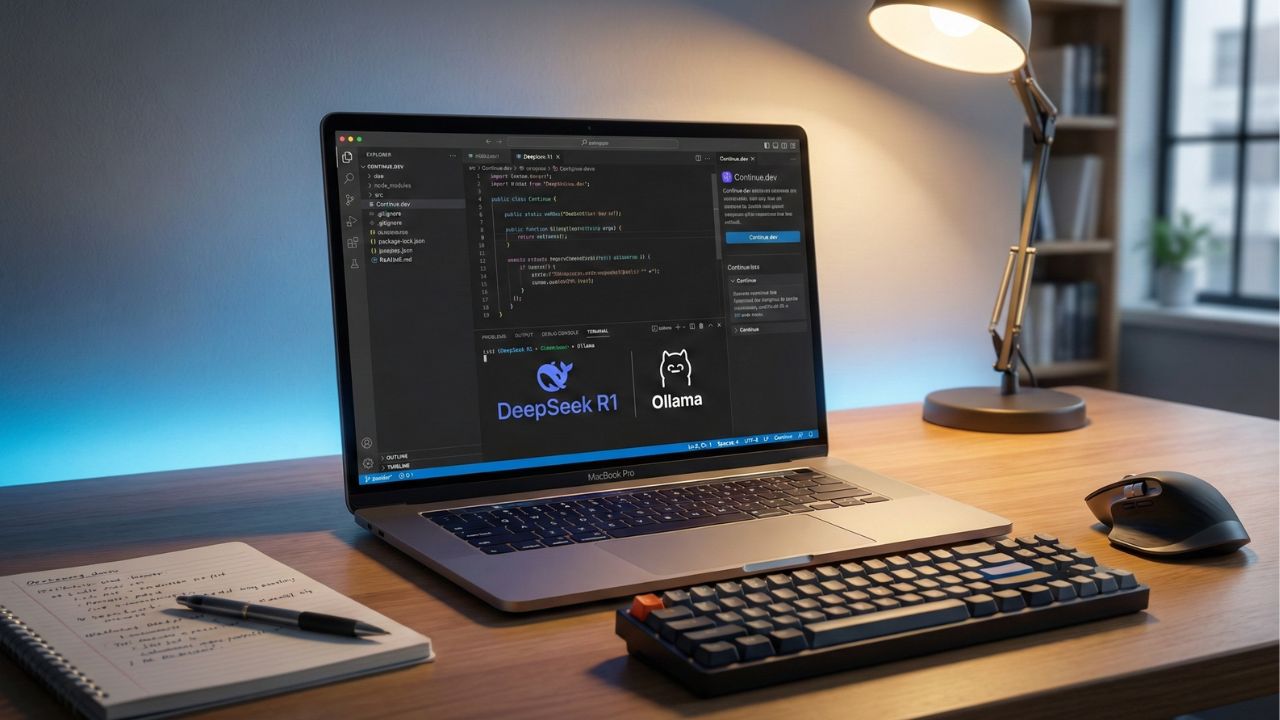
What's New in This Update
- Added the 2026 configuration process for routing free Groq API keys through the Twinny extension in VS Code.
- Updated token consumption math to reflect the increased context windows of DeepSeek R1 and Llama 3 models.
- Added hardware requirement minimums (VRAM specifics) for those attempting the local Ollama method.
Quick Answer: Key Takeaways
- Local is King: Running models like DeepSeek R1 or Llama 3 locally via Ollama is the only mathematically proven way to secure truly unlimited, private coding assistance without throttling.
- No Credit Card Needed: Every method detailed in this guide requires zero payment information, bypassing the dangerous "free trials" that automatically renew on your card.
- The "Hybrid" Hack: Use cloud tools (like Blackbox) for rapid, complex questions, then switch to local models for heavy, long-session refactoring to conserve your daily credits.
- Top Tools Stack: Ollama (Backend), Continue.dev (VS Code Integration), and Groq (Free API Tier) form the ultimate developer toolkit for 2026.
The Cost Problem: Why Do AI Coding Limits Exist?
Every developer intimately knows the pain: you enter the "zone," working through a complex full-stack refactor, and suddenly the IDE throws an error: Quota Exceeded. You are locked out of your assistant for the next 12 to 24 hours.
While cloud-based tools offer massive convenience, their "free" tiers often hit a wall precisely when you need the compute the most. This is not arbitrary corporate greed; it is basic cloud economics. Generating tokens requires expensive GPU inference. A single complex codebase query spanning thousands of lines of context costs the provider real money.
To understand the exact constraints you are fighting against, you can review our breakdown of standard Blackbox AI Free Limits.
The standard industry solution is a $20 to $30 monthly subscription. But in 2026, the smartest software engineers are refusing to pay that tax. Instead, they build and maintain their own "forever free" AI stacks. Below are the three most robust methods to bypass daily constraints and write code without boundaries.
Method 1: The "Local God" Mode (DeepSeek + Ollama)
This method represents the holy grail of free AI development. By executing the language model directly on your own hardware, you completely eliminate the cloud provider middleware—and their billing department.
The Core Concept: Instead of transmitting your code to a remote server farm, your computer's CPU and GPU handle the neural network inference natively.
- Cost: $0 Forever.
- Privacy: 100% Air-gapped. Your proprietary code never leaves your workstation, making this ideal for enterprise or NDA-protected projects.
- Limits: Strictly hardware-bound. You can run it 24/7 with zero artificial token caps.
Hardware Prerequisites
Local execution requires adequate memory. To run a standard 7B to 8B parameter model (like DeepSeek Coder 7B), you need a minimum of 8GB of unified RAM (like Apple Silicon) or a dedicated GPU with at least 6GB of VRAM. For more complex reasoning models, 16GB+ of RAM is highly recommended to avoid severe latency.
Step-by-Step Configuration Guide
- Install the Engine: Navigate to the official Ollama website and download the runner for your operating system.
- Acquire the Weights: Open your terminal and execute
ollama run deepseek-coder:6.7b. If your hardware is newer, tryollama run deepseek-r1:8bfor superior logical reasoning. - Connect to VS Code: Navigate to the VS Code extension marketplace and install Continue.dev.
- Map the Configuration: In the Continue extension settings (usually located in
~/.continue/config.json), map the local server.
{
  "models": [
    {
      "title": "Local DeepSeek",
      "provider": "ollama",
      "model": "deepseek-coder:6.7b",
      "apiBase": "http://localhost:11434"
    }
  ],
  "tabAutocompleteModel": {
    "title": "Local Autocomplete",
    "provider": "ollama",
    "model": "deepseek-coder:base"
  }
}
Once saved, you possess a Copilot-grade experience functioning entirely on local compute. If you encounter setup errors, refer to our comprehensive DeepSeek R1 Local Setup Guide.
Method 2: The "API Loophole" (Groq & OpenRouter)
If your laptop lacks the VRAM to run local models efficiently, you can manipulate the aggressive free tiers offered by competitive API infrastructure providers looking to capture market share.
The Mechanism: Infrastructure firms like Groq utilize specialized chips (LPUs) that make inference incredibly cheap. Consequently, they offer generous free API endpoints for open-weights models.
- Groq Cloud: Provides free API access to models like Llama 3 70B and Mixtral, capable of generating code at speeds exceeding 500 tokens per second.
- Google AI Studio: Offers a free tier for Gemini 1.5 Pro (often 50 requests per day) with a massive 1M+ token context window.
How to Implement the Loophole
- Navigate to the Groq Cloud console and generate a free API key (this process requires zero billing details).
- Install a "Bring Your Own Key" (BYOK) extension in VS Code, such as CodeGPT or Twinny.
- Paste the Groq API key into the extension's provider settings and select `llama3-70b-8192` as your target model.
This yields cloud-speed code generation devoid of the Blackbox or GitHub monthly subscription fee, effectively shifting the compute cost to VC-backed startups offering loss-leader APIs.
Method 3: The "Rotation" Strategy (Multi-Tool Stack)
If you prefer not to manage API keys or local terminal instances, you can adopt a tactical rotation strategy between the best freemium tools. By staggering your usage, you create a synthesized "unlimited" capacity.
The Synthesized Workflow
- Phase 1 (Morning Architecture): Utilize Blackbox AI or Cursor for your first 15-20 "Pro" queries. These tools excel at indexing large, multi-file codebases to answer high-level architectural questions.
- Phase 2 (Afternoon Drafting): Switch over to Windsurf (developed by Codeium). Currently, Codeium provides unlimited basic FIM (Fill-In-the-Middle) autocomplete for individual developers on their standard tier.
- Phase 3 (Evening Debugging): Leverage Google’s IDX platform or the DeepSeek Web Chat interface to paste large error logs and ask debugging questions without burning IDE extension credits.
By consciously spreading your token consumption across three different corporate providers, you mathematically ensure you never hit a hard stop on any single platform.
Comparing the Unlimited Options
| Method | Primary Benefit | Setup Difficulty | Best Use Case |
|---|---|---|---|
| Local (Ollama) | 100% Private, Zero Caps | Moderate (Requires CLI) | Enterprise code, strict offline environments. |
| API Loophole (Groq) | Insane Speed, Low Latency | Easy (Paste Key) | Developers on older/weaker laptops requiring fast generation. |
| Rotation Strategy | Access to premium UI tools | None (Just create accounts) | Generalists who don't want to tinker with settings. |
Making the Final Decision
You absolutely do not need to surrender $20 every month to maintain high velocity as a software engineer in 2026. The landscape has democratized.
If you possess adequate hardware (an M1/M2/M3 Mac or a desktop NVIDIA GPU), Method 1 (Local Ollama) is definitively the superior choice. It provides unmetered, private AI assistance that functions even without a Wi-Fi connection.
For individuals constrained by lighter hardware, rotating between cloud tools or exploiting free API endpoints guarantees continuous operation.
If you are trying to benchmark how well these free methods actually perform against paid enterprise tools when assessing raw logic capabilities, review the LMSYS Chatbot Arena Coding Leaderboard 2026.
Scale Securely with Proven Tools. Try SimilarWeb

We may earn a commission if you buy through this link. (This does not increase the price for you)
Frequently Asked Questions (FAQ)
The only way to achieve truly zero daily limits is to deploy a Local LLM, such as DeepSeek Coder or Llama 3, using an infrastructure tool like Ollama. Because the inference happens entirely on your local hardware, no cloud provider can track or cap your usage.
Yes. Codeium (often utilizing the Windsurf IDE) offers unlimited basic autocomplete (FIM) functionality for free. However, for continuous conversational chat and complex full-file generation, local models via Ollama represent the only genuinely unmetered option available without paying.
Absolutely. Ollama is open-source, free software. Once you pull a foundational model (like deepseek-coder) to your hard drive, you can query it millions of times without ever paying a cent or registering an API key.
You cannot technically "bypass" the server-side limits enforced on your account. However, distributing your workflow—by switching between the VS Code extension and the web interface logged into different free accounts—can provide temporary relief. Long-term, we recommend Method 1 for a permanent, ethical fix.
DeepSeek R1 configured locally is the definitive "no cap" alternative. For developers who must rely on cloud-hosted tools, Codeium provides the closest equivalent to an unlimited experience for standard inline autocomplete functionality. If you want a complete list of IDE integrations, see our guide on the Best Free AI Coding Assistants for VS Code (2026).
Sources & References
- Blackbox AI Pricing & Limits 2026
- Understanding Blackbox AI Free Limits
- Ollama Official Documentation
- Continue.dev IDE Extension Docs
Internal Sources:
External Sources: