Gemini Live (Stream): Host Real-Time AI Chats for Presentations
Quick Answer: Key Takeaways
- Real-Time Collaboration: Transform static presentations into interactive dialogues where AI answers team questions instantly.
- Multimodal Input: Share your camera or screen to let Gemini "see" the problem and offer live solutions.
- Language Barrier Breaker: Use instant translation features to host seamless cross-border meetings.
- Meeting Assistant: Automatically summarize discussions and generate action items while the meeting is still in progress.
- Enterprise Security: Operate within the secure Google Workspace environment, ensuring your proprietary data stays private.
Introduction
The era of one-way presentations is dead. With Gemini live stream for remote team meetings, you can turn every video call into a dynamic, AI-assisted work session.
Most remote meetings suffer from silence and disconnection. Gemini Live changes the dynamic by acting as an always-on subject matter expert that sits in the room with you.
This deep dive is part of our extensive guide on Free Google AI Tools for Business.
Whether you are debugging code live or brainstorming marketing copy, this tool provides the "spark" of in-person collaboration without the commute.
The "Always-On" AI Colleague
Imagine a meeting where you never have to say, "I'll get back to you on that."
Gemini Live allows you to have a free-flowing, natural voice conversation with the AI. It can interrupt, pivot, and dig deeper into topics just like a human consultant.
For example, during a financial review, you can ask Gemini to explain a complex variance immediately.
If you need to prepare deep research before the meeting to feed into this session, we recommend using NotebookLM to convert company docs into AI mind maps first.
Multimodal Screen Sharing: "Look at This"
The true power of Gemini live stream for remote team meetings lies in its eyes.
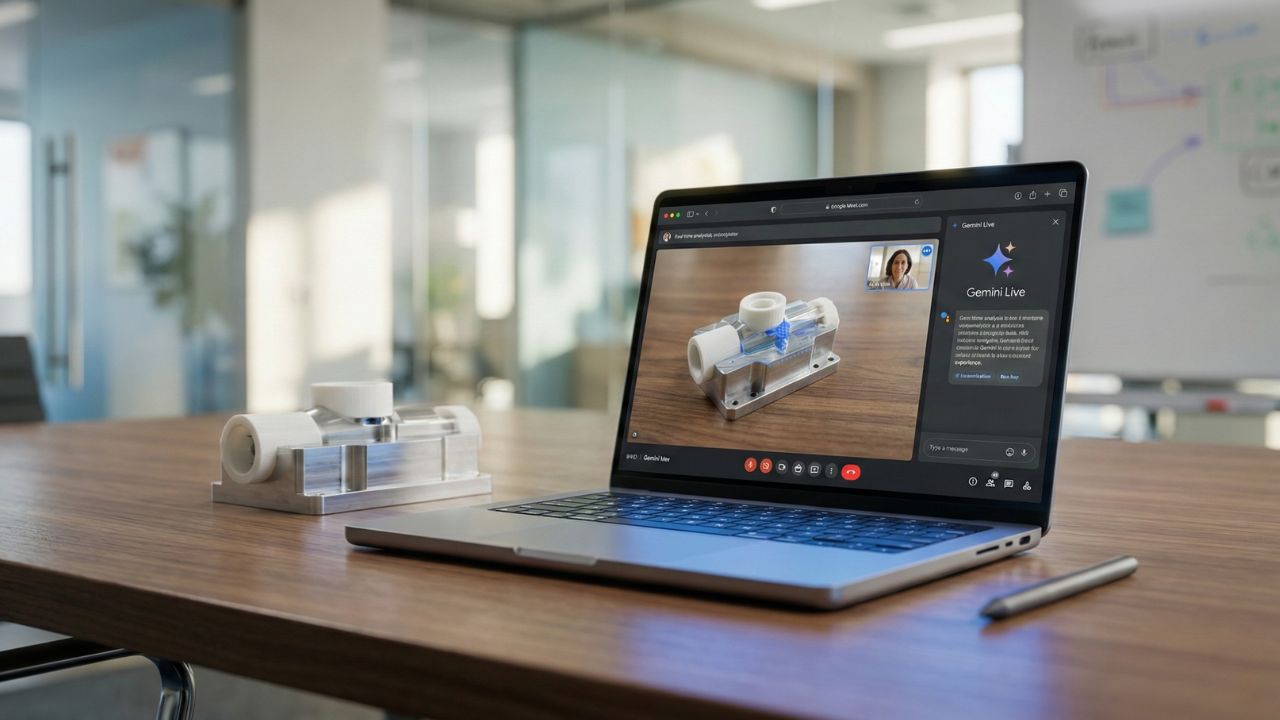
You can share your mobile camera or screen directly with the AI. Show it a physical prototype, a whiteboard sketch, or a snippet of code on your screen.
Gemini analyzes the visual input in real-time and provides feedback. This is critical for technical teams who need instant troubleshooting assistance without scheduling a separate review.
Breaking Language Barriers
Global teams often struggle with nuance.
Gemini Live can act as a near-simultaneous translator, helping to bridge gaps between regional offices. It doesn't just translate words; it captures intent and tone, ensuring your presentation lands effectively across cultures.
For teams building internal tools to support these global workflows, consider how you can build apps with Google App Builder to standardize processes.
Conclusion
Leveraging Gemini live stream for remote team meetings isn't just about using new tech; it's about reclaiming the energy of collaboration.
It turns passive listeners into active participants and ensures that no question goes unanswered.
To fully integrate this into your daily operations, start Mastering the Google Workspace AI ecosystem today.

Frequently Asked Questions (FAQ)
Currently, screen sharing capabilities are integrated into the mobile versions of Gemini Live. Tap the camera icon or "Share Screen" button within the chat interface to allow the AI to view your current display or camera feed for context.
Yes. Gemini Live supports advanced multilingual capabilities. You can speak in one language, and ask Gemini to translate or summarize the key points in another language instantly, facilitating smoother cross-border communication.
While Gemini Live is primarily a 1:1 experience, you can "stream" the interaction by sharing your screen during a Google Meet call. This allows the entire team to hear the AI's responses and participate in the prompting process indirectly.
Yes. You can point your camera at objects, documents, or surroundings. Gemini uses its multimodal vision capabilities to identify objects, read text, and answer questions about what it "sees" in real-time.
Enterprise versions of Gemini (within Google Workspace) adhere to strict data privacy standards. Your voice and video data are not used to train the public models, ensuring that sensitive business discussions remain confidential.