Vibe Coding with Gemini 3 Pro: Build Entire Apps with Just Your Words
Key Takeaways: The Death of Syntax Errors
- Natural Language Programming: Build complex applications by describing the "vibe" and functionality, not by writing code line-by-line.
- Zero-Shot Generation: Gemini 3 Pro can generate fully functional app scaffolds (e.g., React, Python) from a single prompt.
- Powered by Antigravity: Google's new platform acts as the "architect," translating your natural language into executable architecture.
- Democratization: You no longer need to know syntax to build software; you just need to know how to describe a problem.
- Speed: Prototyping shifts from days to minutes, allowing for rapid iteration based on visual feedback.
Introduction: Coding at the Speed of Thought
The barrier to entry for software development has just collapsed. With the rise of vibe coding with Gemini 3 Pro, the days of wrestling with semicolon errors and obscure documentation are ending.
We are entering an era where your ability to describe an idea is the only programming language you need. This deep dive is part of our extensive guide on Google Gemini 3 Pro Agentic Multimodal AI.
"Vibe coding" isn't just a buzzword; it’s a fundamental shift in how humans interact with computers. Instead of acting as a translator between human intent and machine logic, you act as a creative director.
You provide the vision, the "vibe", and the AI handles the implementation. In this guide, we will explore what is vibe coding with Gemini 3 Pro, how to build apps with Gemini 3 Pro prompts, and why this approach is vastly superior to traditional methods for rapid development.
What is Vibe Coding?
At its core, vibe coding is the practice of using natural language to dictate not just the function of an app, but its aesthetic, behavior, and user experience. Traditional coding requires you to define how something happens. Vibe coding only requires you to define what happens.
The Difference:
Traditional: "Create a div with a class of 'container', set display to flex, and add a button with an onClick handler."
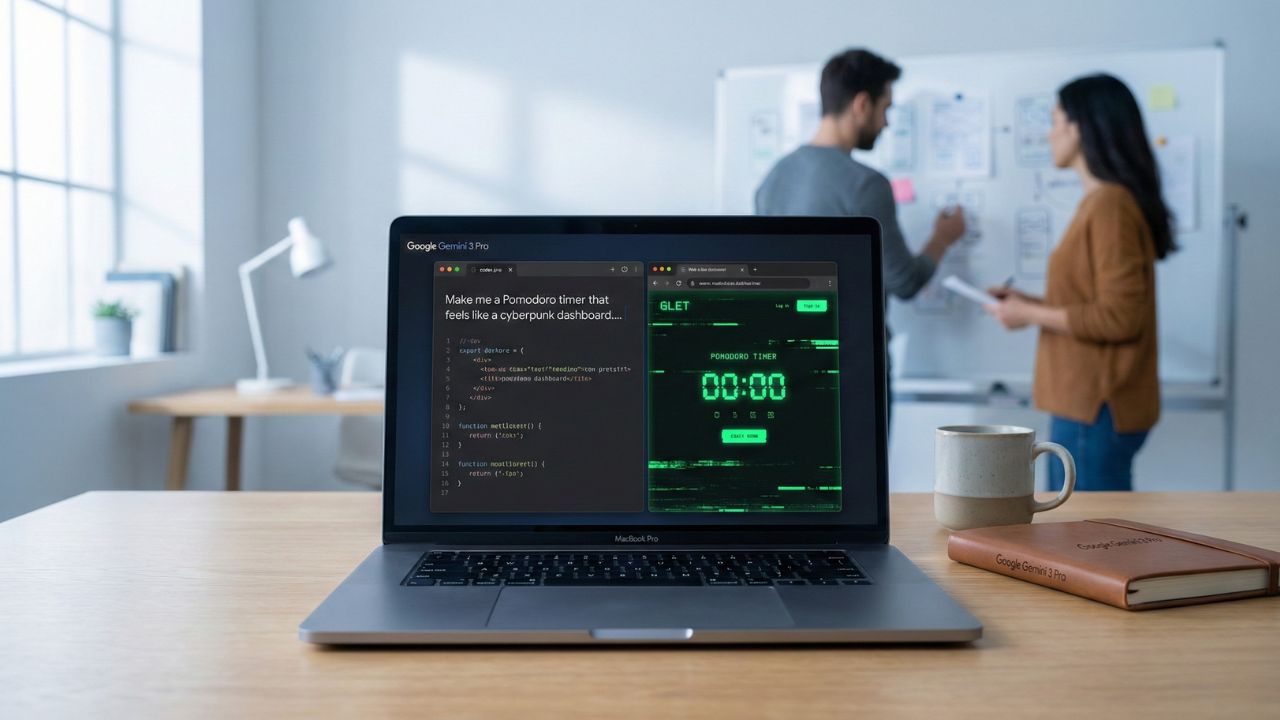
Vibe Coding: "Make me a Pomodoro timer that feels like a cyberpunk dashboard. It should be dark, neon green, and have glitch effects when the timer ends."
Gemini 3 Pro understands the semantic weight of "cyberpunk" and "glitch effects" and translates that into the appropriate CSS and JavaScript libraries instantly.
The Engine: Google Antigravity & Vibe Coding
Vibe coding is made possible by Google Antigravity, the agentic platform that wraps around Gemini 3 Pro. While Gemini provides the intelligence, Antigravity provides the hands. It allows the model to manage files, install dependencies, and run local servers to preview your app in real-time.
How it works:
- Prompt: You describe the app.
- Plan: The agent breaks it down into a file structure.
- Execute: It writes the code, installs packages, and boots the dev server.
- Refine: You say, "Make the buttons bigger," and it updates the code live.
For a technical breakdown of this platform, check out our guide on Google Antigravity Explained.
Gemini 3 Pro Vibe Coding vs. Traditional Coding
Is this the end of the software engineer? Not quite, but it is the end of the "coder" as a typewriter.
Comparison:
- Speed: Vibe coding generates a working prototype in seconds. Traditional coding takes hours.
- Knowledge Base: Traditional requires deep knowledge of syntax (React, Python). Vibe coding requires deep knowledge of the problem domain.
- Maintenance: Traditional requires manual refactoring. With Gemini 3 Pro, you simply ask the agent to "switch the database from SQLite to PostgreSQL," and it handles the migration.
If you are a developer looking to integrate these capabilities into your own tools, see our guide on How to Use Gemini 3 Pro API.
Tutorial: Building Zero-Shot Apps with Gemini
Ready to build? Here is how to prompt for success.
The "Vibe" Prompt Formula: [Core Functionality] + [Aesthetic/Vibe] + [Tech Stack Constraint] + [User Story]
Example Prompt:
"Build a personal finance tracker (Core Function). It should feel like a cozy, minimalist Japanese stationery shop—lots of cream colors, soft shadows, and serif fonts (Vibe). Use React and Tailwind CSS (Stack). I want to be able to add expenses quickly and see a monthly breakdown (User Story)."
The Result: Gemini 3 Pro will generate the App.js, components, and tailwind.config.js files that perfectly match this description, likely engaging its "Deep Think" mode to ensure the logic for the expense tracker is sound.
Conclusion: The Architect Era
Vibe coding with Gemini 3 Pro empowers a new generation of "software architects", people who can build complex, beautiful, and functional applications without writing a single line of code. The barrier to creation has never been lower. The only limit now is your imagination.
Optimize Your AI Workflow. Try Pangram Labs

We may earn a commission if you buy through this link. (This does not increase the price for you)
Frequently Asked Questions (FAQ)
You use an agentic platform like Google Antigravity or a compatible IDE extension. simply type your natural language prompt describing the app you want, and the model generates the code.
Yes. Gemini 3 Pro excels at modern web frameworks. You can specifically request it to build apps using React, Vue, Svelte, or Next.js.
It is different. Copilot is an autocomplete tool for writing code faster. Vibe coding is an "autobuild" tool for generating entire features or applications from scratch.
Be specific about the outcome, not the code. Describe the user experience, the visual style, and the core features clearly in your initial prompt.
Antigravity is the environment that executes the code Gemini generates. It acts as the bridge between the AI's text output and a running application.
Sources & References
- Google Gemini 3 Pro Agentic Multimodal AI
- Google Antigravity Explained
- Google DeepMind: Gemini 3 Pro (Official Technical Report)
- Google Developers Blog
Internal Sources:
External Sources: