Your NEO Robot Lets Strangers Watch Your Home
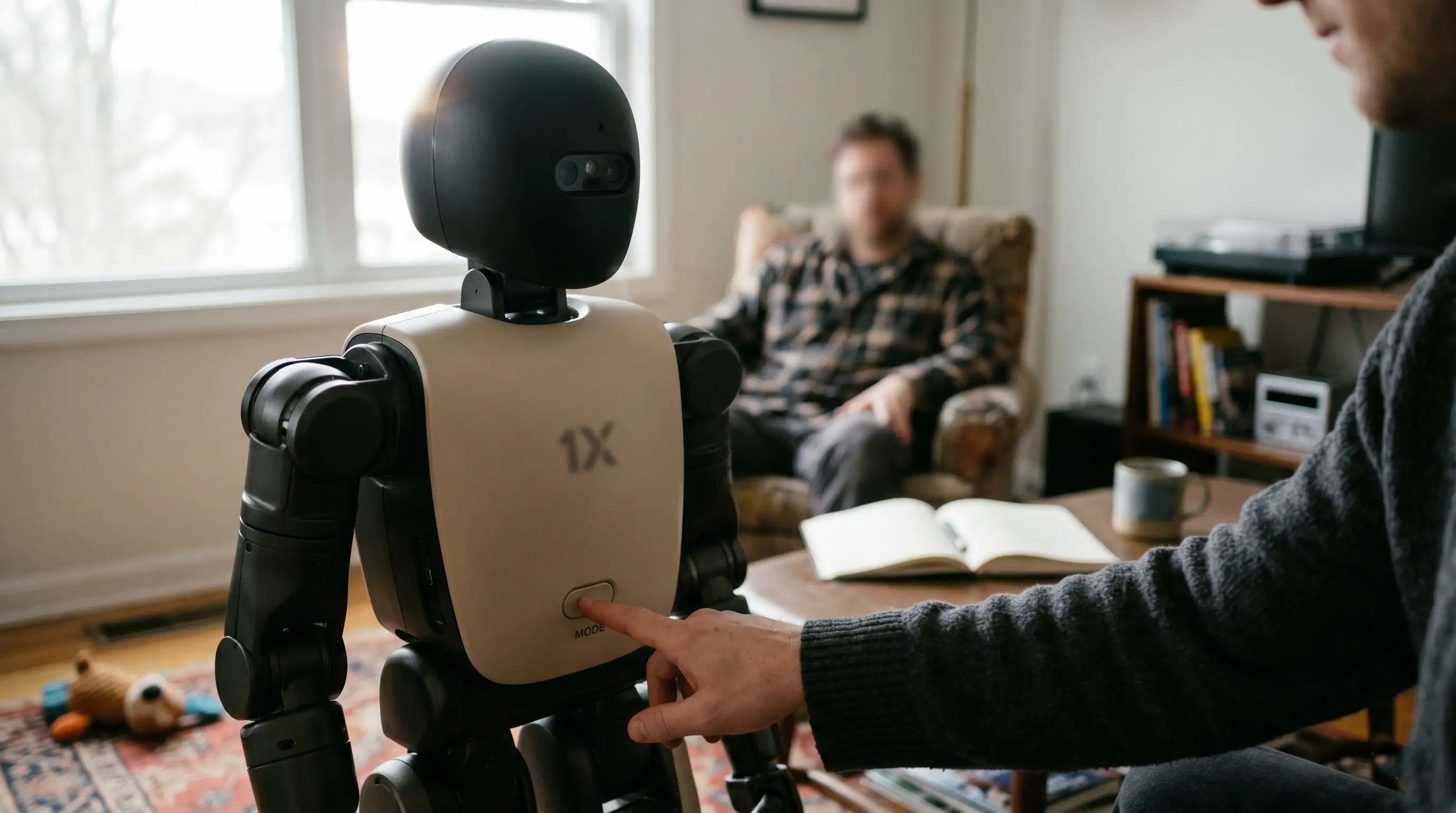
- The Teleoperation Reality: When autonomous systems fail, a remote operator robot pathway allows human staff to see and steer the unit.
- Active Data Streams: The machine relies on constant camera feeds, optical tracking, and home robot data security protocols.
- Granular Boundaries: Users can access hardware settings to establish clear NEO no-go zones within their floor plans.
- Anonymization Tools: Built-in software layers attempt to secure privacy using real-time robot face blurring mechanics.
NEO robot privacy hinges on teleoperation: remote staff can see and drive it in your home. No-go zones and face-blur help—but not enough.
As autonomous systems blend into residential architecture, the question shifts from machine capability to raw data boundaries. To fully grasp how these security protocols interface with broad marketplace realities, you must first review our comprehensive benchmark analysis: Home Humanoid Robots 2026: Buy Now or Wait?
Evaluating the balance between convenience and data isolation is non-negotiable for modern early adopters.
The structural reality of modern embodied AI requires a continuous link between your private living space and cloud server networks. Managing this data flow means understanding exactly who can access your robot's sensors and when.
Understanding Teleoperation and 1X NEO Expert Mode
How Remote Operators Drive the Robot in Real Time
The defining feature of the 1X ecosystem is its hybrid control model. When the onboard artificial intelligence encounters an unknown obstacle or a complex chore, it halts autonomous execution.
The system then requests assistance via a secure cloud network. This transitions the machine directly into what the manufacturer labels NEO Expert Mode.
During these active sessions, a vetted human specialist wears a virtual reality headset to look through the robot's eyes.
They physically guide the chassis to complete the task, creating a direct visual window into your home.
The Privacy Profile: Can 1X Employees See Inside Your Home?
Video Recording, Data Storage, and Local Processing Architecture
Because human operators assist with complex chores, a remote worker can see into your living space. 1X requires its staff to pass background checks and sign strict confidentiality agreements.
However, the underlying technology still transmits raw video and audio streams from your home to external servers. The primary concern for privacy-focused buyers is how this spatial data is handled.
While local processing handles basic balance and movement, spatial maps and training videos are saved in the cloud.
These recordings help train the machine's neural networks, meaning your interior layout becomes part of its learning dataset.
Native Privacy Controls: Setting Up Defense Mechanisms
Configuring NEO No-Go Zones and Robot Face Blurring
To help mitigate these privacy risks, users have access to several built-in security settings. The most critical defense is mapping strict boundaries directly within your configuration application.
By setting up these digital walls, you ensure the unit treats specific rooms as completely off-limits.
The software also uses real-time masking algorithms to apply robot face blurring to family members. This algorithm attempts to identify and hide human faces and text on sensitive documents before the video feed reaches a remote operator.
Balancing these settings with your deployment budget is key to managing a smart home safely. For a detailed breakdown of asset costs and queue requirements, check out our guide: 1X NEO price and preorder analysis.
Cyber Security and Vulnerabilities: Can NEO Be Hacked?
Securing the Mobile Sensor Platform on Your Local Network
A walking, lifting machine equipped with multiple cameras acts as a mobile sensor platform on your home Wi-Fi network. This structural design introduces an entirely new attack surface to your household digital infrastructure.
If a malicious actor compromises your network credentials, they could theoretically access the robot's hardware controls or monitor its camera feeds.
Protecting your privacy requires strict network security hygiene. Homeowners must isolate the robot on a dedicated, firewalled guest network.
Enabling multi-factor authentication on your manufacturing account and installing firmware updates promptly are mandatory steps to block unauthorized remote access.
Conclusion & CTA
Living alongside advanced humanoid systems requires a careful approach to data security. While tools like NEO no-go zones and local robot face blurring provide helpful baselines, understanding the reality of remote teleoperation remains essential for keeping your home secure.
To track emerging privacy regulations, hardware compliance guidelines, and smart home security frameworks, follow our central repository: AI Living, Smart Homes & Robots hub.

Frequently Asked Questions (FAQ)
Yes. When the robot enters Expert Mode, remote operators can view live camera streams to guide the machine through complex tasks. While 1X enforces background checks and privacy agreements, the physical capability to view your home exists by design.
Teleoperation is a control model where a remote human operator takes over the robot's physical body through a secure cloud connection. The operator uses virtual reality tools to see, move, and complete chores the onboard AI cannot yet handle alone.
Yes, it presents unique privacy challenges compared to standard smart appliances. Because it streams video feeds and stores spatial layout maps in the cloud for AI training, it requires active user management to secure personal data.
Yes, the system captures video data to navigate and complete tasks. These recordings are regularly uploaded to cloud servers to help train and improve its neural networks, unless you explicitly opt out within your data privacy settings.
No-go zones are user-defined digital boundaries mapped within the configuration software. Once set, the robot's navigation system will completely avoid these designated spaces, protecting private areas like bedrooms and bathrooms from entry or surveillance.
Yes, users can adjust their privacy settings to disable or restrict remote-operator access. However, turning off this mode means the robot will stop working whenever it encounters a complex task it cannot resolve on its own.
Core operational data is processed locally on the robot's internal processor. However, detailed spatial maps, video logs, and interaction histories are sent to secure cloud servers for ongoing software refinement and system diagnostic support.
Yes, the software features automated face-blurring and privacy masking protocols. This system obfuscates human faces and text on personal documents locally before transmitting any video streams to remote operators.
Like any connected IoT device, it faces potential cybersecurity vulnerabilities if left unsecured. Unauthorized access risks can be minimized by using strong authentication, applying software patches promptly, and isolating the unit on a secure network.
You can maximize privacy by mapping out strict digital boundaries at setup, enabling face-masking features, and opting out of data-sharing programs. Additionally, running the hardware on a separate, firewalled network segment helps prevent unauthorized access.