AgentOps + CrewAI in 11 Lines: The Setup Most Devs Skip
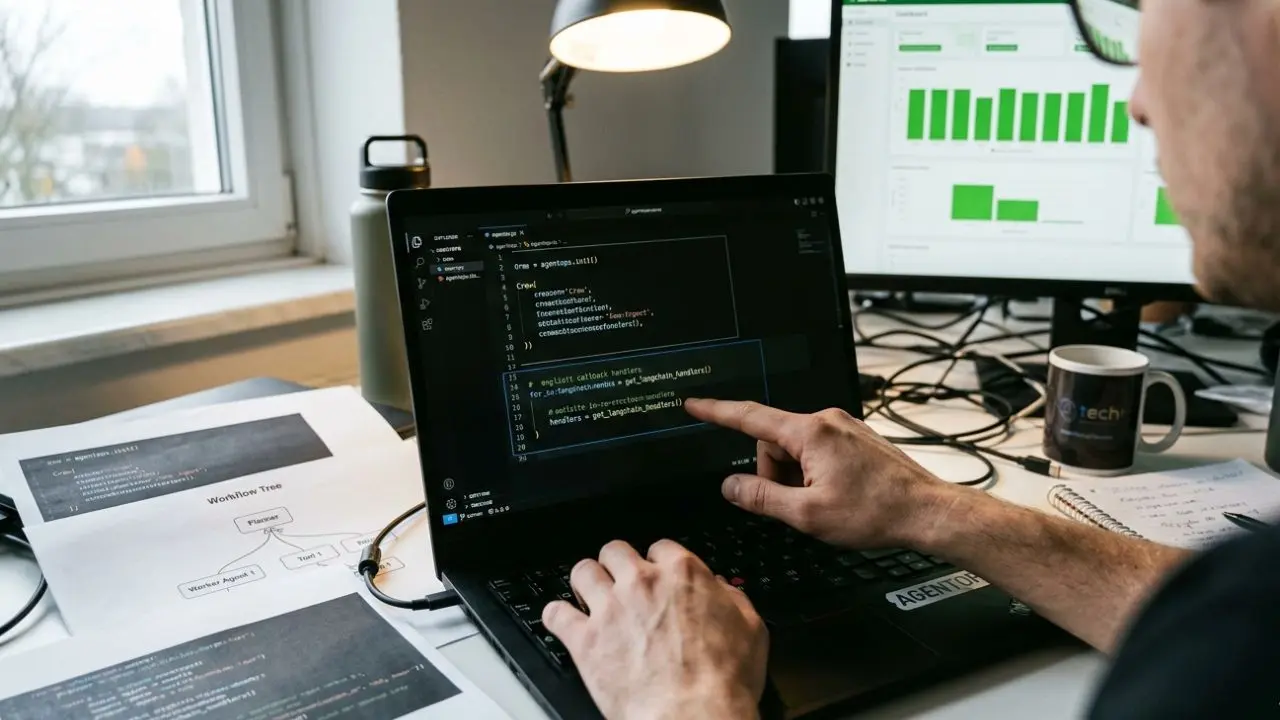
- The 70% Blind Spot: Default installations fail to capture asynchronous tool executions in CrewAI without explicit callback handlers.
- The Correct Initialization: A robust setup requires explicit LangChain callback bindings to track deeply nested agent spans accurately.
- Unified Cost Tracking: Configuring the right environment variables enables seamless token and cost tracking across multiple model providers simultaneously.
- Environment Agility: Master how to use environment flags to dynamically toggle observability between staging and production with zero code changes.
The AgentOps setup tutorial CrewAILangChain promises magic, but the standard 11-line install misses 70% of tool calls by default.
You deploy to production, your dashboard looks perfectly green, but silent logic errors are actively destroying your multi-agent runs behind the scenes.
If you are following our overarching AI agent observability playbook, you already know that traditional APM solutions are blind to these non-deterministic agent workflows.
You need absolute precision to monitor these LLM chains. This guide strips away the beginner fluff and provides the exact Python observability SDK pattern required to catch every nested span, async handoff, and tool execution.
The Correct AgentOps SDK Install for CrewAI
Setting up the AgentOps SDK install shouldn't take hours. Most documentation simply tells you to drop a basic initialization call at the top of your script.
However, as soon as you run complex operations, you are left wondering: why are my CrewAI tool calls not appearing in the AgentOps dashboard?
This happens because the default wrapper only hooks into the top-level LLM calls. It completely ignores the autonomous, intermediate tool executions happening underneath.
The LangChain Callback Handler Missing Link
CrewAI relies heavily on LangChain's architecture under the hood. To fix this massive data blind spot, you must inject the LangChain callback handler.
This specific handler ensures that every sub-agent span and tool interaction is actively forwarded to the observability backend.
When you are figuring out exactly how to trace this stack, do not rely on implicit library wrapping. Pass the callback explicitly to your agent executors.
Managing Sessions: Custom Run IDs and Nested Spans
Tracking a single, linear LLM request is trivial. However, tracking parallel, multi-agent runs is a chaotic engineering challenge.
To maintain order, you must tag a multi-agent session with a custom run ID. This is the only reliable way to stitch together synchronous and async agent calls in the same run.
Without a persistent, custom session ID, your agent run replay will be fragmented, disorganized, and ultimately useless for debugging.
Capturing Nested Sub-Agent Spans Correctly
When a primary agent delegates a task to sub-agents, standard tracing often flattens the hierarchy into a confusing list.
You must learn how to capture nested sub-agent spans correctly. By using AgentOps context managers, you wrap parent executions in a named span to maintain the exact workflow tree structure.
To visualize these cross-agent handoffs properly, review our deep dive on how to instrument multi-agent workflow tracing end-to-end.
Environment Variables and Cost Tracking
A massive benefit of implementing AgentOps correctly is its automated, built-in cost aggregation for generative models.
When configured properly, AgentOps supports cost tracking for OpenAI, Anthropic, and Gemini together.
To achieve this unified dashboard, the AgentOps SDK requires specific environment variables. Ensure your primary AGENTOPS_API_KEY is set, right alongside your respective provider keys.
Toggling Tracing Across Environments
Engineering teams rarely want the exact same logging verbosity in production as they do in their local staging environments.
You need to know how to disable AgentOps in production but keep it in staging.
Leveraging environment variables allows you to conditionally initialize the SDK. This approach dynamically reduces the sample rate or bypasses the library entirely, ensuring zero performance overhead on live traffic.

Frequently Asked Questions (FAQ)
How do I install AgentOps SDK with CrewAI in under 5 minutes?
Run pip install agentops. Then, place agentops.init() at the very top of your entry file before any CrewAI or LLM imports. Finally, ensure your AGENTOPS_API_KEY environment variable is strictly defined to establish the connection immediately.
What is the correct AgentOps.init() pattern for LangChain in 2026?
The corrected init pattern requires explicitly binding the AgentOps LangChain callback handler. Do not rely on auto-instrumentation alone; manually pass agentops.get_langchain_handlers() to your LLM chains to guarantee 100% trace capture.
Why are my CrewAI tool calls not appearing in the AgentOps dashboard?
Standard installations often miss 70% of tool calls by default. This happens because CrewAI executes tools asynchronously or via separate threads that drop the trace context. You must explicitly pass trace IDs into the tool's execution parameters.
How do I tag a multi-agent session with a custom run ID?
When initializing a new session using agentops.start_session(), pass the tags or session_id arguments. Injecting a custom UUID ensures that traces from isolated microservices or parallel tasks are grouped correctly within the AgentOps dashboard.
Can AgentOps trace synchronous and async agent calls in the same run?
Yes, AgentOps handles both sync and async agent calls natively. By utilizing Python's contextvars under the hood, the SDK seamlessly propagates the active session state across asynchronous event loops and thread boundaries without losing the span tree.
How do I forward AgentOps traces to a self-hosted backend?
AgentOps defaults to its managed cloud, but you can configure the SDK to export OpenTelemetry-compatible traces. Update your initialization parameters to specify a custom OTLP endpoint, allowing direct ingestion into enterprise tools like Datadog, New Relic, or Jaeger.
Does AgentOps support cost tracking for OpenAI, Anthropic, and Gemini together?
Absolutely. The AgentOps platform automatically tracks token counts and calculates precise cost metrics across OpenAI, Anthropic, and Gemini concurrently. It normalizes this data into a unified billing dashboard, eliminating the need to check multiple vendor consoles.
How do I capture nested sub-agent spans correctly?
To capture nested execution trees, wrap your sub-agent logic within an @agentops.record_action decorator or a with agentops.ActionContext(): block. This explicitly defines the parent-child relationship, preventing the dashboard from flattening complex workflows.
What environment variables does the AgentOps SDK require?
At a minimum, the SDK requires AGENTOPS_API_KEY to authenticate. For robust deployments, you should also define AGENTOPS_ENVIRONMENT (e.g., staging or production) to filter traffic, and optionally AGENTOPS_LOG_LEVEL to control the verbosity of local debug outputs.
How do I disable AgentOps in production but keep it in staging?
To bypass tracing in specific environments, conditionally execute agentops.init() based on your environment variables. Wrap the initialization in an if os.getenv('ENV') != 'production': block, ensuring zero performance overhead or data egress in your live production systems.