Best AI Dubbing & Lip-Sync Tools for Creators
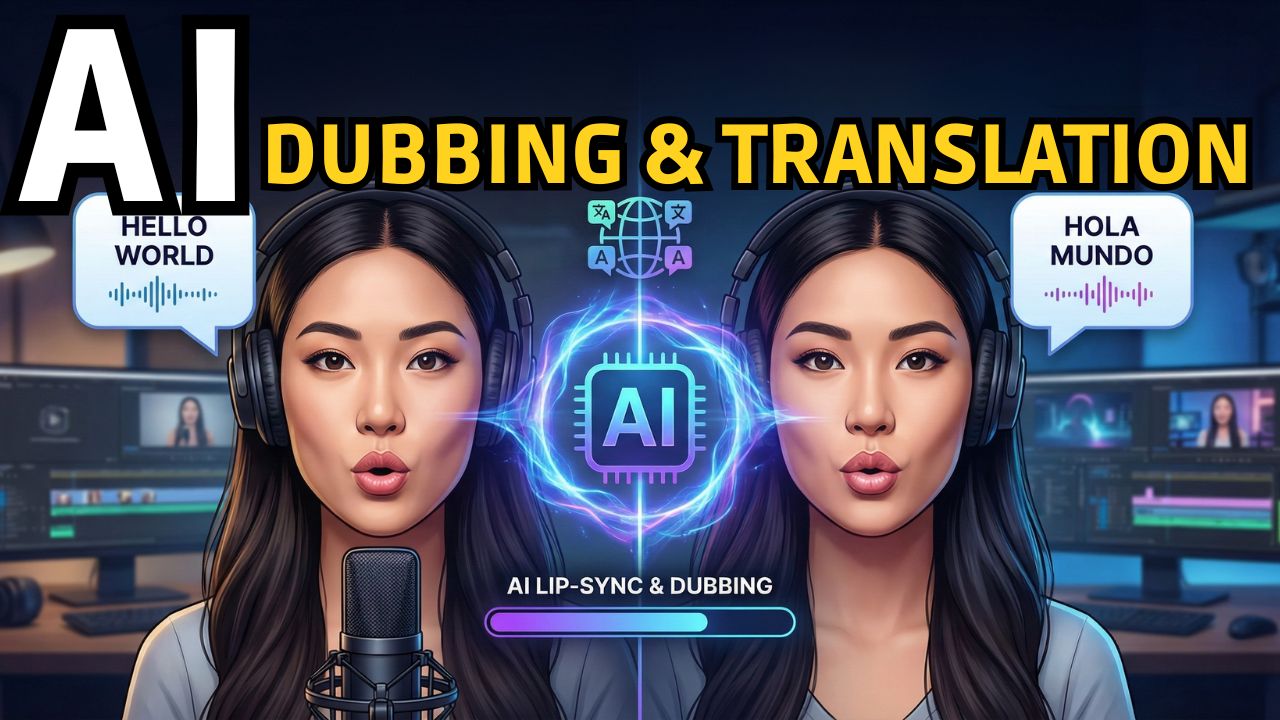
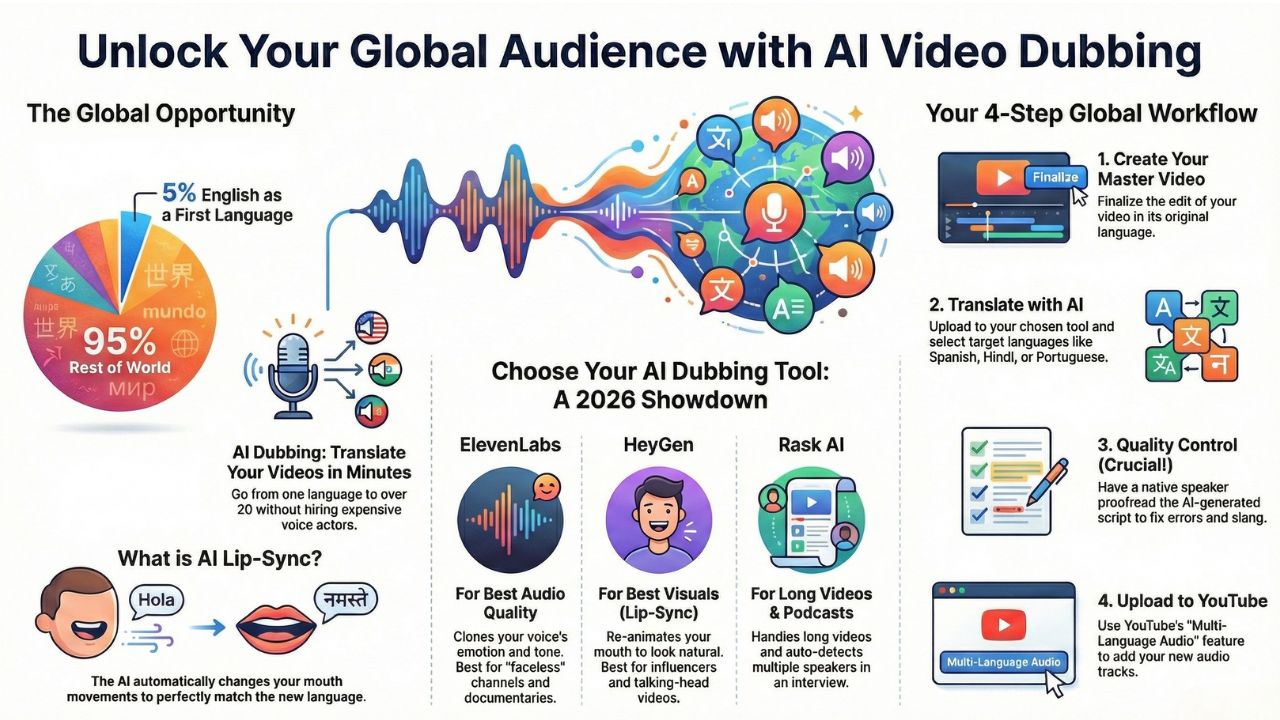
You made a great video in English. It has good editing, a funny script, and 10,000 views. But did you know that only 5% of the world speaks English as their first language? You are missing out on 95% of your potential audience.
In the past, if you wanted to reach fans in Brazil, Japan, or Germany, you had to hire expensive voice actors and translators. It cost thousands of dollars and took weeks.
In 2026, the game has changed. You can now use AI dubbing software to translate your video into 20+ languages in minutes. But the real magic isn't just the voice, it’s the face.
New tools can now lip-sync your video, meaning the AI changes the movement of your mouth to match the new language perfectly. If you speak French, your lips move in French.
This guide covers the best AI dubbing software 2026 to help you reach a global audience with AI and double your revenue.
Explore the AI Creator Studio
Top 3 Tools for AI Video Translation
We tested the biggest tools in the market to see which ones sound human and which ones look real. Here is the showdown.
1. ElevenLabs: The King of Emotional Audio
Best For: Storytelling, Documentaries, Animation, and "Faceless" Channels.
If your content relies on emotion, like a sad story, a high-energy vlog, or a dramatic documentary, ElevenLabs is the undisputed king.
Key Feature: True Voice Cloning. ElevenLabs creates a "Digital Twin" of your voice. It doesn't just read the text; it copies your laugh, your pauses, and your tone. If you whisper in English, the AI whispers in Japanese.
The "Dubbing Studio": They recently launched a full studio where you can edit the translated audio track manually to fix timing.
The Downside: It is audio-only. It does not change your lip movements in the video.
Verdict: Perfect for faceless YouTube channels or videos with lots of b-roll where you don't see the speaker's mouth often.
2. HeyGen: The Visual Magic (Lip-Sync)
Best For: Influencers, TikTok, Real Estate Agents, and "Talking Heads."
HeyGen does something ElevenLabs cannot: Video Translation with Lip-Sync. This is the feature that makes people say, "Wait, how do you speak fluent Mandarin?"
Key Feature: Visual Auto-Dubbing. You upload your English video. HeyGen translates the voice and re-animates your mouth. The result looks 100% natural, as if you recorded the video in that language originally.
HeyGen vs ElevenLabs:
- Use ElevenLabs if audio quality is your #1 priority.
- Use HeyGen if visual realism is your #1 priority.
Verdict: The best choice for creators who show their face on camera (Instagram Reels, TikToks, Course Videos).
3. Rask AI: The YouTuber's Workhorse
Best For: Long Podcasts, Interviews, and Educational Content.
Rask AI is built for heavy lifting. While other tools struggle with 20-minute videos, Rask handles them easily.
Key Feature: Multi-Speaker Detection. If you have a podcast with 3 different people, Rask can tell them apart. It will assign a different AI voice to Guest A, Guest B, and the Host automatically.
YouTube Integration: Rask allows you to export the "Audio Track" file specifically formatted for YouTube's multi-language feature.
Verdict: The best tool for auto-dubbing for creators with long-form content.
How to Translate YouTube Videos with AI (Step-by-Step)
YouTube now has a feature called "Multi-Language Audio." This allows you to upload one video, but let viewers click "Settings" and choose their language (English, Spanish, Hindi, etc.). Here is your workflow for 2026:
Step 1: Create Your Master Video
Edit your video in English as usual. Make it perfect.
Step 2: The Translation Layer (Rask/HeyGen)
Upload your final video to Rask AI or HeyGen. Select your target languages. For 2026, the highest CPM (money) and growth regions are: Spanish (Latin America), Portuguese (Brazil), Hindi (India), and Arabic.
Step 3: Quality Control (Crucial!)
The AI will generate a translated script. Do not trust it blindly. Hire a freelancer on Upwork (for $10) to proofread the Spanish script. AI often messes up slang.
If you say "That's cool," AI might translate it to "That is cold temperature." Edit the script in the software before generating the final audio.
Step 4: Export & Upload
- If using HeyGen: Download the new video files (with lip-sync) and upload them to separate channels (e.g., "MrBeast Español").
- If using Rask/ElevenLabs: Download the audio files (MP3). Go to YouTube Studio > Subtitles > Audio > "Add Language." Upload the Spanish MP3 there. Now your main video has two audio tracks!
Real-Time AI Translation: The Future is Here
What if you are a streamer on Twitch or doing a live webinar? You can't wait for rendering. New real-time AI translation tools are exploding in 2026:
- LiveTranslate: An app that listens to your microphone and translates your voice into another language with only a 1-second delay.
- Google Meet AI: Now includes live translated captions and (in beta) live voice dubbing for meetings.
Imagine playing a video game on Twitch and yelling "Watch out!" in English, while your viewers in Mexico hear "¡Cuidado!" instantly. This technology is still new, but it is the next frontier for creators.
Frequently Asked Questions (FAQs)
It depends on your goal. Visuals: HeyGen (Best Lip-Sync). Audio Quality: ElevenLabs (Best Voices). Long Videos: Rask AI (Best Workflow).
Yes! In fact, you can earn more. While the "pay per view" (CPM) might be lower in Brazil than in the US, the volume of views is massive. A video with 100k US views might get 1M Brazil views.
YouTube is testing a tool called "Aloud" that does this for free. However, the voice quality is currently robotic compared to paid tools like ElevenLabs. For a professional brand, we recommend paid tools.
ElevenLabs: ~$0.30 per minute. HeyGen: ~$2.00 per minute (video is expensive to process). Rask AI: Monthly subscriptions starting around $50. Tip: Start with just Spanish to test your ROI (Return on Investment) before paying for 20 languages.