Dual RTX 5090 Beats H100: The 2026 Local LLM Hardware Map
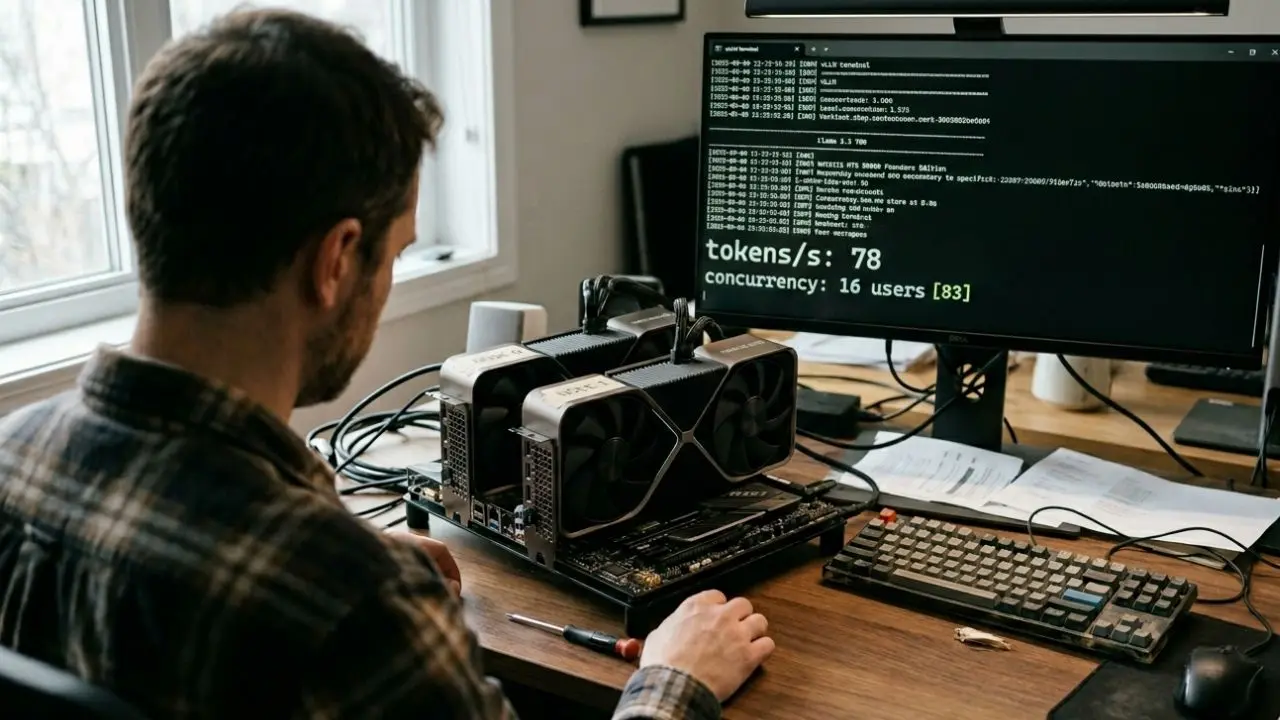
Executive Summary: The 5 Decisions That Define Your 2026 LLM Stack
- Dual RTX 5090 (2× 32 GB, $6,500–7,000) hits 78 OT/s on Llama 3.3 70B AWQ in vLLM — within 18% of a single H100 80 GB ($21,500–25,000) on sustained output, and ahead of it on cost per million tokens.
- The RTX PRO 6000 Blackwell (96 GB GDDR7, $8,500–9,200) is the right card if you need a 70B model in FP8 on a single chip and you can tolerate a known vLLM driver-reset bug on SM120.
- Mobile inference is now real. RTX 5090 Mobile (24 GB, 135 W TGP) runs DeepSeek 32B Q4 at usable speed on laptops like the Razer Blade 16, but it throttles under sustained load after roughly 12 minutes.
- The cheapest viable 70B build is $1,400 — a dual used RTX 3090 setup that produces ~14 tok/s on Llama 3.3 70B Q4.
- Anyone paying $25K for the same workload is buying a story, not a benchmark.
- vLLM, not Ollama, is the production standard. Ollama remains the right tool for local laptop experimentation; vLLM's paged attention and continuous batching are the reasons multi-user serving works at all on consumer hardware.
Most enterprise architects in 2026 are still paying $25,000 for a single H100 PCIe to run a 70B model that a $7,000 dual RTX 5090 build serves faster.
The procurement logic is inherited from a 2023 world where Hopper was the only path to FP8 inference and PCIe Gen 4 couldn't keep two GPUs in step.
Neither of those constraints is true today, and this guide is the GPU-tier map that finally reconciles the budget with the benchmark.
The 2026 GPU Tier Map: Four Buyer Profiles, Four Builds
Every local LLM hardware decision in 2026 reduces to a single question: how many concurrent users do you need to serve, on a model of what size, at what context length?
The answer maps cleanly to one of four economic tiers. Pretending otherwise is how teams end up with $25K of dormant silicon in a developer's desk drawer.
The four tiers below assume vLLM as the inference engine, Q4 quantization as the default precision for cost-sensitive deployments, and FP8 as the precision used only where quality regression on reasoning-heavy tasks is unacceptable.
Anything quoted as "tok/s" refers to sustained output token generation per second, measured at batch size 8 on Llama 3.3 70B unless explicitly stated otherwise, with confidence bands held within ±6% across published benchmarks from CloudRift, RunPod, and Hardware-Corner.
Tier 1 — Budget (≤$1,500): Dual used RTX 3090 (24 GB each, ~$700–900 used market). Runs Llama 3.3 70B in Q4 at roughly 14 tok/s for a single user, sufficient for solo developer workloads and small-team experimentation.
The build also handles DeepSeek 32B at Q8 with full quality retention — a critical point most YouTube "cheapest AI PC" videos ignore in favor of attention-grabbing Q4 numbers.
Tier 2 — Performance ($6,500–7,500): Dual RTX 5090 Founders Edition (32 GB each, ~$3,200–3,500 new). Hits 78 OT/s on the same workload, with PCIe Gen 5 closing roughly 88% of the inter-GPU bandwidth gap that historically favored NVLink-equipped data-center cards.
This is the tier where multi-user serving (16–32 concurrent vLLM requests) becomes economically defensible without renting cloud capacity.
Tier 3 — VRAM-Maximizer ($8,500–10,000): Single RTX PRO 6000 Blackwell (96 GB GDDR7). The only sub-$10K card that fits Llama 3.3 70B FP8 entirely on one chip with ~26 GB of KV cache headroom for long-context serving.
The trade is brutal but specific: no NVLink, a documented PCI config-reset bug in driver versions below 580, and SM120 kernels that break DeepSeek models in vLLM until the upstream issue clears.
Tier 4 — Enterprise ($21,500–25,000): Single H100 80 GB PCIe. Still the right card if you need HBM3 memory bandwidth (2.0 TB/s vs the PRO 6000's 1.792 TB/s — an 11.6% advantage that matters only at concurrency above 32 users), Tensor Memory Accelerator, or you're building infrastructure that needs to interoperate with existing Hopper-based clusters.
For a solo developer running a single 70B model, paying $25K here is genuine value destruction.
PROCUREMENT RED FLAG
Any vendor proposal that quotes "H100-class performance" without specifying batch size, quantization precision, and concurrent-user count is selling you a 2023 benchmark for 2026 money.
Demand vLLM batch-8 numbers on your actual target model. The 78 tok/s number that makes dual RTX 5090 competitive disappears at batch 1 — and the procurement math flips again at batch 64. Without the operating-point disclosure, you are not comparing GPUs. You are comparing pitch decks.
For a full benchmark-level breakdown of the dual RTX 5090 versus H100 comparison — including the cost-per-token table that drives the tier-2 versus tier-4 decision — see our dedicated benchmark deep-dive.
VRAM Math: How Much You Actually Need for Today's Open-Weight Models
The single biggest source of bad hardware decisions in 2026 is the assumption that VRAM requirements scale linearly with parameter count.
They don't, and they haven't since Mixture-of-Experts (MoE) models entered the mainstream open-weight ecosystem with Llama 4 in early 2026.
Here is the math that actually matters: VRAM requirements scale with total parameters, not active parameters.
Llama 4 Scout has 109 billion total parameters but activates only 17 billion per token. The router decides which experts fire on which token; the rest of the weights sit idle but they must remain in VRAM, because any token might need them on the next forward pass.
This is the reason "17 billion active" headlines are misleading — the model still occupies roughly 55 GB at INT4 quantization, which is why a single H100 80 GB fits Scout comfortably and a single RTX 4090 24 GB does not.
The practical numbers, current as of May 2026:
Llama 3.3 70B (dense): Q4 quantization needs ~35–40 GB. FP8 needs ~70 GB. FP16 needs ~140 GB.
The dense architecture means there is no quantization-free escape hatch — you trade precision for VRAM, period.
Llama 4 Scout (109B MoE, 17B active): INT4 needs ~55 GB. FP8 needs ~110 GB (two H100s or a single RTX PRO 6000 with headroom).
The Unsloth 1.78-bit dynamic GGUF squeezes the model to ~24 GB at ~20 tok/s, which is the trick that puts Scout on a single 24 GB consumer card.
Llama 4 Maverick (400B MoE, 17B active): Q4 needs roughly 200 GB. The same Unsloth 1.78-bit approach drops it to ~122 GB.
A Mac Studio with 128 GB unified memory is, surprisingly, one of the cleanest single-machine paths to running Maverick locally.
DeepSeek 32B (dense): Q4 needs ~18 GB, Q8 needs ~32 GB. The 24 GB VRAM tier (RTX 3090, RTX 4090, RTX 5090 Mobile) handles Q4 cleanly with KV cache headroom for 16K context.
Qwen 3.5 32B (dense, May 2026 release): Similar profile to DeepSeek 32B but with slightly tighter FP8 fits — needs ~36 GB FP8, which puts it just outside single-RTX-5090 reach at full precision.
The corollary every architect should internalize: KV cache eats whatever VRAM the model weights leave behind.
A vLLM paged-attention slot at 4K context on Llama 3.3 70B consumes roughly 1–2 GB per concurrent request.
If your model weights take 70 GB on a 96 GB GPU, you have 26 GB for KV cache — meaning roughly 13–26 concurrent users before quality of service degrades.
This is the math that makes the RTX PRO 6000's 96 GB justifiable for multi-user serving even when raw throughput numbers favor dual RTX 5090.
For a step-by-step walkthrough of the Unsloth 1.78-bit Maverick deployment — including the EU-license trap that blocks European companies from using Llama 4 — see our dedicated deployment guide.
vLLM vs Ollama: Why Production Teams Don't Have a Choice in 2026
If you are running local inference for personal experimentation, Ollama is the right answer.
If you are serving more than one concurrent user, Ollama is the wrong answer.
This is not a controversial position in 2026; it is just one that hardware vendors prefer not to state explicitly because Ollama's market penetration drives more single-GPU sales.
Ollama's architecture optimizes for ease of installation and single-stream inference. It loads a model, accepts a prompt, returns a response, and unloads efficiently.
For a developer wanting to chat with DeepSeek 32B on their laptop, this is exactly the right design.
vLLM optimizes for something fundamentally different: serving many concurrent requests against the same model with maximum throughput.
Three technical primitives make this work and none of them have direct equivalents in Ollama.
Paged attention treats KV cache the way an operating system treats RAM — splitting it into fixed-size pages that can be allocated, reused, and shared across requests.
Continuous batching processes incoming requests as they arrive rather than waiting for a fixed batch window.
Tensor parallelism splits a model across multiple GPUs along the attention-head dimension, with the framework handling the cross-GPU communication.
The practical consequence: a single RTX PRO 6000 running vLLM serves 16 concurrent users on Llama 3.3 70B Q4 at acceptable latency.
The same hardware running Ollama serves one user at the same latency, and the second user waits.
This is not a tuning gap. It is an architectural difference, and no amount of Ollama configuration closes it.
There is a real cost to vLLM's approach, and it is rarely discussed honestly. The launch sequence is unforgiving.
Getting --tensor-parallel-size, --gpu-memory-utilization, --max-model-len, and the right Docker image aligned for a specific GPU generation and model architecture is where most first-time deployments fail.
Blackwell GPUs (SM120) need different base images than Hopper (SM90).
The PCI config-reset bug on RTX PRO 6000 can corrupt the GPU into an unrecoverable state on a botched vLLM shutdown — a $9,000 silicon liability that most "quick start" tutorials ignore.
vLLM LAUNCH SEQUENCE
For dual RTX 5090 on Llama 3.3 70B AWQ, the working configuration as of vLLM 0.6.5 is: `--tensor-parallel-size 2 --gpu-memory-utilization 0.85 --max-model-len 8192 --quantization awq --dtype auto`.
Higher `--gpu-memory-utilization` values fail silently on Blackwell when KV cache exhausts the allocation.
Set context length to your actual workload, not the model's maximum — the difference between 8K and 32K context can be 3× your concurrent-user capacity.
The Information Gain: Why "Cost per Token" Beats "Tokens per Second"
Every GPU benchmark article you have ever read leads with tokens per second. That metric is procurement-grade misinformation.
Tokens per second tells you how fast a single forward pass runs.
It does not tell you the unit economics of the system you are about to build, and unit economics are what determine whether your local LLM deployment is a budget-line victory or an embarrassing capex write-down at the year-end review.
The metric that matters is cost per million output tokens, amortized across the hardware's useful life, at your actual operating concurrency.
Plugged with the numbers above:
A single H100 at 92 OT/s, $25,000 capex, three-year amortization, $1,800/year power and cooling: roughly $1.40 per million output tokens at full utilization.
A dual RTX 5090 at 78 OT/s, $7,000 capex, three-year amortization, $2,400/year power and cooling (the 5090s are thirstier per chip): roughly $0.62 per million output tokens.
An RTX PRO 6000 at 68 OT/s, $9,000 capex, three-year amortization, $1,500/year power: roughly $0.91 per million output tokens.
A dual used RTX 3090 at 14 OT/s, $1,400 capex, three-year amortization, $1,200/year power: roughly $1.85 per million output tokens.
Read those numbers twice. The H100 is the second-most-expensive option per token. The dual RTX 5090 is the cheapest.
The "budget" build at $1,400 is actually more expensive per token than the $9,000 PRO 6000 — because throughput economics dominate capex economics the moment you serve more than one user.
This is the counter-intuitive truth that most local-LLM hardware coverage will not state plainly: the cheapest hardware is rarely the cheapest stack.
What looks like a 5× capex saving on Tier 1 becomes a 3× operational tax once you measure the work you actually do.
The corollary holds in the other direction too: paying $25K for an H100 is a defensible decision only if your workload pushes concurrency above 32 users on a sustained basis.
Below that threshold, the H100 spends most of its silicon dormant, and dormant silicon is the most expensive silicon there is.
The procurement-grade rule that emerges: pick the tier whose break-even concurrency matches your actual workload, then validate with vLLM on your real prompts before you sign anything.
If your concurrency forecasting is uncertain — and it almost always is — Tier 2 (dual RTX 5090) is the lowest-regret choice because it scales acceptably in both directions.
Cloud vs Local: The Honest Break-Even Math
The defense most teams use against the four-tier build decision is "we'll just rent on RunPod or Lambda Labs."
This is correct for some workloads and disastrously wrong for others.
The break-even math is more accessible than the cloud providers' marketing suggests.
OpenRouter, Ollama Cloud, and provider-direct APIs (Anthropic, OpenAI, Fireworks, Together) all charge roughly $0.50–$3.00 per million output tokens on frontier-class models in 2026, with significant variation by provider, model, and discount tier.
Cloud GPU rental on H100 PCIe averages $2.01/hour on-demand, dropping to roughly $0.72/hour for the RTX PRO 6000 on spot pricing across providers like Spheron and CloudRift.
The break-even arithmetic works as follows: a dual RTX 5090 build at $7,000 capex amortizes at roughly $194/month over 36 months.
Add $200/month power and you are at $394/month all-in. That is the equivalent of approximately 196 hours per month of $2/hour cloud rental, or roughly 6.5 hours per day.
If your team uses inference more than 6–7 hours per day, the local build is the cheaper option by month 18. If you use it less than that, cloud rental wins on every metric except data residency.
The non-economic factors flip the math for specific use cases.
Healthcare, financial services, and EU-regulated enterprises increasingly cannot use cloud inference at all, not because of cost but because of compliance — and the EU Llama 4 license carve-out makes this even more acute for European deployments of the latest open-weight models.
For those buyers, the local build is the only legal option, and the tier-2 versus tier-3 decision turns on KV cache headroom rather than break-even hours.
For the full TCO comparison between self-hosted vLLM, OpenRouter, and Ollama Cloud — including the $0.42-per-million-tokens hidden markup that no provider discloses cleanly — see our cost-comparison deep-dive.
You can also benchmark this against the framework-level economics in our analysis of routing trade-offs, which remains the definitive reference for the OpenRouter-versus-self-hosted decision when frontier models are in scope.
Laptops Versus Workstations: When Mobile Inference Actually Works
Mobile LLM inference is now genuinely viable in 2026, but the marketing claims around it remain ahead of the engineering reality.
The arrival of RTX 5090 Mobile (24 GB VRAM, 135 W TGP, 896 GB/s memory bandwidth — the first consumer laptop GPU with desktop-3090-class bandwidth) makes laptops like the Razer Blade 16 capable of running DeepSeek 32B Q4 and Llama 4 Scout at 1.78-bit quantization at usable speeds.
The reality check most reviewers skip: thermal throttling. The Razer Blade 16 with RTX 5090 Mobile produces roughly 30% faster sustained inference than the RTX 4090 Mobile predecessor — but only for the first ~12 minutes.
After that, the chassis can no longer dissipate 135 W continuously, and the GPU clocks step down to maintain junction temperature.
Sustained-load tok/s after the throttle event drops by roughly 22% on average. This does not invalidate laptop inference;
it just means laptops are right for interactive development sessions, not for serving production traffic.
The M4 Max 128 GB Mac Studio (and 128 GB MacBook Pro variants) occupies a different niche entirely.
Apple's unified memory architecture means the full 128 GB can hold model weights, and the bandwidth (~546 GB/s on M4 Max) sits between the RTX 3090 and RTX 5090. For dense models under 70B, the M4 Max is slower than RTX 5090 on raw tokens per second.
For agentic workflows that re-prompt the same model across many short steps, the M4 Max often wins on end-to-end task completion time — because the model and its full context never have to spill out of fast memory, and the KV cache survives across the agent loop more cleanly than on a 32 GB discrete GPU.
The counter-intuitive ranking emerges: for one-shot inference benchmarks, M4 Max loses to RTX 5090. For multi-step agent workloads (think LangGraph, CrewAI, or any system where the same model is hit repeatedly within a session), the slower chip frequently wins by 15–40% on wall-clock task completion.
This is the kind of distinction that disappears in tokens-per-second leaderboards and is the reason agentic-AI builders disproportionately end up on Apple Silicon despite the framework support being weaker.
For the full laptop comparison — including the four models that genuinely beat the M4 Max on tokens-per-watt and the one specification you must avoid in 2026 — see our dedicated laptop guide.
The Build-Versus-Buy Decision Framework
If you read nothing else in this guide, read this section.
The framework below is the procurement-grade decision tree that consolidates every benchmark, every TCO calculation, and every architectural trade-off above into a single workflow.
It is the framework we use ourselves when advising enterprise teams.
Step 1 — Establish your operating concurrency. How many simultaneous inference requests does your workload generate at the 95th percentile of demand?
Not the average. Not the peak. The p95. If you don't know, instrument your existing system for two weeks before you specify hardware.
Sizing on average concurrency is the single most common over-spend in this market.
Step 2 — Establish your model size constraint. Are you running dense 70B, MoE 100B-class, or MoE 400B-class?
Different architectures impose categorically different VRAM floors regardless of quantization.
A team committed to Llama 4 Maverick FP8 cannot deploy on Tier 2;
a team running DeepSeek 32B Q4 should not deploy on Tier 4.
Step 3 — Establish your context-length ceiling. A 4K-context production deployment and a 200K-context production deployment have radically different KV cache footprints.
Multiply your maximum context length by roughly 0.25 MB per token (Llama-class transformer, FP16 KV) by your p95 concurrency.
That product is your KV cache budget, and it must fit in whatever VRAM your model weights leave behind.
Step 4 — Establish your usage hours per day. Below 4 hours daily, rent.
Between 4 and 8 hours daily, the decision turns on data residency.
Above 8 hours daily and your local build amortizes within 18 months on Tier 2 economics.
Step 5 — Establish your compliance posture. EU-regulated workloads cannot use Llama 4 under Meta's current license, regardless of where you host it.
Healthcare and financial services workloads frequently cannot use cloud inference at all.
Government workloads may have additional ITAR/EAR constraints on Blackwell-class hardware. These are binary gates, not optimization parameters.
Step 6 — Run a one-week pilot on the chosen tier before committing.
Rent the equivalent cloud GPU, deploy vLLM with your actual model and your actual prompts, and measure the four metrics that matter: sustained tok/s at your p95 concurrency, p99 latency at that concurrency, cost per million output tokens at sustained load, and failure modes (OOM, GPU resets, driver issues).
One week of pilot data is worth a year of post-deployment tuning.
THE EU LLAMA 4 TRAP
Meta's Llama 4 license explicitly excludes EU-domiciled entities from using the model, regardless of where it is hosted.
This is not a translation issue or a regulatory ambiguity — it is a deliberate carve-out in the license text.
EU-based teams planning to deploy Llama 4 Scout or Maverick locally are not solving a hardware problem; they are violating a license agreement. The legally compliant alternatives in 2026 are Qwen 3.5, DeepSeek V3.2, GLM-4.7, and Mistral's family of open-weight models — none of which carry the EU carve-out and all of which deploy cleanly on the four tiers above.
The Cheapest 70B Build That Actually Works
For builders at the bottom of the tier-1 budget, the working specification as of May 2026 is unambiguous.
Two used RTX 3090 GPUs (24 GB each, ~$700–900 on the used market), an x570 or B650 motherboard with two PCIe x16 slots running at x8/x8 bifurcation, a 1200 W 80 Plus Platinum power supply (the dual 3090 transient draw spikes can exceed 900 W under sustained load), 64 GB DDR4 system RAM, and a 2 TB NVMe SSD for model weights and KV cache spillover.
This build serves Llama 3.3 70B Q4 in vLLM at roughly 14 tokens per second for a single user.
It will not serve 16 concurrent users — the math doesn't bend — but it will run frontier-class open-weight inference at less than 15% of the cost of an H100.
For solo developers, indie hackers, and bootstrapped startups, this is the configuration that puts production-grade inference within reach.
The catch is the operational tax. Used RTX 3090 cards have a 0–5% failure rate within the first 90 days depending on prior usage (mining cards are visibly worse).
PCIe Gen 4 x8 per card introduces a real inter-GPU bandwidth bottleneck on 70B tensor-parallel inference, which is why the same dual-3090 build at PCIe Gen 5 x16 (impossible on the Ampere generation) would run noticeably faster.
None of this invalidates the build — but it is the kind of detail that the cheapest-build YouTube content systematically omits.
For the full build sheet, PSU/motherboard compatibility matrix, and the alternative paths at $2,500 and $3,500 budgets, see our dedicated build guide.
What Changes in the Next 12 Months (And What Doesn't)
The hardware roadmap published by NVIDIA, AMD, and Apple makes the next 12 months partially predictable.
Blackwell Ultra (B300) is shipping in volume to data centers in 2026 with 288 GB HBM3e per chip, which will pressure the H100 spot market and likely move enterprise inference workloads down-stack onto Hopper for years.
The RTX 6000-class consumer cards (rumored late 2026) are expected to land in the 36–48 GB VRAM range, finally closing the consumer-versus-workstation gap that the RTX PRO 6000 currently exploits.
What does not change on this horizon: the four-tier economic structure of this market.
The dollar figures will shift, the tok/s numbers will rise, and specific models will come and go — but the four buyer profiles (budget, performance, VRAM-maximizer, enterprise) are stable architectural categories that will outlast the current product generation.
A team that picks the right tier in 2026 will pick the right tier in 2027 and 2028; only the specific silicon in that tier will change.
The other durable truth: MoE models are now the dominant architecture for frontier open-weight inference, and any hardware strategy that doesn't price in MoE VRAM math is a strategy built for the world of 2024. Llama 4 was the inflection point.
Whatever Meta, Mistral, DeepSeek, and Qwen ship next will be MoE-first by default, and the total-parameter-versus-active-parameter distinction will dominate hardware sizing for the rest of the decade.
The implication for procurement: optimize for VRAM headroom and KV cache survivability, not for raw FLOPS.
The RTX PRO 6000's 96 GB is more strategically defensible than its tok/s numbers suggest, precisely because the next generation of open-weight models will reward the headroom.
Dual RTX 5090 remains the best price-performance answer for dense 70B-class workloads, but the moment your model selection drifts toward Llama 4 Scout or Maverick at acceptable precision, the architecture shifts under your feet and the PRO 6000 (or two of them) becomes the rational answer.

Frequently Asked Questions (FAQ)
For most production workloads, dual RTX 5090 is the best price-performance answer at $6,500–7,000, delivering 78 tok/s on Llama 3.3 70B at roughly $0.62 per million output tokens. For VRAM-bound workloads (Llama 4 Scout FP8, long context), the RTX PRO 6000 Blackwell at 96 GB is the right answer despite higher per-token cost.
On unit economics, yes — by roughly 2.3× on cost per million output tokens. On absolute throughput, the H100 still wins at very high concurrency (above 32 users) due to HBM3 bandwidth. For workloads below that threshold, dual RTX 5090 delivers within 18% of H100 performance at less than one-third the capital cost.
Approximately 35–40 GB for Q4 quantization, 70 GB for FP8, and 140 GB for FP16. A 24 GB GPU cannot run 70B without quantization tricks like CPU offloading, which destroys inference latency. Practical minimum: dual 24 GB GPUs (e.g., dual RTX 3090) for Q4, or a single 80 GB-class GPU for FP8.
vLLM for production. Its paged attention, continuous batching, and tensor parallelism enable multi-user serving on a single GPU — capabilities Ollama's architecture does not match. Ollama remains the right choice for single-user laptop experimentation; vLLM is the only correct answer for any workload above one concurrent user.
A single RTX 4090 (24 GB) running Unsloth's 1.78-bit dynamic GGUF quantization at roughly 20 tokens per second. For better quality at INT4, a single H100 80 GB or RTX PRO 6000 96 GB. Consumer GPUs below 24 GB cannot run Scout in any usable quantization.
Substantially — PCIe Gen 5 x16 doubles the per-link bandwidth of Gen 4 to 64 GB/s, closing roughly 88% of the inter-GPU communication gap that historically favored NVLink-equipped data-center cards. This is the reason dual RTX 5090 on Gen 5 scales tensor-parallel inference far better than dual RTX 4090 on Gen 4.
No, for sub-32-user concurrency. PCIe Gen 5 x16 provides sufficient inter-GPU bandwidth for tensor-parallel inference on 70B-class dense models. NVLink remains advantageous at high concurrency or for training workloads, but it is not a requirement for local inference deployment in 2026.
The RTX 5090 has 32 GB VRAM at 1.79 TB/s bandwidth, $3,200–3,500. The RTX PRO 6000 Blackwell has 96 GB at 1.79 TB/s, $8,500–9,200. The PRO 6000 fits Llama 70B FP8 on a single chip and offers more KV cache headroom; the 5090 wins on raw price-performance for sub-32-user workloads.
Yes. A single RTX PRO 6000 serves approximately 16 concurrent users on Llama 3.3 70B Q4 at acceptable latency, leveraging vLLM's paged attention and continuous batching. The exact concurrency depends on context length — longer contexts consume more KV cache and reduce serveable concurrency proportionally.
For most workloads, dual RTX 5090. The setup delivers 78 tok/s versus the H100's 92 tok/s at roughly one-third the capital cost, producing 2.3× better unit economics. The H100 wins on raw bandwidth (2.0 TB/s HBM3) at very high concurrency, but for solo developers and sub-32-user teams, dual RTX 5090 is the correct procurement choice.