OpenRouter vs Ollama: The Local AI Stack That Saved Our IP in 2026
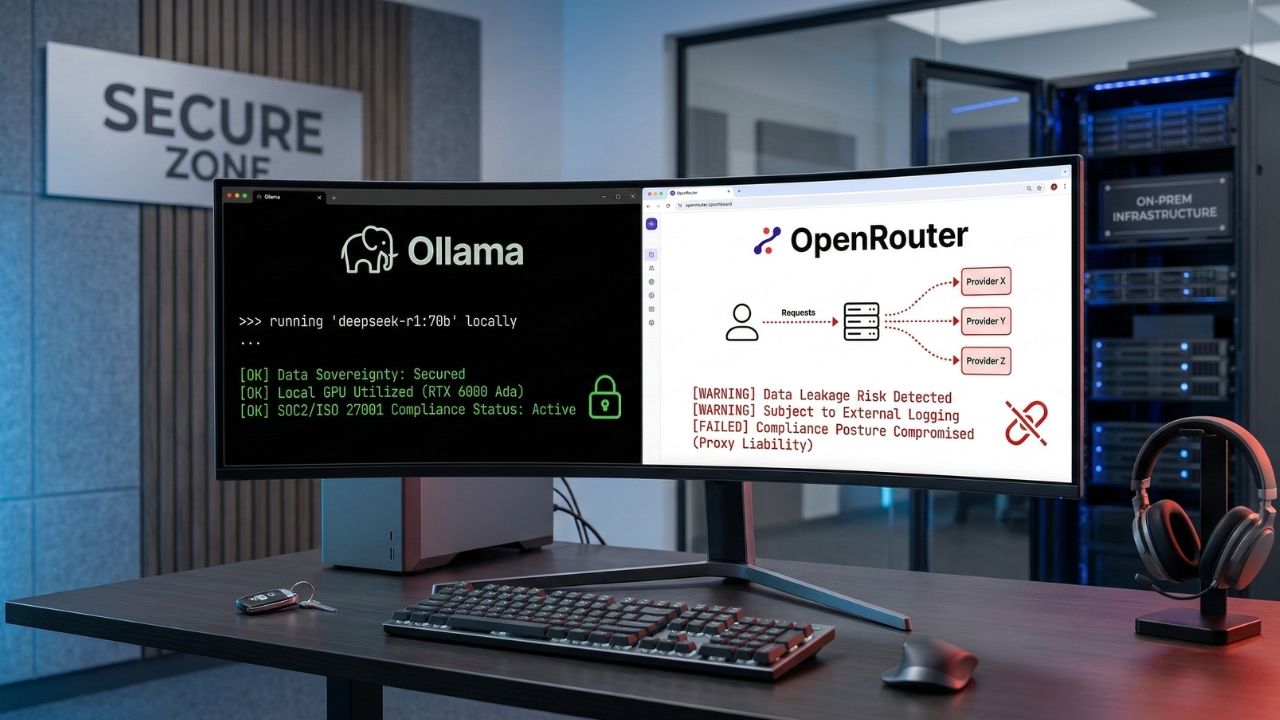
Executive Snapshot: The Bottom Line
- Cloud aggregator risk: Routing proprietary logic through OpenRouter expands your attack surface across an opaque, multi-hop chain of custody.
- Compliance exposure: Cloud-based AI traffic is increasingly hard to defend in SOC 2 and ISO/IEC 27001 audits because data-in-transit is not covered by direct enterprise agreements.
- The local solution: A self-hosted OpenRouter vs Ollama local AI stack keeps prompts, code, and embeddings inside your perimeter.
- Developer payoff: Local inference removes network latency, eliminates per-token billing, and works offline — including on flights and in air-gapped facilities.
I have spent the better part of the last eighteen months helping engineering teams in fintech, healthcare, and defense untangle a problem they did not realize they had: their developers were quietly pasting customer data, internal API keys, and unreleased product specs into cloud LLM aggregators — and the security team only found out during the next audit.
The instinct to use a tool like OpenRouter is completely understandable. One API, dozens of models, instant switching between Claude, GPT, DeepSeek, Llama, and the rest. For a hobby project, it is unbeatable. For an enterprise codebase, it is a slow-motion incident waiting to be written up.
This article is the field-tested comparison I wish my clients had read before signing up: an honest look at OpenRouter vs Ollama, what each tool actually does to your data, and how to build a local-first stack that keeps your IP, your auditors, and your finance team happy.
Compliance at a Glance: OpenRouter vs Ollama
| Dimension | OpenRouter (Cloud Aggregator) | Ollama (Local-First Stack) |
|---|---|---|
| Data path | Your prompt → OpenRouter → upstream provider → back. Three log surfaces, three terms of service. | Your prompt → local process → response. One trust boundary, fully on your hardware. |
| Privacy posture | Subject to upstream provider retention and training policies. | 100% on-prem, air-gap capable, no outbound traffic required. |
| Compliance fit | Documentable, but multi-vendor DPAs are hard to maintain. | Cleanly maps to NIST AI RMF, SOC 2 CC6, and ISO/IEC 27001 A.8. |
| Latency | 200–800 ms network round-trip before generation begins. | 50–200 ms on a modest GPU. No internet required. |
| Cost model | Pay-per-token. Scales linearly (and unpredictably) with usage. | Capital cost up front; near-zero marginal cost per query. |
| Model variety | 300+ models including proprietary GPT, Claude, Gemini. | Open-weight only: Llama, Mistral, DeepSeek, Qwen, Phi, Gemma. |
| Best fit | Prototypes, non-sensitive workloads, frontier-model experimentation. | Production code assistants, RAG over internal docs, regulated industries. |
The Hidden Trap: What Most Organizations Miss
The pitch for cloud AI aggregators is seductive: one integration, every model. What it actually means in practice is that every prompt your team sends — every snippet of code, every customer email it summarizes, every internal document it answers from — passes through a middleman before reaching the model that generates the response.
This is what auditors have started calling proxy liability. It is the silent killer of enterprise AI security, and it shows up in three quiet ways most CTOs only notice during an audit:
1. Layered terms of service
Your contractual relationship with the aggregator is one thing; the aggregator's relationship with each upstream provider is another. Your effective privacy posture is the weakest link in that chain, and it can change without notice the moment a provider updates its retention policy.
2. Unmonitored data egress
Most DLP (data loss prevention) tooling treats api.openai.com or openrouter.ai as ordinary outbound HTTPS traffic. There is no built-in visibility into what is being sent — only that traffic is leaving. Your CISO finds out about the regex-matched social security number after the fact, if at all.
3. Compliance mapping that doesn't survive scrutiny
Under ISO/IEC 27001 Annex A.8 and SOC 2 CC6.1, you are expected to document and continuously monitor every party with access to in-scope data. With a cloud aggregator, that list is not stable — it changes every time you switch the model parameter in your request body. Most teams discover this on a Tuesday afternoon, two weeks before their audit.
"Treating an aggregator as a single vendor is the most common compliance mistake I see in 2026. From the auditor's chair, every upstream model is a separate sub-processor — and every sub-processor needs a DPA, a data flow diagram, and a controls test." — Senior auditor, Big Four advisory practice
Action-Oriented Solutions: Building Your Secure Stack
The good news is that you do not need to abandon the productivity gains of LLM-assisted development to get back into compliance. The local AI tooling in 2026 is dramatically better than it was even a year ago. Here is the five-step playbook I now run with every client.
Step 1 — Deploy a high-performance reasoning model locally
The fastest psychological win is to get a genuinely strong model running on a developer laptop. DeepSeek R1 distilled variants now handle most coding and reasoning workloads that previously required GPT-4-class models. Our walkthrough on how to run DeepSeek R1 locally with Ollama covers VRAM sizing, quantization choices, and the exact ollama pull commands.
Step 2 — Replace public routing with a private router
If your team genuinely needs model-switching logic (for cost arbitrage or fallback handling), move that routing layer behind your own firewall rather than relying on a public aggregator. Our roundup of the best OpenRouter alternatives for private AI covers self-hosted gateways like LiteLLM and Portkey-OSS that give you the convenience without the chain-of-custody problem.
Step 3 — Lock down internal knowledge with local RAG
Retrieval-augmented generation is where most data leaks actually happen — engineering teams upload entire internal wikis to cloud vector databases without thinking through the compliance implications. A local RAG setup guide for enterprise data walks through the embeddings, vector store, and chunking strategy you need to keep sensitive PDFs, HIPAA records, and architecture diagrams entirely offline.
Step 4 — Don't sacrifice developer experience
The reason developers reach for cloud aggregators is friction: local tooling has historically been clunky. That is no longer true. Compare Ollama vs LM Studio for developer productivity to pick the runner that matches your team's workflow — Ollama for CLI-first developers and CI pipelines, LM Studio for engineers who prefer a polished GUI and easy model browsing.
Step 5 — Build autonomous agents that survive a cloud outage
Multi-agent orchestration is the next frontier, and it is also where cloud dependency hurts most: a single API outage takes down your entire pipeline. Our deep-dive on running multi-agent swarms without an internet connection shows how to wire up CrewAI, AutoGen, or LangGraph against a local Ollama backend for fully resilient automation.
A 30-Minute Migration Walkthrough
For teams already running OpenRouter, the migration is far less work than it sounds. Most production codebases I have moved required fewer than fifty lines of diff, mostly in configuration files. The pattern is:
- Install Ollama on the developer machine or a shared inference server:
curl -fsSL https://ollama.com/install.sh | sh. - Pull a model matched to your hardware:
ollama pull llama3.1:8bfor general coding,ollama pull deepseek-r1:14bfor heavier reasoning. - Swap your base URL in application config from
https://openrouter.ai/api/v1tohttp://localhost:11434/v1. Ollama exposes an OpenAI-compatible endpoint, so most SDKs work unchanged. - Update the model name in your request payload to match what you pulled (for example,
"model": "llama3.1:8b"). - Add a network egress rule in your developer environment that blocks outbound traffic to known aggregator domains. This is the audit-friendly bit — it gives you a control you can point at during a review.
That is genuinely the entire migration for most teams. The harder cultural work is convincing developers that an 8B parameter local model is "good enough" for the 80% of tasks where they were previously reaching for a frontier cloud model. The honest answer, in my experience: it usually is, once you tune the system prompt.
When You Should Actually Keep OpenRouter
I would be doing you a disservice to pretend cloud aggregators have no place in a 2026 stack. They absolutely do. Here is when OpenRouter (or a similar aggregator) remains the right tool:
- Non-sensitive prototyping. Marketing copy, public-facing chatbots, content generation that touches no IP — the convenience genuinely outweighs the risk.
- Frontier-model access. If you need GPT-5, Claude Opus 4.7, or Gemini Ultra capabilities that no open-weight model can match yet, you need a cloud provider. Pick a direct enterprise contract rather than an aggregator wherever possible.
- Burst capacity. When your local cluster is saturated, having a fallback for non-sensitive overflow keeps developers unblocked.
The pattern that works for almost every enterprise I have advised is a clear classification: sensitive workloads run on Ollama; everything else can route through a cloud aggregator under a documented policy. The classification step is the part most teams skip, and it is the part auditors care about most.
Scale your AI education with advanced tools. Try LearnWorlds AI

We may earn a commission if you buy through this link. (This does not increase the price for you)
Final Takeaways
The OpenRouter vs Ollama debate is, in the end, not really about either tool. It is about whether your AI infrastructure choices match the regulatory and competitive reality of running an engineering organization in 2026. Cloud aggregators are extraordinary for the developer they were built for — a hobbyist, a startup hacker, a content marketer. They are a poor fit for a team whose code, customer data, or product roadmap is the thing their company is actually selling.
If you take one thing from this piece, let it be this: treat data classification as a first-class engineering concern. Decide which workloads touch IP and run those locally on Ollama. Let everything else route through whichever cloud model offers the best price-performance that month. Document the policy. Show it to your auditors. Sleep better.
The migration is genuinely a one-afternoon project for most teams. The harder work — and the more valuable work — is the conversation about which data deserves to stay inside your perimeter. That conversation is overdue at most companies, and it is the one local-first AI finally makes easy to have.
Frequently Asked Questions
What is the main difference between OpenRouter and Ollama?
OpenRouter is a cloud-based API aggregator that routes your prompts through external servers to whichever third-party model you select. Ollama runs open-source models entirely on your own hardware, keeping every prompt and response inside your network perimeter. For a deeper look at routing options that stay private, see our guide on the best OpenRouter alternatives for private AI.
Is Ollama completely free to use locally?
Yes — Ollama itself is open-source and free to run on your own hardware, and the models you pull carry their own (mostly permissive) open-weight licenses. Your real cost is hardware capacity, particularly when running multi-agent swarms without an internet connection where multiple model instances may run concurrently.
How does OpenRouter handle enterprise data privacy?
OpenRouter's privacy posture depends on both its own terms and those of the upstream provider you route to. That layered chain of custody is what many auditors describe as a "security nightmare" for organizations subject to strict data sovereignty rules — particularly because the provider list can change with a single config tweak.
Can I connect Ollama directly to my VS Code IDE?
Yes. Extensions like Continue.dev, Cline, and the official Ollama plugins integrate cleanly with VS Code, JetBrains IDEs, and Neovim. To pick the right runner for your IDE workflow, compare Ollama vs LM Studio for developer productivity.
What are the hardware requirements to replace OpenRouter with Ollama?
It depends on the model size. 7B–8B models run on 16 GB of system RAM with a modest GPU; 14B–32B models need 24–48 GB of VRAM; full-precision DeepSeek R1 typically wants 80 GB+ or a multi-GPU rig. Quantized GGUF variants dramatically reduce these requirements — see how to run DeepSeek R1 locally with Ollama for exact specifications.
Does OpenRouter train models on my API prompts?
OpenRouter does not train its own models, but it forwards your prompts to upstream providers whose training and retention policies vary. Some offer explicit zero-retention endpoints; others log by default. Cloud routing carries a non-zero training risk unless every link in the chain is explicitly contracted otherwise.
How do I switch my API base URL from OpenRouter to a local Ollama server?
Change the base URL in your application config from https://openrouter.ai/api/v1 to http://localhost:11434/v1 — Ollama exposes an OpenAI-compatible endpoint, so most SDKs need no other changes. Update the model name to match the one you pulled locally (for example, llama3.1:8b).
Which is better for offline coding: OpenRouter or Ollama?
Ollama, by a wide margin. OpenRouter requires an internet connection for every request; Ollama works on flights, in secure facilities, and during outages. For a full offline coding setup, see our walkthrough on how to run DeepSeek R1 locally with Ollama.
What is the latency difference between local Ollama and OpenRouter?
Local Ollama eliminates the network round-trip entirely, giving you typical time-to-first-token of 50–200 ms on a decent GPU. OpenRouter adds 200–800 ms of network and routing overhead before the upstream model even starts generating. Total throughput, however, still depends on whether your local GPU can keep pace with cloud-scale accelerators.
How do you orchestrate local AI agents without cloud APIs?
Frameworks like CrewAI, AutoGen, and LangGraph all accept a custom OpenAI-compatible base URL. Point them at your Ollama server and you can run sophisticated multi-agent workflows entirely on internal hardware — covered in detail in our guide on running multi-agent swarms without an internet connection.
Sources & References
External Regulatory References:
- NIST AI Risk Management Framework (AI RMF)
- European Union AI Act Compliance Guidelines
- ISO/IEC 27001:2022 — Information Security Management
Internal Sources: