AI-Generated Asset Copyright Audit: Proving You Are the Real Author Behind the Machine
Quick Summary: Key Takeaways
- Documentation is King: If you didn't log the process, you can't prove ownership.
- Layers are Evidence: Always save your "work-in-progress" files (PSDs, drafts) to prove human editing.
- Disclaim the AI: When registering, you must explicitly tell the Copyright Office which parts are AI.
- The "Standard of Proof": You need to show that the AI was a tool, not the creator.
- Logs Protect Income: A verified audit trail prevents platforms from banning your assets.
Creating a stunning image or a helpful guide is only half the battle.
If you cannot prove you own it, you cannot sell it safely.
Performing an AI-generated asset copyright audit is the only way to secure your digital property in 2026.
This deep dive is part of our extensive guide on Best AI Passive Income Ideas 2026.
While the "Ethics of AI" focuses on what you make, the audit focuses on how you prove it. Without a paper trail, your passive income stream is vulnerable to theft and legal challenges.
The "Standard of Proof" for AI Creators
The U.S. Copyright Office (USCO) operates on a strict principle: Human Authorship.
They do not care how "cool" your prompt was. They care about substantial human involvement.
To pass a copyright audit, you must prove that the traditional elements of authorship, selection, arrangement, and creative coordination, came from you, not the algorithm.
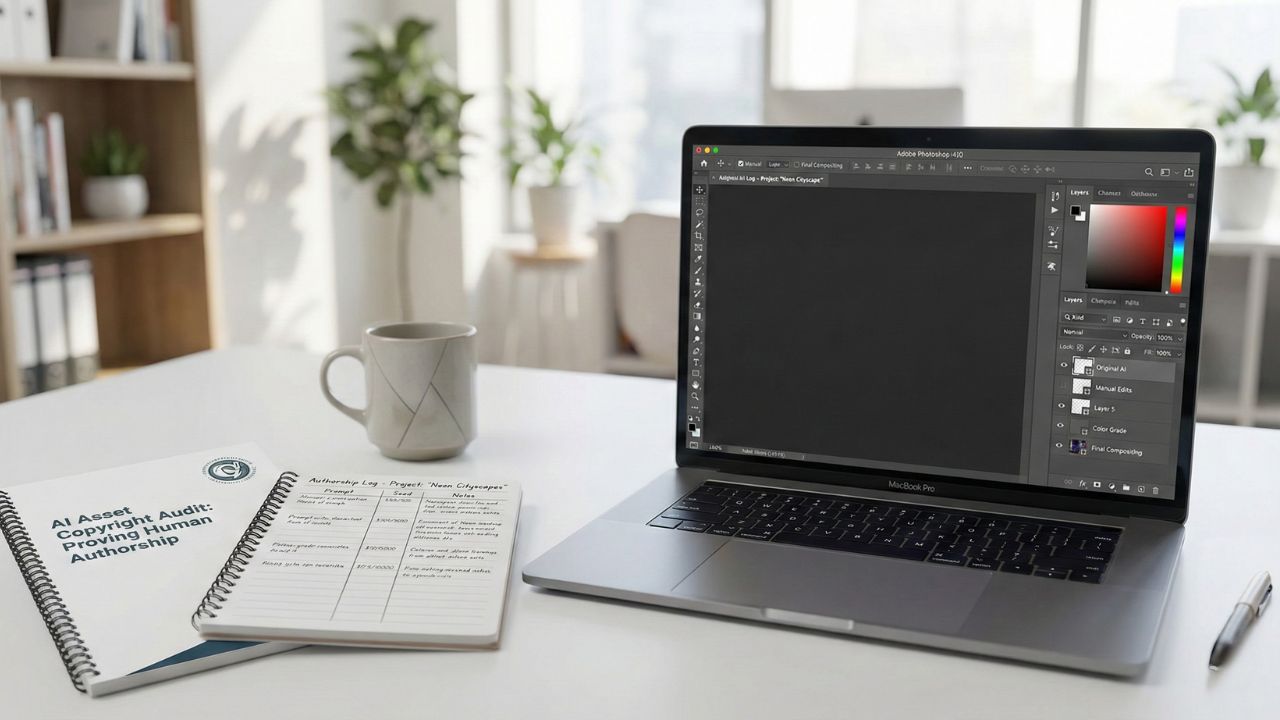
Step 1: Create an "Authorship Log"
You should never generate content without tracking it. An Authorship Log is a simple spreadsheet that acts as your legal defense.
What to track in your log:
- The Prompt: The exact text instructions you gave the AI.
- The Seed: The specific seed number (if using Midjourney or Stable Diffusion).
- The Iterations: How many times you rejected the output and why you refined the prompt.
This log proves you were the "creative director" guiding the machine, rather than a slot machine player hoping for a jackpot.
Step 2: The "Substantial Human Input" Test
This is where most creators fail.
If you generate an image and upload it directly to Redbubble, you likely have zero copyright protection.
To pass the audit, you must add "human" value:
- Photoshop Overpainting: Manually fixing hands, lighting, or composition.
- Vectorization: converting a raster image to a vector path (often required for print).
- Collaging: Taking elements from 5 different AI generations and compositing them into a new scene.
If you are unsure if your editing is "substantial" enough, refer to our guide on Ethics of AI-Generated Assets to understand where the legal line is drawn.
Step 3: Preserve Your "Digital Negatives"
In the old days, photographers kept film negatives. Today, you must keep your Project Files.
Never flatten your layers immediately.
- Save the .PSD (Photoshop) or .AI (Illustrator) files.
- Keep the version history of your Word documents (Track Changes).
These files show the "evolution" of the work. They are irrefutable proof that a human was manipulating the data over time.
Step 4: Compliance with Marketplaces
Auditing isn't just for the government; it's for your storefront.
Platforms like Amazon and Steam are aggressive about banning "low-effort" AI content.
By maintaining an audit trail, you can survive a "content takedown" appeal. If a moderator flags your work, you can send them your Authorship Log and Project Files to prove legitimacy.
For more on avoiding bans, read our specific guide on Selling AI Content on Marketplaces.
Conclusion
The difference between a "spammer" and a "digital artist" is documentation.
By making the AI-generated asset copyright audit a standard part of your workflow, you turn a risky experiment into a defendable asset.
Don't let your hard work fall into the public domain because you forgot to save the receipts.

Frequently Asked Questions (FAQ)
You prove it by documenting your creative process. Keep a log of your prompts, save all intermediate drafts, and preserve your "layered" working files (like PSDs) to show the manual edits you applied to the raw AI output.
Substantial input typically involves manual modification that changes the "expression" of the work. This includes repainting details, combining multiple images (compositing), or heavily editing the color grading and composition. Simple prompting is rarely enough.
Generally, no. Simple mechanical changes like "color shifting" or "resizing" are considered de minimis (too trivial) to qualify for copyright protection. You need to add creative choices, not just apply a filter.
When filling out the application, you must explicitly "disclaim" the AI-generated parts. You claim copyright only on the "human selection and arrangement" or the specific manual edits you made, leaving the raw AI content as unclaimable.
An authorship log is a record-keeping document where you track every prompt, seed number, software version, and manual edit applied to a piece of content. It serves as evidence that you directed the creation of the work.
Sources & References
- Best AI Passive Income Ideas 2026 (Pillar Page)
- Ethics of AI-Generated Assets (Subpage)
- Selling AI Content on Marketplaces (Subpage)
- U.S. Copyright Office: Copyright Registration Guidance: Works Containing Material Generated by Artificial Intelligence
- Congressional Research Service: Generative AI and Copyright Law
Internal Resources:
External Authorities: