The 11 MCP Servers Every Claude Code Pro Has Installed in 2026
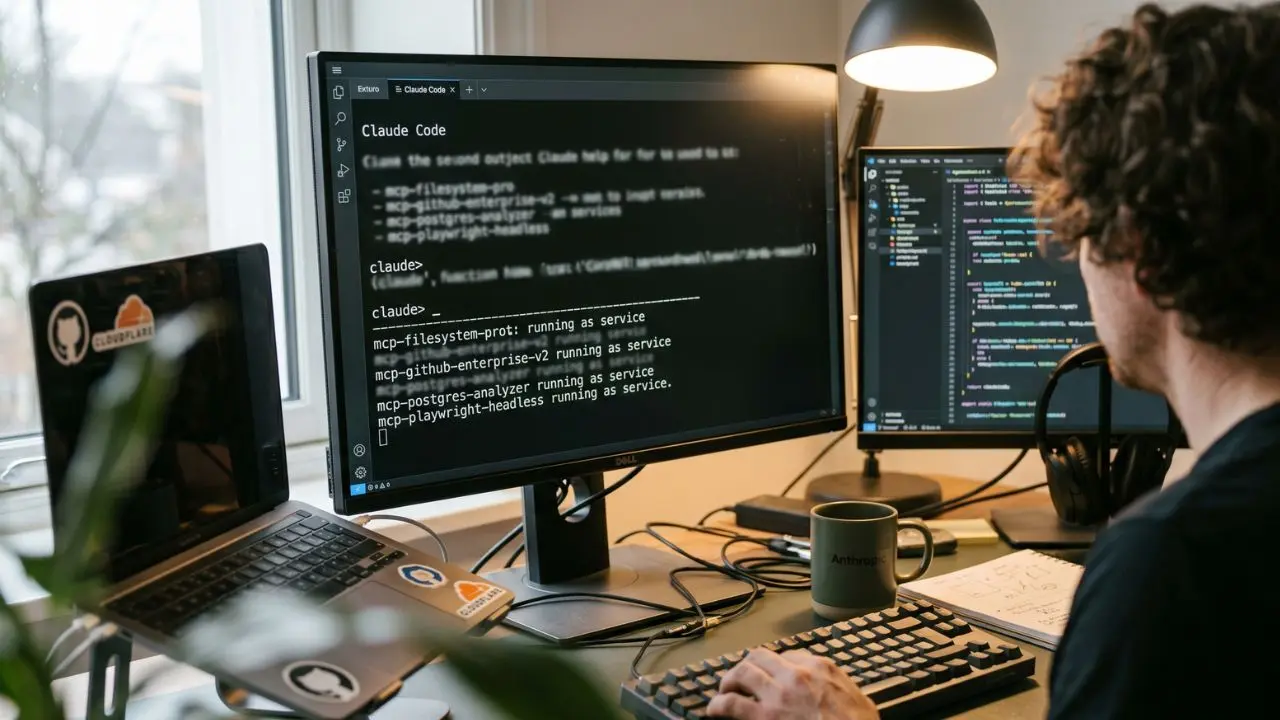
- The 1% Stack: Discover the exact 11 servers elite developers use daily.
- Avoid Context Bloat: Learn how to configure multiple servers without hitting Claude Code's memory ceilings.
- Remote vs Local: Why utilizing remote MCP servers via Cloudflare is becoming the new standard.
- Security First: The audited servers you can actually trust in enterprise production environments.
With 84k stars on the official repo, sifting through the noise is practically a full-time job. Yet, only 11 servers truly move the needle for Claude Code daily drivers.
It is time to look at the production stack the top 1% actually run. If you are already familiar with our overarching MCP server guide 2026 (Model Context Protocol), you know the baseline.
But installing random community servers into your CLI environment is a recipe for context limits and token burn.
Today, we bypass the generic lists. We are breaking down the exact, security-audited, high-performance best MCP servers for claude code 2026 to maximize your coding velocity.
This ties directly into effective agile AI product management, ensuring your tools match your team's output goals.
Natively Supported vs. Essential Add-Ons
Before adding external dependencies, you must master what comes in the box. Claude Code ships with powerful, pre-installed natively supported servers.
These handle the vast majority of standard development tasks without additional configuration.
However, native capabilities only take you so far. The gap between a standard setup and a pro-level environment lies in specialized tool integration.
The Best MCP Server for Filesystem Operations
Your filesystem is the heart of your project. The best MCP server for filesystem operations in Claude Code goes beyond simple read/write commands.
It offers advanced regex search, AST parsing, and secure boundary enforcement.
Top Pick: The officially maintained mcp-filesystem-pro. It offers native AST parsing for Python and TypeScript.
It enforces strict directory sandboxing and drastically reduces token usage during massive codebase scans.
Mastering Repo Management with the GitHub MCP
You cannot maintain momentum if you constantly switch context between your terminal and a browser.
Integrating a GitHub MCP server to Claude Code for repo management is non-negotiable.
Top Pick: mcp-github-enterprise-v2.
It allows Claude Code to review PRs, flag merge conflicts, and even read issue threads to understand the context behind a bug—all without leaving the CLI interface.
Database Integration: Postgres, MySQL, and Snowflake
Data-driven applications require immediate database access. The top database MCP servers (Postgres, MySQL, Snowflake) work best with Claude Code when they support read-only schemas and dynamic query validation.
Top Picks: mcp-postgres-analyzer is excellent for analyzing query execution plans.
mcp-snowflake-cloud handles massive data warehouse queries safely.
Instead of writing a query, testing it, and pasting the results back to Claude, the agent connects directly, tests the query, and self-corrects based on real-time database feedback.
The Shift to Remote: Cloudflare's Remote MCP Servers
Local development is shifting. You can absolutely use Cloudflare's remote MCP servers with Claude Code without local setup.
This offloads heavy processing and tool execution from your local machine to edge networks.
This remote-first approach natively supports the mcp vs function calling difference enterprise architecture, allowing centralized updates and zero local dependency hell.
Browser Automation & Playwright in Claude Code
Agentic end-to-end testing requires a browser. The best MCP server for browser automation and Playwright in Claude Code bridges the gap between text-based reasoning and visual DOM manipulation.
Top Pick: mcp-playwright-headless.
This server allows Claude Code to spin up a Chromium instance, navigate your local dev server, click through user flows, and visually verify that your React components rendered correctly.
Managing Context Bloat & Disabling Servers
A common pitfall is installing too many tools. If you don't know how to configure multiple MCP servers without hitting context bloat in Claude Code, your agent will hallucinate or fail entirely.
You must strictly scope your servers per workspace. Furthermore, understanding how to uninstall or disable an MCP server in Claude Code without breaking sessions is vital for agile troubleshooting.
Use the built-in --disable-server flag to temporarily toggle tools on and off.
Conclusion
Mastering the claude desktop vs claude code mcp dynamic requires more than just knowing commands; it requires curating your environment.
By installing these 11 essential servers, you transition from typing prompts to orchestrating a highly capable, autonomous development environment.
Stop relying on the official mcp servers repo blindly—curate your stack, monitor your context, and start building faster.
Create Pro-Quality AI Videos in Minutes. Try HeyGen

We may earn a commission if you buy through this link. (This does not increase the price for you)
Frequently Asked Questions (FAQ)
Claude Code natively includes fundamental servers for local filesystem access, basic shell execution, and core terminal operations. These require zero configuration, allowing immediate codebase navigation and basic read/write capabilities directly out of the box upon installation.
The officially endorsed mcp-filesystem-pro is widely considered the best. It provides advanced directory sandboxing, abstract syntax tree (AST) parsing, and semantic search capabilities, making it vastly superior to the basic native filesystem operations for large repositories.
You add it by modifying your Claude Code configuration JSON to include the GitHub MCP repository endpoint. Provide an enterprise-scoped personal access token, allowing the agent to read PRs, manage issues, and analyze commit histories directly.
For relational data, mcp-postgres-analyzer and mcp-mysql-connector lead the pack due to their schema-awareness. For data warehouses, mcp-snowflake-cloud provides secure, read-optimized access for executing and analyzing complex analytical queries without leaking sensitive enterprise data.
Yes, remote MCP servers hosted on Cloudflare Workers can be securely connected to Claude Code via URL endpoints and OAuth 2.1 authentication. This completely eliminates the need for local package installation or managing Node/Python environments.
mcp-playwright-headless is the industry standard for 2026. It allows Claude Code to execute end-to-end testing scripts, manipulate the DOM, and visually verify web application states without requiring manual browser intervention.
Prevent context bloat by utilizing workspace-specific configurations. Only load the exact MCP servers required for the specific project folder you are working in, and leverage MCP code execution mode to minimize the token overhead of tool definitions.
While core developer tools (GitHub, Filesystem) remain free, premium servers like mcp-snowflake-cloud and enterprise Salesforce connectors are paid. They justify the cost by offering guaranteed SLAs, advanced IAM integrations, and dedicated compliance auditing.
Yes. Look for servers listed in enterprise-grade private registries or those bearing the Agentic AI Foundation's official security badge. These servers have undergone rigorous PKCE, OAuth, and dynamic application security testing (DAST).
You can temporarily disable an active server using the --disable-server [server-name] CLI flag, which preserves your current context window. For permanent removal, safely delete the server's entry from your global Claude Code configuration file.