Build an Air-Gapped AI: The Secret to Running Multi-Agent Swarms Offline
Executive Snapshot: The Bottom Line
- Autonomy requires independence: True AI autonomy does not rely on cloud API uptime; local hardware is the only way to ensure 100% reliability.
- Security is paramount: Air-gapped setups protect proprietary task logic and comply with strict enterprise frameworks like NIST AI RMF.
- Hardware is the bottleneck: Strategic model quantization and precise VRAM allocation are non-negotiable for running multiple agents locally.
- Context management is manual: Offline setups require custom memory management protocols to prevent "Context Window Collapse" and hallucination cascades.
True AI autonomy does not rely on cloud API uptime, yet engineering teams continue building fragile autonomous systems that shatter during network outages. Understanding how to migrate from cloud dependencies is a core part of mastering openrouter vs ollama local ai strategies.
Relying on external connections for multi-agent communication introduces severe latency, extreme data vulnerabilities, and unpredictable hallucination cascades when rate limits hit. You can completely eliminate these risks by mastering the architecture required for running multi-agent swarms without an internet connection on localized hardware.
The Architecture of Offline Autonomy
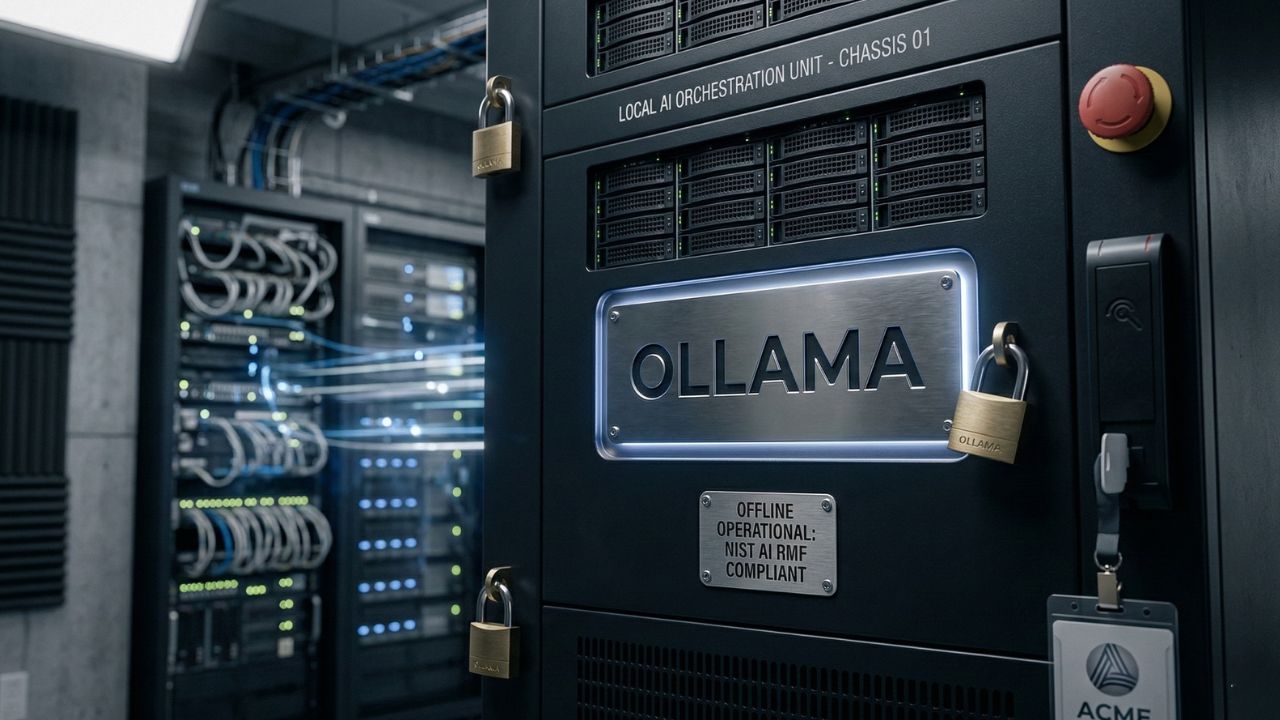
Cloud dependency breaks AI autonomy and directly violates strict compliance postures like the NIST AI RMF. Running multi-agent swarms without an internet connection requires dedicated offline orchestration tools designed to manage localized inter-process communication.
As detailed in our master guide on Why Your OpenRouter API Habit is a Security Nightmare, transitioning to localized architectures is not just an optimization—it is critical for enterprise data sovereignty.
Securing Proprietary Task Logic
When you expand beyond simple single-prompt coding assistants into complex, asynchronous autonomous systems, the stakes multiply rapidly. An air-gapped setup guarantees that your proprietary task logic, strategic decision trees, and internal documentation never leave the physical building.
Routing & Knowledge Grounding
Building an offline autonomous agent network requires allocating specific hardware resources to each distinct agent persona to prevent system bottlenecks. A typical and highly efficient configuration utilizes lightweight, heavily quantized models for basic routing tasks, reserving larger parameter models exclusively for complex reasoning and code generation.
To securely ground these local agents in your company's proprietary data, they need offline access to your documentation. We highly recommend reviewing our local RAG setup guide for enterprise data to properly connect your swarm to internal PDFs and codebases without triggering any cloud telemetry.
Hardware Allocation and Local Frameworks
Running multi-agent swarms without an internet connection places extreme demands on your local system memory. You cannot stack five instances of a heavy reasoning model on a standard developer machine without causing an immediate system crash or forcing the OS into heavy swap memory, which destroys performance.
Strategic model quantization and precise VRAM allocation are non-negotiable prerequisites. Frameworks designed for local orchestration (like an offline CrewAI setup) allow you to map these quantized models to specific logical nodes.
| Agent Role | Recommended Local Model | Target Quantization | Minimum VRAM |
|---|---|---|---|
| Orchestrator | Llama 3 8B | Q4_K_M | 8GB |
| Researcher | Mistral 7B | Q5_K_M | 8GB |
| Coder | DeepSeek Coder V2 | Q4_0 | 16GB |
| Reviewer | Qwen 2.5 7B | Q5_K_M | 8GB |
By pointing the orchestration framework to your local daemon port (e.g., Ollama running on localhost:11434) instead of a cloud endpoint, you create a securely closed-loop system. This guarantees that your offline autonomous agents communicate purely over your internal hardware bus.
The Hidden Trap: Context Window Collapse
What most engineering teams get terribly wrong about offline multi-agent swarms is failing to manage context degradation across extended asynchronous conversations. When local agents pass tasks back and forth without an internet connection, their conversation histories compound exponentially.
If left unchecked, this quickly overflows the localized context window of smaller quantized models. Once the context limit is breached, the models begin to hallucinate wildly, generate recursive loops, or drop critical initial instructions from the user prompt.
Cloud APIs often hide this limitation by silently summarizing or dropping old tokens on their end, but localized setups require manual, deliberate intervention. You must engineer strict memory management protocols directly within your orchestration code.
Pro-Tip: Implement a dedicated Summarizing Agent within your air-gapped orchestration loop whose sole job is to ingest, parse, and compress conversational history before passing the refined context payload to the next executing agent.
Conclusion
Deploying an autonomous system that relies entirely on public internet routing is a critical vulnerability for modern engineering teams. It exposes proprietary data and ties system reliability to external provider uptime.
By adopting an air-gapped multi-agent architecture, you regain total control over your system's uptime, enforce absolute data privacy, and achieve blazing-fast processing latency. Start building your resilient localized AI infrastructure today by downloading a robust orchestration framework and binding it directly to your local model daemon.
Frequently Asked Questions (FAQ)
An air-gapped AI agent swarm is a network of autonomous artificial intelligence models operating entirely on localized hardware without any external internet connection. This architecture ensures absolute data privacy, zero network latency, and continuous uptime regardless of external cloud provider outages or API rate limit restrictions.
Yes, CrewAI can run entirely locally on Ollama by modifying the base URL in the configuration files to point to your localized host port. This allows the orchestration framework to utilize locally hosted open-weight models for each defined agent persona instead of relying on external API keys.
Multiple local agents communicate offline through inter-process communication on your local machine or via local network protocols if distributed across an internal cluster. Frameworks manage this by serializing the output of one local model and piping it directly as the input prompt to the next model.
Running five local agents simultaneously requires significant hardware, typically a minimum of 64GB to 128GB of unified memory or multiple high-end GPUs. Utilizing aggressively quantized smaller models can lower this requirement, but parallel execution inherently demands substantial memory bandwidth and processing core availability.
Prevent context window collapse by implementing strict token limits per agent interaction and utilizing a dedicated summarization protocol. You must configure your local orchestration framework to periodically compress the conversation history before passing the context payload, ensuring the token count remains safely below the model limits.
The best frameworks for offline agent orchestration include localized installations of CrewAI, AutoGen, and LangGraph. These tools can be easily configured to bypass their default cloud API endpoints and route all generation requests through local inference servers like Ollama or LM Studio running on your local machine.
Route tasks between different local LLMs by defining specific model endpoints for each agent persona within your orchestration code. A lightweight model can act as the primary orchestrator, analyzing the initial request and forwarding specific sub-tasks to specialized localized models, such as a dedicated coding model.
Local agents can execute bash commands, but doing so securely requires running the entire swarm within a strictly isolated Docker container or a dedicated virtual machine. This prevents a hallucinating or compromised local agent from accidentally executing destructive commands on your core host operating system.
Log agent-to-agent communication locally by configuring your orchestration framework to output all conversational traces and decision trees to a secure, locally hosted logging server. This is crucial for debugging localized hallucination loops and auditing the autonomous decision-making process for strict enterprise compliance purposes.
Local multi-agent swarms often hallucinate due to context window overflow, utilizing improperly quantized models, or receiving highly ambiguous initial prompts. Without the massive parameter counts of cloud-based flagship models, local models require highly structured, zero-shot system prompts and strict conversational guardrails to maintain logical consistency.