Build a Multi-GPU Local LLM Rig Under $2K
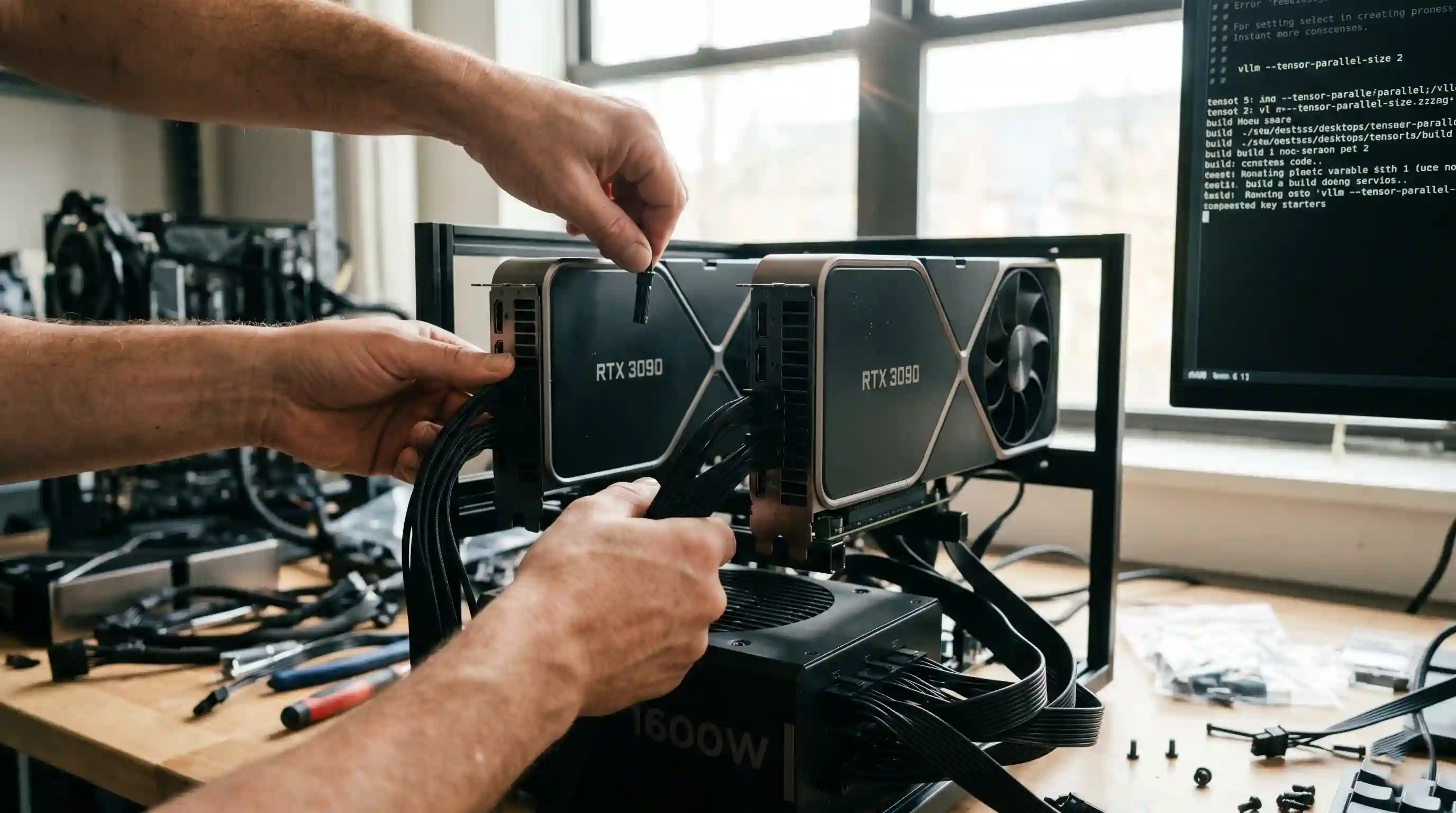
- Cost Efficiency: Two used RTX 3090s offer 48GB of high-speed VRAM for under $2,000, outperforming integrated $4,700 enterprise boxes for 70B model inference.
- Bandwidth Dominance: Combining consumer graphics pipelines produces aggregated memory bandwidth that processes tokens much faster than unified memory alternatives.
- Critical Infrastructure: Successful multi-GPU builds require motherboards with x8/x8 PCIe bifurcation and premium 1200W+ Tier-A power supplies.
- Software Orchestration: Leveraging tensor parallelism through enterprise engines like vLLM efficiently shards model weights across both GPUs for synchronized text generation.
Two used RTX 3090s can outperform a $4,700 turnkey enterprise AI box when executing dense 70B parameter models.
While buying an out-of-the-box machine seems frictionless, building a custom multi-GPU setup offers unmatched price-to-performance scaling.
In our primary hardware to run local LLMs blueprint, we outlined the major memory ceilings dictating performance.
This hands-on construction guide reveals how to source components, map out architectural layouts, and configure tensor parallelism to build your own high-efficiency local LLM rig multi-GPU server.
Why a Multi-GPU Build Beats Pre-Built AI Appliances
When scale is the goal, pre-built desktop AI boxes often compromise on memory bandwidth to maintain compact shapes. Building your own open or wide-chassis rig sidesteps these performance limitations.
Two Used RTX 3090s vs. a $4,700 AI Box
A top-tier 128GB unified memory appliance operates over a 256-bit bus, peaking around 256 GB/s to 273 GB/s. While this capacity allows large models to load, text generation speeds remain modest due to the narrow bus width.
By pooling two used RTX 3090s via an open-air chassis, you combine their individual memory pipelines. This produces an aggregated memory bandwidth that scales well beyond unified alternatives, processing tokens faster at a fraction of the hardware cost.
To see how consumer cards stack up directly against elite individual cards, cross-reference our performance breakdown of the best GPU for local LLM index.
Essential Component Bill of Materials (BOM)
To keep your total build cost safely under $2,000 using June 2026 component market tracking, you must balance your core silicon investments with specific platform prerequisites.
[System Core Power Infrastructure]
        │
        ├──► Dual Sourced Used RTX 3090s (2x 24GB VRAM)
        │
        ├──► Motherboard with Dual x16 Mechanical Slots (x8/x8 Electrical minimum)
        │
        └──► 1200W - 1600W Tier-A Platinum Power Supply Unit (PSU)
- Graphics Processors: 2× Sourced Used NVIDIA RTX 3090 cards (48GB VRAM combined).
- Motherboard: Workstation or enthusiast board supporting multi-GPU lane Bifurcation.
- Power Supply: 1200W to 1600W Tier-A certified unit.
- Chassis: Open-air mining frame or extra-wide full-tower workstation enclosure.
Motherboard and PCIe Lane Architecture
Do not buy an entry-level motherboard. You need an option that offers at least two mechanical PCIe x16 slots capable of running in an x8/x8 electrical split configuration or better.
If your motherboard drops the secondary graphics card to a restricted PCIe 4.0 x4 layout, the data exchange rate between the two cards bottlenecks, adding significant prompt-processing latency (TTFT) during long-context execution phases.
PSU Sizing and Power Distribution Requirements
A single RTX 3090 can pull a peak 350W under heavy inference loops. When you double those parameters and factor in CPU, storage, and cooling overhead, you risk tripping standard over-current protection triggers.
Invest in a premium 1200W or 1600W power supply. Ensure your wiring distribution assigns dedicated, independent PCIe power rails to each graphics card instead of using daisy-chained splitter cables. This technique guarantees clean voltage delivery and avoids hardware damage under sustained workloads.
Setting Up Tensor Parallelism and Software Orchestration
Once your physical build is mounted, you must configure your operating system to address both memory pools as a synchronized execution matrix.
PCIe Bandwidth vs. NVLink for Local Inference
A common point of confusion is whether you need an expensive physical NVLink bridge connector. While NVLink is critical for deep model training operations, it is largely optional for everyday tensor parallelism inference.
Modern framework backends utilize highly optimized data splitting strategies. They pass attention layers through standard PCIe 4.0 channels fast enough to avoid noticeable slowdowns during standard text generation.
Configuring vLLM and Ollama for Multi-GPU Execution
To distribute your model evenly across both cards, skip basic single-thread frameworks and deploy enterprise engines like vLLM.
# Example terminal script to launch a model distributed over two local GPUs via vLLM
python -m vllm.entrypoints.openai.api_server \
    --model neural-matrix-70b-q4 \
    --tensor-parallel-size 2 \
    --port 8000
Setting your tensor parallel configuration to 2 instructs the backend engine to shard the model weights symmetrically across both graphics pools, enabling smooth, unified text output.
Thermal Management: Keeping Your Rig Cool and Quiet
Placing two large graphics cards close together inside a traditional closed PC case creates a severe thermal trap, causing top cards to throttle within minutes.
Opt for an open-air frame, or enforce a minimum two-slot air gap physical separation between the cards using specialized high-speed PCIe riser cables.
Additionally, installing low-RPM industrial chassis fans ensures constant air movement across the backplates, keeping your local system running quietly during prolonged agentic execution loops.
Conclusion & CTA
Assembling your own multi-GPU platform remains the ultimate path for teams who want to build high-bandwidth AI infrastructure on a tight budget.
By pairing affordable previous-generation hardware with advanced sharding utilities, you can achieve enterprise-grade 48GB capacities for under $2,000.
Ready to calculate the physical operational expenses of running an open-air server configuration? Read our comprehensive assessment of local LLM power and running cost parameters to map out your long-term infrastructure efficiency.

Frequently Asked Questions (FAQ)
Soure a motherboard with multi-GPU lane bifurcation support, select a 1200W+ power supply, and house your hardware inside an open-air chassis. Install Linux, configure NVIDIA CUDA drivers, and leverage tools like vLLM to split models across your graphics cards.
Yes. Two RTX 3090s combine to deliver 48GB of high-speed VRAM. This capacity allows you to comfortably load a highly optimized Q4_K_M quantized 70B model with sufficient remaining overhead to process extensive context windows.
You need a high-quality 1200W to 1600W power supply unit. Sizing your system to run safely within these limits ensures you can handle the combined power spikes of both graphics cards along with your system's processing cores under load.
Standard PCIe 4.0 running at x8/x8 speeds or higher is perfectly adequate for local inference workloads. Physical NVLink bridges are only necessary if you are running heavy multi-node model pre-training or specialized fine-tuning cycles.
Inference orchestration engines handle this natively. By passing arguments like --tensor-parallel-size 2 inside vLLM, the software automatically slices the model layers symmetrically across your available graphics processors.
Yes, dramatically. Sourcing previous-generation graphics components allows you to construct a complete 48GB workstation for under $2,000. This delivers superior memory bandwidth compared to integrated AI boxes costing up to $4,699.
Look for motherboards with multi-slot configurations that support PCIe bifurcation down to x8/x8 electrical routing. Avoid entry-level desktop models that drop secondary slots to restricted x4 speeds, as this slows down multi-card coordination.
Use an open-air chassis configuration or position your graphics cards further apart using premium PCIe riser extensions. Adding large, high-efficiency industrial case fans keeps operating temperatures low without generating high fan noise.
Use vLLM for high-throughput multi-GPU applications because its advanced memory features handle concurrent processing efficiently. Choose Ollama if you want a simpler, user-friendly setup for single-user background tasks.
Sourcing used graphics cards saves substantial CapEx but carries risk since they lack manufacturer warranties. Mitigate this by verifying component performance using rigorous stress-testing benchmarks before finalizing your build hardware.