MCP Server Integration for AI Agents: The Ultimate "USB Port"
Key Takeaways:
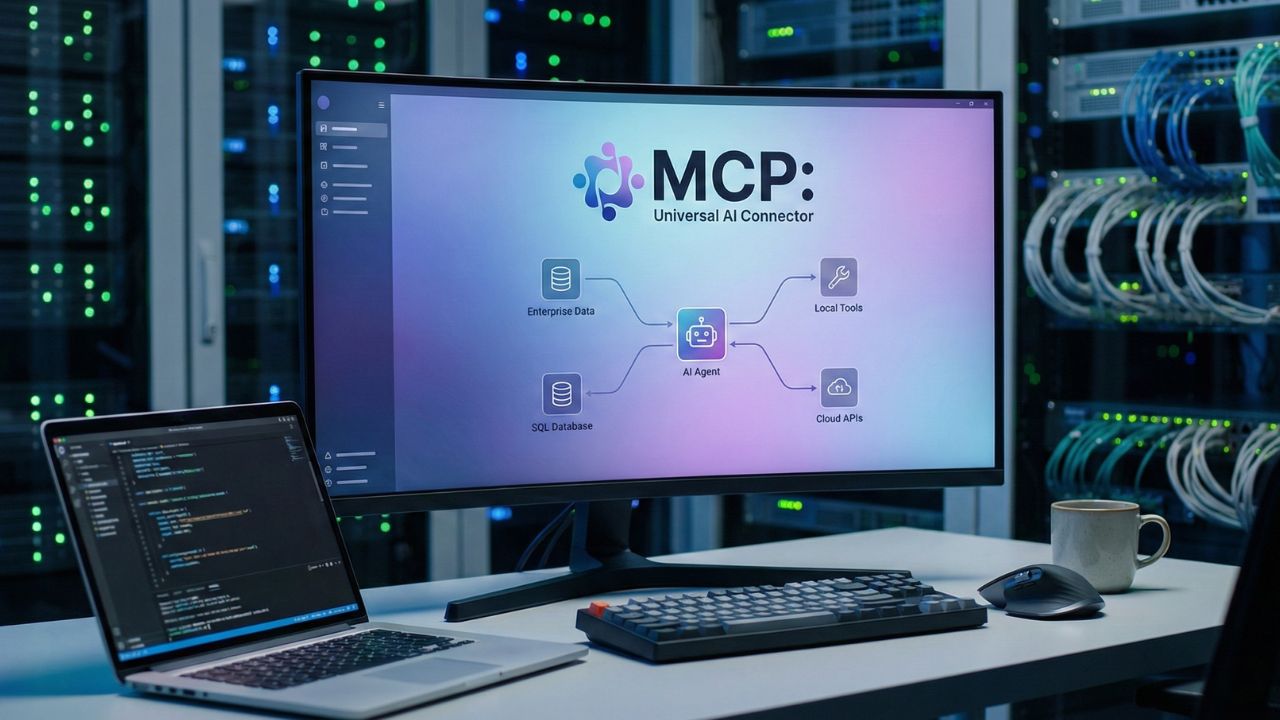
- MCP server integration for AI agents eliminates custom API writing by acting as a universal, plug-and-play connector.
- It securely exposes local tools and enterprise data to your autonomous workforce without exposing raw backend credentials.
- Decoupling the LLM from the data source immediately solves the dreaded "N x M" integration scaling problem.
- Standardized client-server protocols allow agents to dynamically discover and execute custom functions on the fly.
Introduction: Connecting AI to the Real World
Welcome to the era where your AI stops being isolated and starts interacting with the real world. Implementing MCP server integration for AI agents is the breakthrough that turns a static chatbot into a highly capable digital employee.
This deep dive is part of our extensive guide on the Agentic AI Engineering Handbook. By treating data integrations like a universal USB port, you can securely plug your autonomous bots into any enterprise system. This completely eliminates the need for fragile, custom-coded API wrappers.
Breaking Down the Universal AI Connector
The Problem with Legacy Tooling
Historically, connecting an AI agent to an external tool was a hard-coded nightmare. If you wanted your bot to read Jira and update Salesforce, you had to write specific functions for both.
If the underlying API changed, your entire agentic workflow crashed. This brittle architecture made scaling an autonomous workforce nearly impossible for enterprise teams.
Before connecting any external APIs, you must ensure your bot's core identity is locked down by mastering System Prompt Design for AI Agents.
How MCP Standardizes APIs?
The Model Context Protocol (MCP) acts as an open standard that standardizes how AI models access data. It creates a clean boundary between the intelligence layer and the data layer.
Core Benefits of the MCP Architecture:
- Universal Compatibility: Build a server once, and any MCP-compliant agent can immediately connect to it.
- Dynamic Discovery: The agent asks the server, "What tools do you have?" and the server responds with an executable list.
- Secure Execution: The code runs on your infrastructure, ensuring the AI model only receives the parsed results.
Once your agent is successfully connected to your enterprise data, it will generate massive amounts of context. You must implement Episodic Memory Systems for AI Agents to retain this long-term knowledge.
Local Tools vs. API Integrations
Securing Local Execution
Not all agent tools require cloud APIs. Sometimes, your agent needs to read a local file system or execute a Python script directly on the host machine.
MCP handles local tools via standard input/output (stdio). This allows the agent to securely run commands within an isolated, sandboxed environment.
Managing Enterprise API Gateways
For external services, MCP connects via Server-Sent Events (SSE) over HTTP. This is how your agent securely queries your internal SQL databases or triggers a webhook.
Best Practices for Enterprise Integration:
- Never give direct write access: Always enforce human-in-the-loop approvals for destructive API calls.
- Use read-replicas: Point your MCP servers to database read-replicas to prevent accidental table locks.
- Monitor token limits: Heavy API payloads can quickly overwhelm your agent's context window.
Conclusion
The future of enterprise automation relies entirely on standardizing connectivity. By leveraging MCP server integration for AI agents, you future-proof your architecture against rapid model changes.
Stop building fragile, one-off API connectors and start building a scalable, plug-and-play digital ecosystem today.
Scale Securely with Proven Tools. Try Buddy Punch

We may earn a commission if you buy through this link. (This does not increase the price for you)
Frequently Asked Questions (FAQ)
An MCP server is a lightweight software layer that securely exposes data sources, internal APIs, and executable tools to AI models using a standardized, universal protocol.
You connect them by deploying an MCP server that wraps your target API. The local agent connects to this server (via SSE or stdio) and dynamically learns which API endpoints it is allowed to trigger.
The MCP server provides the agent with a JSON schema defining the custom function. When the agent wants to use the tool, it sends the required arguments to the server, which executes the code and returns the result.
Local tools run directly on the host machine's file system or terminal (often utilizing stdio), while API integrations communicate over the network (via HTTP/SSE) to access remote cloud services and databases.
You build a custom tool by writing a standard Python or TypeScript function, wrapping it in an MCP Server SDK, and defining the input parameters so the LLM knows exactly how to trigger it.
Sources & References
- Official GitHub Repository: Agentic AI Architecture: The Engineering Handbook
- Agentic AI Architecture: The Engineering Handbook
- System Prompt Design for AI Agents
- Model Context Protocol GitHub Repository
- IBM Security - API Security Best Practices
- MIT CSAIL - Tool Use in Large Language Models
Open Source Resources:
Internal Sources
External Sources