Best AI Laptop Buying Guide 2026: The NPU Secret Revealed
What's New in This Update
- Silicon Updates: Full coverage of the latest AMD Ryzen AI 300, Intel Lunar Lake, and Snapdragon X Elite NPU benchmarks.
- Copilot+ Strictness: Detailed breakdown of why Microsoft's 40 TOPS baseline is now a hard requirement for enterprise purchasing.
- VRAM Shift: Updated guidance on why 16GB of unified memory is no longer sufficient for developer-grade local LLM inference.
Key Takeaways:
- Avoid Obsolescence: Buying based on traditional CPU/GPU specs is now a recipe for purchasing "paperweights" for the agentic AI era.
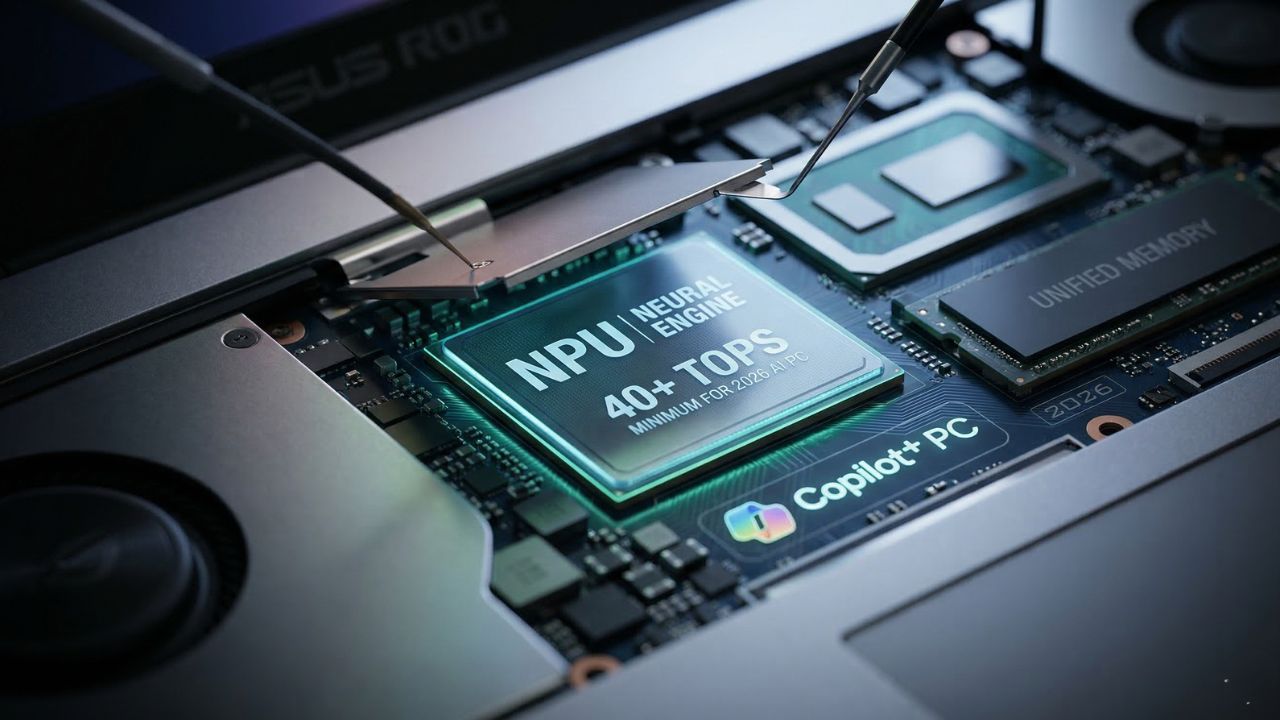
- The 40 TOPS Minimum: In 2026, 40 TOPS is the mandatory entry fee for the Copilot+ ecosystem to keep data private and low-latency.
- Unified Memory is King: For running local LLMs like Llama 4, memory bandwidth and architecture matter more than raw processor speed.
Buying a laptop today based on traditional CPU and GPU specs is a recipe for instant obsolescence. Most enterprises are currently investing millions into hardware fleets that lack true NPU capabilities, essentially purchasing highly expensive paperweights for the coming era of agentic AI. If you do not understand the specific architectural requirements for 2026, you aren't just buying a slower computer; you are ignoring the hardware framework OEMs deliberately obscure during your procurement cycle.
This guide reveals the hidden silicon frameworks and NPU (Neural Processing Unit) metrics that determine whether your machine survives the next 18 months of software evolution. Whether you are a developer, an executive, or a student, understanding the NPU Secret detailed below is your foolproof procurement strategy. Getting this wrong means severe thermal throttling when running background AI agents, leading to catastrophic battery drain.
Executive Summary: The AI Laptop Minimum Specs for 2026
The baseline for what constitutes a functional machine has shifted permanently. To prevent buying dead-end hardware, here is the quick-reference checklist for securing the best AI laptop in 2026:
| Component | Minimum Requirement (Copilot+ Baseline) | Power User / Developer Specs |
|---|---|---|
| NPU Performance | 40+ TOPS (Trillions of Operations Per Second) | 60+ TOPS (High-End SoC) |
| System Memory | 16GB LPDDR5x Unified Memory | 32GB - 64GB Unified Memory |
| Architecture | Integrated System on Chip (SoC) | Hybrid NPU + Dedicated RTX 50-Series GPU |
| Bandwidth | LPDDR5x standard | CAMM2 module support for faster transfer |
The Death of the Traditional Benchmark: Why Legacy Metrics Fail
For decades, we measured laptop performance through clock speeds (GHz) and core counts using tools like Cinebench or Geekbench. In the age of on-device generative AI, these metrics are increasingly irrelevant.
The true heart of a modern machine is the Neural Processing Unit. Traditional CPUs execute instructions serially, and while GPUs handle parallel graphics tasks exceptionally well, neither is specifically optimized for the low-power, sustained matrix multiplications required by Deep Learning inference. The NPU is specifically designed to run these INT8 and FP16 mathematical operations at a fraction of the wattage.
A laptop can boast a flashy "AI" sticker on the chassis but still completely fail to run a local instance of Llama 3 or Mistral efficiently because it lacks the necessary thermal headroom. If you are a developer looking to deploy autonomous coding assistants directly on your machine, you must understand which laptops actually support running local LLMswithout crashing your IDE.
The GPU vs. NPU Divide: Which Do You Actually Need?
A common misconception among procurement teams is that a massive, discrete gaming GPU is the only way to process artificial intelligence. While a high-end card like the NVIDIA RTX 50-series offers unparalleled raw TFLOPS (TeraFLOPS) for model *training*, it is incredibly power-hungry. If you try to run an LLM constantly in the background using a discrete GPU, it will drain your laptop battery in 45 minutes and require a wall outlet to prevent severe thermal throttling.
In contrast, an NPU is significantly better for battery life because it is integrated directly into the SoC (System on Chip). It is designed to handle continuous, low-latency AI inference—like live translation, audio noise cancellation, and code autocomplete—while drawing minimal wattage. For business travelers and students, understanding why basic laptops with built-in neural processing units failis crucial; you need a robust, modern NPU, not a first-generation gimmick.
Industry Warning: The "NPU Sticker" Scam & Copilot+
Many manufacturers are actively rebranding 2024 mid-range hardware with "AI PC" labels while providing sub-par NPU performance (often under 15 TOPS). In 2026, 40 TOPS is the mandatory "entry fee" for the Microsoft Copilot+ PC ecosystem. Anything less will result in your local AI features being rejected by the operating system and offloaded to the cloud.
Offloading to the cloud increases your operational latency and completely compromises your enterprise data privacy. When evaluating hardware, verify the TOPS rating explicitly. Do not assume that an Intel Core i7 or AMD Ryzen 7 automatically includes a 40+ TOPS NPU; you must look for specific designations like Intel Lunar Lake (Series 2) or AMD Ryzen AI 300 series.
The Unified Memory Bottleneck: The Secret to Local Inferencing
What most organizations miss during their procurement cycles is not the processor speed, but the memory architecture. In a traditional PC, data must constantly travel back and forth between the system RAM and the GPU’s dedicated VRAM. This creates a massive bandwidth bottleneck when loading Large Language Models, which require vast amounts of memory to hold their parameters.
Unified Memory allows the CPU, GPU, and NPU to access the exact same memory pool simultaneously. This eliminates the need for data duplication and drastically speeds up the "tokens per second" generation rate. This architectural difference is exactly why developers comparing the NVIDIA RTX 5090 versus the Apple M4 Max for AI tasksoften find the Apple silicon handles massive parameters better due to its high-bandwidth unified pool.
If your goal is to run a highly capable local agent, 16GB is no longer enough. You must understand the minimum RAM and VRAM requirements for running Llama 4, which heavily dictates a move toward 32GB or 64GB of LPDDR5x memory to avoid out-of-memory (OOM) crashes.
Regional Spotlight: The Best AI Laptop for Students in India
In markets like India, the demand for AI-capable hardware is surging among engineering students. However, universities are integrating local AI models into curricula that can easily fry standard consumer hardware. Finding the best AI laptop for students in Indiarequires balancing the high cost of new hardware with a "hidden NPU ratio" that ensures the machine survives more than one semester.
Why Go Local Over Cloud?
While relying on cloud APIs seems convenient initially, the financial cost of running LLMs locally versus the cloudover a four-year degree reveals a massive ROI for those who invest in the right hardware upfront. Local hardware allows students to run coding assistants during secure exams or in lecture halls with poor Wi-Fi, completely avoiding recurring monthly SaaS subscriptions.
The Budget Strategy: Mastering Cheapest AI PC Laptops
You do not need to spend $3,000 to acquire a functional AI machine, but the market for cheapest AI PC laptopsis filled with "crippled" older-generation chips that destroy workforce productivity. To navigate this budget tier, follow this checklist to cut costs without sacrificing agentic power:
- Verify TOPS Performance: Demand 40 TOPS minimum. Ignore anything branded "AI-ready" that hides this number.
- Architecture Matters: Ensure the NPU is integrated into the silicon (SoC) for better battery efficiency. ARM-based chips (like Snapdragon) excel here.
- Check for Thermal Throttling: Budget chassis often use cheap plastic that traps heat, causing the NPU to throttle under heavy inferencing loads.
- Prioritize Unified Memory: Look for LPDDR5x memory or the new CAMM2 standard. Avoid standard DDR4 entirely.
- Audit the Software: Use optimized open-source tools (like Ollama or LM Studio) to maximize the performance of entry-level hardware.
For those seeking a specific hardware recommendation that balances sustained thermal performance with premium value, our deep dive into the Asus ROG Zephyrus 2026highlights why this specific chassis remains a top-tier choice for localized AI processing without looking like a bulky server rack.
B2B Procurement: The Enterprise AI Framework
For IT procurement teams, the stakes are substantially higher than individual purchases. Buying a fleet of 500 laptops that cannot handle on-device AI means your workforce will be tethered to expensive, metered cloud APIs for the next three years. A true AI workstation laptop must be capable of handling localized LLMs for sensitive data analysis without ever sending a packet to an external server.
This "Local-First" approach is the future of enterprise data governance. As organizations transition, understanding the capabilities of modern edge AI laptopsbecomes the defining factor in whether a company successfully secures its proprietary data while still leveraging generative AI tools.

Frequently Asked Questions (FAQ)
A GPU is a high-performance processor designed for parallel tasks like graphics rendering and heavy model training. An NPU is a specialized accelerator designed specifically for low-power, high-efficiency AI inference, making it ideal for running local models without draining the battery.
For a standard AI PC in 2026, you need a minimum of 40 TOPS to support baseline "Copilot+" features. Power users and developers running localized Large Language Models (LLMs) should aim for 60+ TOPS to ensure smooth performance without significant latency.
Yes, for users who prioritize on-device AI efficiency and data privacy. These PCs are certified to have the minimum NPU power (40 TOPS) required for the next generation of Windows AI features, ensuring the hardware won't be obsolete within a year.
While you can run Llama 3 using a powerful discrete GPU (like an RTX series), a standard gaming laptop often lacks the efficiency of a dedicated NPU. This leads to high power consumption and thermal throttling unless the machine is plugged into a wall outlet.
Unified Memory allows the CPU, GPU, and NPU to share a single pool of high-speed memory. This is crucial for large models because it eliminates the bottleneck created when data must be moved between separate system RAM and dedicated VRAM, significantly speeding up inference.
Yes. The RTX 5090 is a high-power component that draws significant wattage. To maintain peak performance for AI workloads without thermal or power-related throttling, it typically needs to be connected to a direct power source.
The minimum standard includes an NPU capable of 40+ TOPS, at least 16GB of high-speed RAM (ideally LPDDR5x), and a silicon architecture that supports local-first inferencing for privacy and speed.
Absolutely. NPUs are architected for efficiency, consuming a fraction of the power required by a GPU to perform the same AI inference tasks. This allows for all-day productivity even when running AI assistants in the background.
Yes, this is one of the primary benefits of owning a laptop with a powerful NPU. By running models like Llama or Mistral locally, you can maintain full productivity and data security without needing to send data to the cloud.