Best AI Collaboration Tools for Research Teams 2026: Sync Lab Data & Drafts
By Sanjay Saini | Last Updated: May 12, 2026
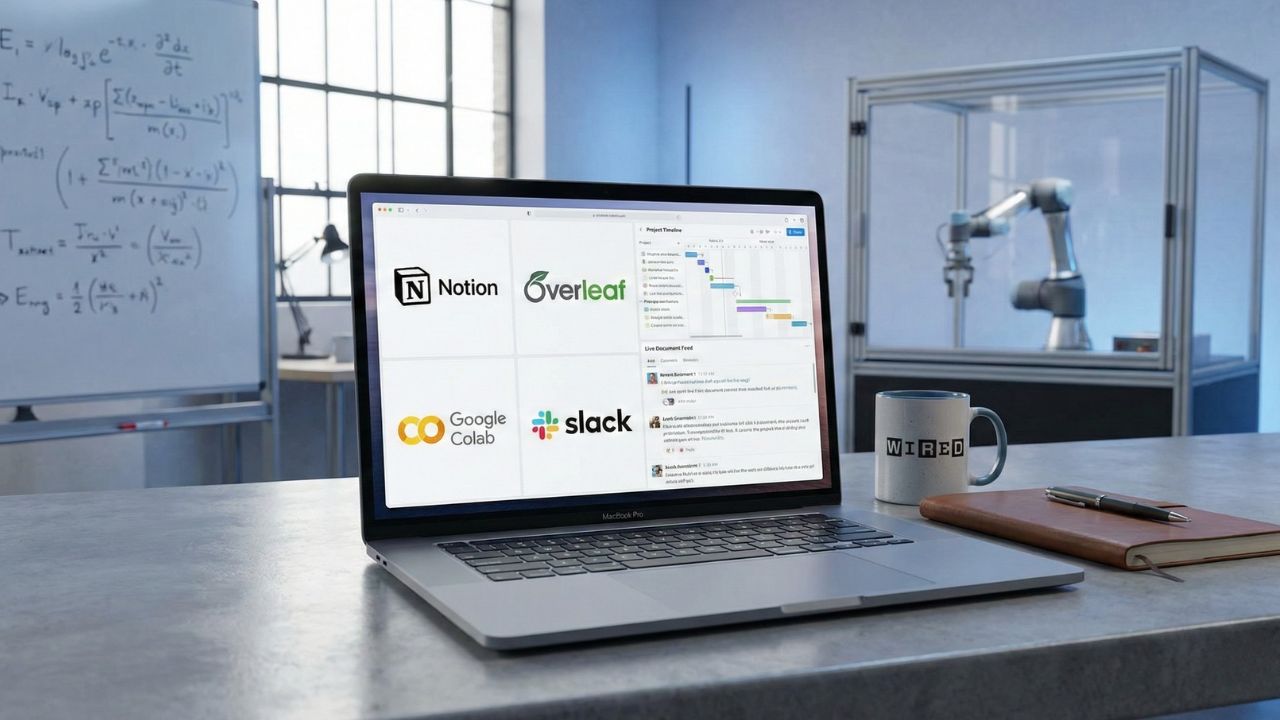
What's New in This Update
- Added guidance on utilizing Google Colab's latest GPU scaling options for large datasets.
- Expanded the Notion section to include AI-driven literature review extraction.
- Included fresh data on how Slack bots reduce administrative overhead in scientific labs.
Quick Summary: Key Takeaways
- Centralize Chaos: Turn scattered lab notes into a searchable, AI-organized wiki with Notion.
- Co-Author Live: Stop emailing Word docs; use Overleaf for real-time, crash-proof LaTeX writing.
- Code Together: Share live Python notebooks and debug instantly with Google Colab.
- Automate Updates: Use Slack bots to summarize daily lab progress and schedule meetings without the back-and-forth.
- Secure Sharing: Meaningful version control that prevents you from overwriting your PI’s edits.
The End of "Final_Version_V4_Edits.docx"
Research is a team sport, but most labs are still playing with outdated equipment. If you manage your PhD or post-doc projects via endless email threads and mismatched file versions, you waste valuable brainpower on logistics rather than discovery. The friction of sharing datasets, compiling literature, and drafting manuscripts across multiple time zones slows down scientific output.
Adopting the best AI collaboration tools for research teams transforms your lab from a group of individuals into a synchronized unit. These platforms do more than just store files; they actively manage workflows, track dependencies, and surface insights, allowing principal investigators (PIs) and graduate students to focus on the science rather than the administration.
This deep dive is part of our extensive guide on Best AI Tools for Academic Research 2026.
Notion: The Central Brain of Your Lab
Notion has evolved from a simple note-taking app to a full-fledged operating system for research groups. With its advanced AI integration, it solves the chronic "where did we save that protocol?" problem that plagues busy laboratories.
Top Features for Labs:
- AI Search: Ask "What was the protocol for the PCR test we did last March?" and Notion finds and summarizes the steps from your archives.
- Project Timelines: Convert messy meeting notes into actionable Gantt charts instantly, assigning tasks to specific researchers.
- Lab Wiki: Create a living handbook for new students that updates itself as you add new equipment manuals or safety documents.
If you need to organize the papers referenced in your Notion wiki, pair it with the strategies in How to Automate Academic Citations with AI Tools.
Overleaf: The Standard for Collaborative Writing
For fields that rely on LaTeX—like Mathematics, Physics, and Computer Science—Overleaf is non-negotiable. It brings the seamless "Google Docs" experience to complex scientific typesetting, removing the pain of local LaTeX installations.
Why It Wins:
- Real-Time Sync: You and your supervisor can edit the same complex equation simultaneously without breaking the document structure.
- Version History: Did you delete a crucial paragraph three days ago that you now need? You can restore it in one click using detailed file histories.
- Rich Text Mode: This feature allows non-coders or external reviewers to edit the text without seeing the intimidating LaTeX syntax, bridging the gap between technical and non-technical authors.
Once your draft is ready, you might want to polish the language before submitting it to a journal. Learn how in our guide on Best AI Writing Assistants for Thesis and Research Papers.
Google Colab: Data Science in the Cloud
Sharing code across a research team is notoriously difficult. "It works on my machine" is a phrase every data scientist hates, usually followed by hours of dependency troubleshooting. Google Colab eliminates this friction by running everything in the cloud. It operates essentially as a Jupyter Notebook on steroids that lives directly in your browser.
Key Advantages:
- Zero Setup: No need to install Python libraries, configure environments, or manage package versions. Just open the link and start coding.
- Free GPUs: Access powerful computing resources for training AI models or processing large datasets without buying expensive lab hardware.
- Comment & Debug: Your team can leave comments on specific lines of code, ask questions, and suggest edits just like reviewing text in a document.
For a deeper look at what you can do with this code, read AI Data Analysis Tools for Research.
Slack: Automating the Daily Grind
Email is where productivity goes to die, especially for fast-moving lab environments. Slack provides the immediacy needed for scientific work. When integrated with specialized AI bots, it graduates from a simple chat app to a proactive lab manager.
Smart Workflows:
- Stand-up Bots: Automated prompts ask everyone "What are you working on today?" and post a tidy summary, replacing tedious morning meetings.
- Meeting Summaries: AI plugins join your video calls and post bulleted action items and decisions immediately after the meeting concludes.
- Integration Hub: Get instant notifications in dedicated channels when a GitHub repository is updated, a server finishes a compute job, or a new paper triggers a keyword alert.
Integrating these communication tools is vital when coordinating large groups. To understand how automated systems manage personnel at scale, consider how AI Agent HRprinciples apply to lab administration.
Conclusion
Implementing the best AI collaboration tools for research teams isn't about buying expensive software licenses. It requires building a lab culture centered on transparency, speed, and shared knowledge. By removing the friction of manual file sharing, dependency management, and scheduling, you ensure your team’s energy fuels scientific breakthroughs rather than administrative bureaucracy. Start by adopting one central tool, like Notion or Slack, and slowly integrate specialized platforms as your lab's comfort with AI workflows grows.

Frequently Asked Questions (FAQ)
Notion AI can summarize long meeting notes, draft grant proposals from bullet points, and instantly query your entire database of lab documents to find specific information.
Yes. It is the industry standard because it handles package management automatically and provides a stable, real-time environment for multiple authors to edit complex documents simultaneously.
Simply create a notebook in Google Drive and share the link with your collaborators. They can run your code, modify parameters, and see results instantly without installing any software.
Yes. You can use plugins like "Reclaim.ai" or "Clockwise" within Slack to automatically find the best meeting times for everyone in the lab based on their calendars.
Notion and Asana are top choices. Notion is better for flexibility and wiki-style documentation, while Asana is superior for strict deadline tracking and dependency management.